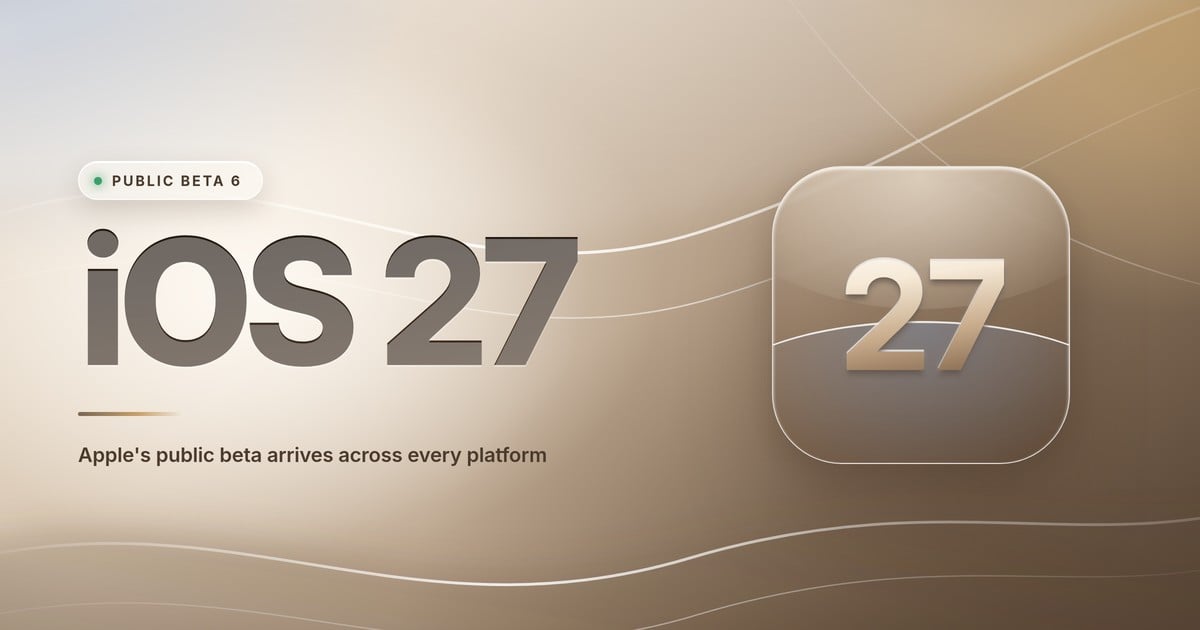
Apple released iOS 27 public beta 6 on Monday, August 31, 2026, alongside iPadOS 27, macOS 27 Golden Gate and tvOS 27 public beta 6. The builds arrived a few hours after developer beta 8 and contain no new features, only bug fixes and stability work. Apple has not announced a release date for the final version. What is confirmed is a September 9 iPhone event, where Apple normally names the software date on stage, with the release following the week after. The one thing testers need to know before installing: Siri AI, the headline feature of the release, will sit behind a waitlist at launch.
Key facts at a glance
- Released: August 31, 2026 (public beta 6 / developer beta 8)
- Platforms: iOS 27, iPadOS 27, macOS 27 Golden Gate, tvOS 27, watchOS 27, visionOS 27, HomePod Software 27
- iOS 27 build: 24A5430a, replacing 24A5424a
- New in this build: nothing notable, bug fixes and stability only
- Release date: not announced by Apple; widely expected the week of September 14, after the September 9 event
- Should you install it? Probably not. The final build is expected within about two weeks, and installing early does not skip the Siri AI waitlist.
What Apple released in iOS 27 public beta 6
Today’s public betas, the sixth for each platform, cover iOS 27, iPadOS 27, macOS 27 Golden Gate and tvOS 27, with public betas for watchOS 27, visionOS 27 and HomePod Software 27 moving in the same wave. They landed roughly a week after public beta 5, keeping to the weekly cadence Apple has maintained through August.
On the developer side, the parallel release is beta 8. The build numbers, as catalogued by AppleInsider:
| Platform | Beta 8 build | Replaces |
|---|---|---|
| iOS 27 | 24A5430a | 24A5424a |
| iPadOS 27 | 24A5430a | 24A5424a |
| macOS 27 Golden Gate | 26A5425a | 26A5421a |
| tvOS 27 | 24J5360a | 24J5358a |
| watchOS 27 | 24R5360a | 24R5358a |
| visionOS 27 | 24M5361a | 24M5359a |
Apple also shipped third release candidates for its current-generation maintenance updates alongside beta 8: macOS Tahoe 26.7 RC 3 (build 25G227, replacing 25G224) and macOS Sequoia 15.8 RC 3 (build 24H22, replacing 24H20), for people who aren’t testing this year’s release.
As for what changed in the betas themselves: not much, and that’s the point. MacRumors reported that no notable new features were found in today’s developer builds, and Apple is now in the bug-fix and stability phase, sanding down the last rough edges rather than adding anything. If you’re already testing, the value of installing this build is fewer crashes, not new toys.
Note that public beta 6 shipped the same day as developer beta 8, only hours later. Earlier in the summer the two channels ran a build apart (public beta 1 was identical to developer beta 3), but at this stage of the cycle they’ve converged.
iOS 27 release date: when the final version ships
Apple has not announced an iOS 27 release date. The date most widely predicted across the Apple press is Monday, September 14, extrapolated from four years of release patterns rather than from anything Apple has said. Our full breakdown of the iOS 27 release date covers why that date, and what to expect on September 9.
The reasoning is straightforward. Apple sent out invitations on August 26 for a September 9 event, branded “Surprise and shine,” where the iPhone 18 Pro is expected alongside a foldable iPhone Ultra. MacRumors counts as many as six new products. Apple typically confirms the software release date at that event, with the release following the week after.
Every major iOS release in recent years has shipped in September: iOS 26 on September 15, iOS 18 on September 16, iOS 17 on September 18, iOS 16 on September 12.
Release candidates are expected the week of September 9. Historically the RC is the build that ships to everyone.
The full iOS 27 beta timeline
| Milestone | Date |
|---|---|
| Announced at WWDC, developer beta 1 | June 8, 2026 |
| Public beta 1 | July 13, 2026 |
| Public beta 2 | July 22, 2026 |
| Public beta 3 | August 11, 2026 |
| Public beta 4 | August 17, 2026 |
| Public beta 5 / developer beta 7 | August 24, 2026 |
| Public beta 6 / developer beta 8 | August 31, 2026 |
| No newer beta as of September 3, 2026 | — |
| Release candidates expected | week of September 9, 2026 |
| Public release expected | mid-September 2026 |
The Siri AI waitlist: read this before you install
The most important thing to know about iOS 27 right now isn’t in today’s build notes.
Siri AI, the rebuilt generative-AI assistant that is this year’s headline feature, will be gated behind a waitlist at launch across iOS 27, iPadOS 27 and macOS Golden Gate. The infrastructure for it turned up in beta 7, where it was first spotted by MacRumors, complete with dynamic wait-time messaging that Apple can adjust server-side, and a notification that fires when your turn arrives.
Two reasons for the queue. Each device has to download more than 10GB of on-device model data, and most Siri AI requests route through Apple’s Private Cloud Compute servers, which Apple evidently wants to bring online gradually rather than all at once on launch day.
During beta testing, some users waited around a week. Apple hasn’t said how long the queue will be once the update ships to hundreds of millions of devices.
This matters for anyone weighing whether to install the beta to get Siri early. You may install it and then wait anyway.
iOS 27 features: everything new on iPhone
We looked at what to expect from iOS 27 earlier this summer. Here is what actually shipped.
Siri AI. Apple has rebuilt Siri on generative AI, and it behaves far more like a chatbot than the old command-and-response assistant. It holds a back-and-forth conversation, keeps context between turns, reaches into your personal data (Messages, Photos, Mail, Notes) to answer questions, searches the web, and takes real actions in apps: creating home automations, finding a specific file, deleting content, editing contacts, drafting an email. On iPad and Mac it can also see what’s on screen and act on it.
Performance. The improvement testers have consistently singled out is speed, and it applies to every supported iPhone rather than just the newest ones. Animations are quicker, apps launch faster, AirDrop transfers finish sooner, and photo capture, keyboard appearance, App Library navigation, Home Screen transitions, iMessage syncing and Wi-Fi/cellular handoffs are all noticeably snappier than iOS 26.
Write with Siri. System-wide text generation straight from the keyboard. It drafts messages, gives feedback on what you’ve written, adjusts tone and phrasing, and can match your personal writing style by learning from your existing emails and messages.
Visual Intelligence. The camera-based identification mode gets meaningfully more capable. It can now calculate nutritional information from a photo of food and work out who owes what from a photo of a receipt.
Call Context. The Phone app surfaces relevant information during business calls, pulling reservation and confirmation details from your own data and showing them while you’re on the line.
Photos. Clean Up is better at removing unwanted objects, and there are new generative tools for extending the borders of an image and adjusting perspective or composition.
Passwords. A new feature uses Safari to automatically change weak and compromised passwords on your behalf. It requires an Apple Intelligence-capable device.
Safari custom extensions. You can now describe an extension in plain language and have Safari build it: restyle a page, manage tabs, watch a webpage for changes, bump up font sizes.
Home. HomeKit Secure Video cameras now record in 2K and 4K, and AI features generate text descriptions of events and let you search your video in natural language. The AI portion requires a 2TB iCloud+ plan.
AirPods EQ. A proper equalizer with mids, highs and lows, supported on AirPods 4, AirPods Pro 2, AirPods Pro 3 and AirPods Max 2.
Shortcuts. Describe what you want and the app builds the shortcut, which you can then refine in natural language or edit by hand.
iPhone Handoff. Surfaced in the betas at the start of September, this lets you run two iPhones on one phone number and switch between them. You nominate a primary iPhone, which keeps the main eSIM, and a companion iPhone, which gets a second eSIM tied to the same number. Setup lives in Settings under Cellular. It needs carrier support, and MacRumors reports T-Mobile and Deutsche Telekom as likely early adopters.
Parental controls. Screen Time has been redesigned with time allowances by app category, scheduling for app availability, an “Ask to Browse” approval flow for new websites, and approval requirements for new contacts in Messages, FaceTime and Phone. Communication Safety has been extended to block gore and violent content.
Apple Intelligence has a hardware floor: an A17 Pro chip or newer with 8GB of RAM, meaning iPhone 15 Pro and later. The most advanced features, custom Siri voices among them, need 12GB of RAM, which limits them to iPhone Air, iPhone 17 Pro and iPhone 17 Pro Max.
iPadOS 27 features
iPadOS 27 inherits the full Siri AI and Apple Intelligence stack, and adds a few iPad-specific wins that testers have been enthusiastic about.
The menu bar can now be pinned permanently via an “Automatically Show and Hide Menu Bar” toggle, exactly like macOS, and the active app’s name appears in the top-left of the status bar even when the menu bar is hidden. It’s a small change that matters a lot if you drive an iPad from a keyboard.
⌘ + Space has also been reworked. Spotlight now carries Siri AI’s full capabilities, so you can fire off a search or an AI query from the same box without deciding which one you want first. On an iPad Pro with a Magic Keyboard it’s the fastest path to the new Siri.
Elsewhere: Apple Pencil can be used to point Visual Intelligence at on-screen content, Calendar, Reminders and Shortcuts accept natural-language input, Photos gets the generative Clean Up / Reframe / Extend tools, Safari organises tabs and bookmarks with AI, and HomeKit Secure Video moves up to 4K. Custom Siri voices require an iPad Pro (M4) or later, or an iPad Air (M4), with at least 1TB of storage.
macOS 27 Golden Gate features
Apple’s Mac release this year is named Golden Gate, and it’s a refinement year on the design side paired with the same big Siri leap.
Liquid Glass, tuned. After a year of feedback, Apple has added a user-adjustable transparency slider, made toolbars more uniform for readability, restored edge-to-edge sidebars with coloured icons, and dialled back the aggressively rounded window corners of the previous release.
Siri AI on the Mac. Full conversational Siri with access to Mail, Messages and Notes, web search, screen awareness, and the ability to draft emails or add calendar events directly, subject to the same launch waitlist.
Apple Intelligence throughout. Photo editing (Clean Up, Extend, Reframe), Visual Intelligence for screen analysis, writing assistance with grammar checking and style matching, and natural-language Shortcuts creation.
App-level improvements. Safari organises tabs by topic and supports natural-language custom extensions, Mail ranks search results by relevance, HomeKit Secure Video gains 4K and AI summaries, and Photos improves cross-platform sharing.
Performance and windowing. Faster AirDrop and network browsing, better window positioning on external displays, improved touch support when using an iPad as a display, and quicker Spotlight indexing.
Golden Gate is Apple silicon only. Intel Mac support has been dropped entirely, which makes this the cleanest break in the Mac line since the transition began.
tvOS 27 features
Smaller release, but a few things worth having:
- Redesigned Podcasts with video podcast playback and sidebar navigation, plus better artwork and discovery on a big screen.
- AutoMix and Hi-Res Lossless in Apple Music. DJ-style transitions between tracks come to Apple TV for the first time, and Hi-Res Lossless playback arrives for compatible speaker setups.
- Software updates via the Home app, so you can push an Apple TV update from your iPhone while the box isn’t in use.
- Dynamic Type, with a slider that scales UI text across supported apps.
Apple also referenced a “Smart Downloads” feature in its WWDC materials, but details remain thin.
iOS 27 compatible devices
iOS 27 compatible iPhones. Every iPhone that ran iOS 26 is supported: iPhone 11 and later, plus iPhone SE (2nd and 3rd generation), iPhone 16e and iPhone 17e, up through iPhone 17 Pro Max and iPhone Air. Nothing has been dropped this year.
iPadOS 27 compatible iPads. iPad (9th generation) and later, iPad mini (6th generation) and later, iPad Air (4th generation) and later, iPad Pro 11-inch (2nd generation) and later, and iPad Pro 12.9-inch (4th generation) and later. Dropped this year: iPad (7th and 8th generation), iPad mini (5th generation), iPad Air (3rd generation), iPad Pro 11-inch (1st generation) and iPad Pro 12.9-inch (3rd generation), broadly the A12 and A12X models.
macOS 27 Golden Gate compatible Macs. Apple silicon only. MacBook Air and MacBook Pro with M1 through M5, iMac (M1, M3, M4), Mac mini (M1, M2, M4), Mac Studio (M1 Max and later), Mac Pro (M2 Ultra), and the 2026 MacBook Neo with its A18 Pro chip. No Intel Macs.
tvOS 27 compatible Apple TVs. Apple TV 4K (2021) and Apple TV 4K (2022). Apple TV HD and the first-generation Apple TV 4K from 2017 have been dropped.
watchOS 27 compatible Apple Watches. Apple Watch SE 3, Series 9, 10 and 11, and Ultra 2 and 3. Dropped: Apple Watch SE 2, Series 6, 7 and 8, and the original Ultra.
How to install the iOS 27 public beta
The public beta is free and doesn’t require a developer account.
- Back up first. On iPhone or iPad, make an encrypted archived backup to a Mac or PC rather than relying on iCloud, because an iCloud backup made on iOS 27 can’t be restored to iOS 26. On a Mac, take a Time Machine backup.
- Sign up for the Apple Beta Software Program at Apple’s beta website using the same Apple Account you use on the device.
- On iPhone or iPad, open Settings → General → Software Update, tap Beta Updates, and choose iOS 27 Public Beta (or iPadOS 27 Public Beta).
- On a Mac, open System Settings → General → Software Update, click the info button next to Beta Updates, and select macOS 27 Public Beta.
- On Apple TV, go to Settings → System → Software Updates → Get Beta Updates and pick tvOS 27.
- Return to Software Update and install.
To leave the beta later, switch Beta Updates back to Off. Your device stays on the beta until the public release ships, at which point it updates to the final version normally.
Should you install iOS 27 public beta 6?
Honest answer: for most people, no. Not because it’s rough, but because the wait is now measured in days.
We’re roughly two weeks from an expected mid-September release. Installing public beta 6 today buys you the speed improvements and the smaller refinements a fortnight early, in exchange for whatever bugs survived into the final stretch, third-party apps that may still misbehave, and a device you can’t easily roll back without wiping it.
And the biggest single reason people want to jump early, Siri AI, is exactly the thing the waitlist gates. Installing the beta doesn’t buy you a shortcut past it. Beta testers were queuing for around a week themselves. That changes the maths considerably.
One caveat worth flagging: use a spare device if you can. The standing advice, test betas on secondary hardware rather than the phone you need to work tomorrow, carries extra weight this year given how much of the OS the Siri rebuild touches.
The people who should install: developers checking their apps against something close to the shipping build, anyone with a spare iPhone or iPad who wants to file feedback while it still counts, and Mac users who want to validate their workflow on Golden Gate before committing their main machine.
Everyone else: pencil in the week of September 14, take a backup that week regardless, and let the release candidate do the last round of shaking out.
Frequently asked questions
When was iOS 27 public beta 6 released?
Apple released iOS 27 public beta 6 on Monday, August 31, 2026, a few hours after developer beta 8. iPadOS 27, macOS 27 Golden Gate and tvOS 27 public beta 6 shipped at the same time, along with public betas for watchOS 27, visionOS 27 and HomePod Software 27.
What’s new in iOS 27 public beta 6?
Nothing notable. MacRumors reported that no new features were found in the corresponding developer beta 8 builds. Apple is in the bug-fix and stability phase ahead of the September release, so this build brings reliability improvements rather than new functionality.
When will iOS 27 be released to everyone?
Apple has not confirmed a date. Mid-September is expected, with Monday, September 14 the most widely predicted, based on Apple’s release pattern rather than an announcement. Apple’s iPhone event is on September 9, release candidates are expected that week, and recent iOS releases have all shipped in September: iOS 26 on September 15, iOS 18 on September 16, iOS 17 on September 18 and iOS 16 on September 12.
Which iPhones are compatible with iOS 27?
Every iPhone that ran iOS 26. That means iPhone 11 and later, plus iPhone SE (2nd and 3rd generation), iPhone 16e and iPhone 17e, up to iPhone 17 Pro Max and iPhone Air. No models were dropped this year. Apple Intelligence features additionally require an A17 Pro chip or newer with 8GB of RAM, meaning iPhone 15 Pro and later.
Will Siri AI be available as soon as I install iOS 27?
No. Siri AI sits behind a waitlist at launch on iOS 27, iPadOS 27 and macOS Golden Gate. Each device has to download more than 10GB of on-device model data, and most requests route through Apple’s Private Cloud Compute servers, so Apple is releasing access gradually. Some beta testers waited around a week.
Is it safe to install the iOS 27 public beta now?
It’s the most stable build of the cycle so far, but with the final release roughly two weeks away, most people should wait. If you do install, use a spare device rather than your main iPhone, and make an encrypted archived backup to a computer first, because an iCloud backup made on iOS 27 cannot be restored to iOS 26.
How do I get off the iOS 27 beta?
Open Settings, go to General, then Software Update, tap Beta Updates and set it to Off. Your device stays on the current beta build until the public release ships in September, at which point it updates to the final version normally.
What happens next
Release candidates are expected the week of Apple’s September 9 event. Historically the RC is the build that ships to everyone, with the public release following within about a week. Watch for two things when it lands: whether Apple says anything official about the Siri AI waitlist, and whether any features slip to a later 27.x update.
We’ll update this piece as the release candidate and the final date are confirmed.
Last checked September 3, 2026. Public beta 6 / developer beta 8, released August 31, remain the current builds; Apple has not seeded a newer beta or a release candidate since.
Sources
Facts attributed to a specific outlet are credited inline where they appear. This article also draws on:
- iOS 27 Introduces New ‘iPhone Handoff’ Feature (MacRumors)
- iOS 27 (Apple)
- iOS and iPadOS 27 beta release notes (Apple Developer)
- Eighth iOS 27, macOS 27 developer betas arrive for testing (AppleInsider) — beta 8 build numbers
- Siri AI Will Have a Waitlist in iOS 27 (MacRumors) — first report of the launch waitlist
- Apple announces September 9 iPhone event (MacRumors)