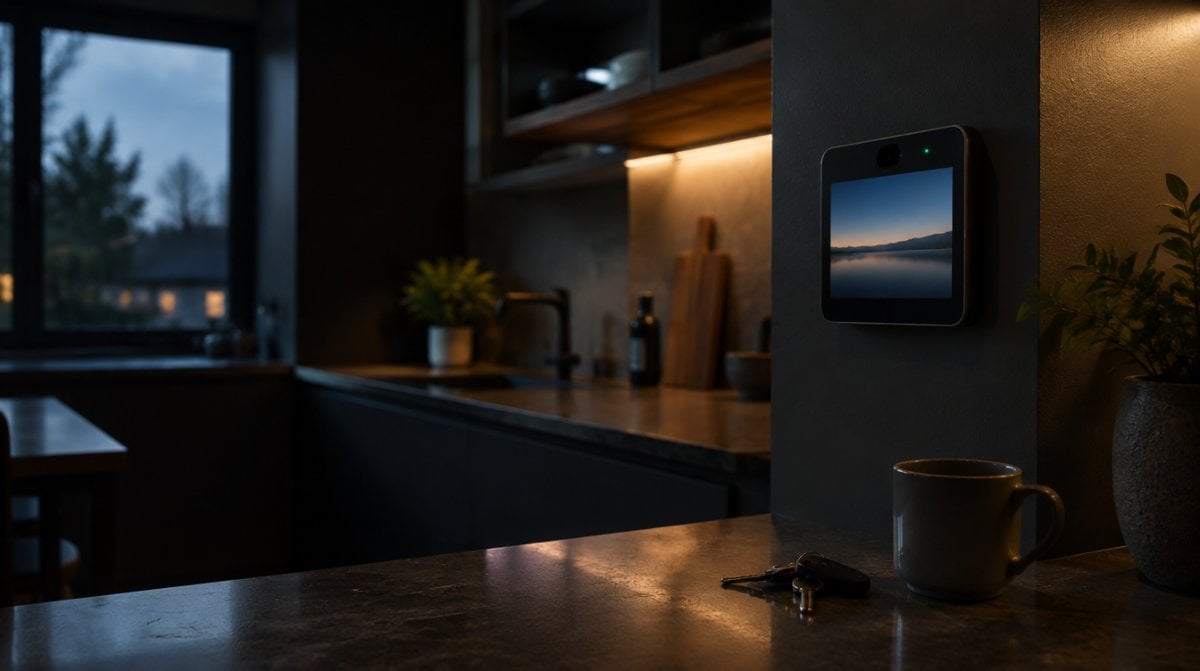
Anyone who ordered a smart display for the kitchen may end up with a home watchdog as well. An Apple HomeView security camera mode has surfaced in Apple’s own software, and it would turn the built-in 12MP camera, the same one used for FaceTime, into another feed in the Home app with no extra hardware to buy.
Apple has announced none of this. The clue is a set of text strings in HomeView Software 27.2, first spotted by the leaker pdfu, including this setup line: “Your HomeView can be used as a security camera with HomeKit Secure Video.” HomeView ships November 13, and it is still unclear whether the option arrives at launch, in a later update, or at all.
What the Apple HomeView security camera code shows
Read together, the strings describe a device that acts like a regular HomeKit Secure Video camera. A configuration entry lists 1080p video at 30 frames per second, and the code shows four camera modes:
| Setting | What it appears to do |
|---|---|
| Off | The camera takes no part in home security |
| Detect Activity | Motion detection only, with no live picture |
| Stream | Live viewing, with nothing saved |
| Stream & Allow Recording | Live viewing plus saved footage |
You could also tie those choices to your routine, with different behavior for when you are home, away or asleep. Face Recognition and Activity Zones would be handled from the Home app on an iPhone.
The privacy rules built into the strings
An Apple HomeView security camera on a kitchen wall would need firm limits, and the text spells several out:
- Visible warning. A green indicator appears, along with a sound, whenever a stream opens or recording begins.
- Household alerts. Everyone in the home gets a notification if security settings change.
- Limited viewers. Footage and live video stay with household members.
- No remote switch-on. With any household member at home, the feature can’t be turned on from afar. It has to be enabled on the display itself.
One more detail may surprise people. The display could snap a still photo to refresh the preview when someone opens the Home app, and the green light would show for that too.
Why an Apple HomeView security camera makes sense
Apple has given no reason, but the direction is easy to read. In October it introduced the Apple Home Collection, a set of smart home accessories that includes four LG cameras, and it named HomeView as a home hub for them. Our guide to the HomeView tabletop and wall mount models covers the Home Camera face, which shows up to nine feeds. A display that already gathers those feeds, and sits in a busy room with a lens pointing out, is an obvious candidate to become one more.
Apple HomeView compatible cameras and iCloud+ costs
You don’t need this hidden mode to use HomeView with cameras. The LG lineup works with it as a hub, and sales are due to begin in December, with some accessories following in early 2027:
- LG Video Doorbell Wired: $249.95
- LG Floodlight Cam: $399.95
- LG Outdoor Cam Plug-In: $299.95
- LG Indoor Cam Plug-In: $199.95
Storage is the running cost. Apple says event history for HomeKit Secure Video requires an iCloud+ plan: 50GB covers one camera, 200GB covers up to five, and 2TB has no camera limit. Apple’s AI camera features need a supported plan as well.
An Apple HomeView security camera would raise a practical question here: does the display count against that limit? Apple hasn’t said, and it is also unknown whether the plain Stream setting would need a plan. If you are on 50GB with a camera already running, keep that in mind.
What this mode would not be
Not a stand-in for outdoor cameras. The lens sits inside your home and sees one room. Porches and driveways still call for something like the LG doorbell or floodlight. The same partnership reaches the front door too, as our look at the Apple smart lock explains.
Not available everywhere. Apple says HomeView won’t go on sale in the European Union, because Siri AI is unavailable in iOS there.
Not a confirmed feature. For now, an Apple HomeView security camera exists only as text, and strings can describe plans that change or never ship. It is also unknown whether the mode would be on by default, though the setup line suggests owners would be asked.
Frequently asked questions about HomeView cameras
Does Apple HomeView have a camera?
Yes. It has a built-in 12MP camera used for FaceTime calls. Using it as a security camera is the part Apple has not announced.
Can Apple HomeView record video?
Not as an announced feature. Software strings describe a Stream and Allow Recording setting, but Apple has not confirmed it or said when it could arrive.
Does Apple HomeView work with Ring cameras?
Apple has not addressed this in the announcement material available so far, which centers on its LG cameras. Check for HomeKit support in the camera listing before you buy.
Should you count on HomeView as a security camera?
Not yet. If you want a smart display, buy HomeView for what Apple has promised, and treat an Apple HomeView security camera as a possible bonus. If watching the house is the real goal, a dedicated camera is the safer purchase. Pay for the feature that exists, not the one hiding in a language file.