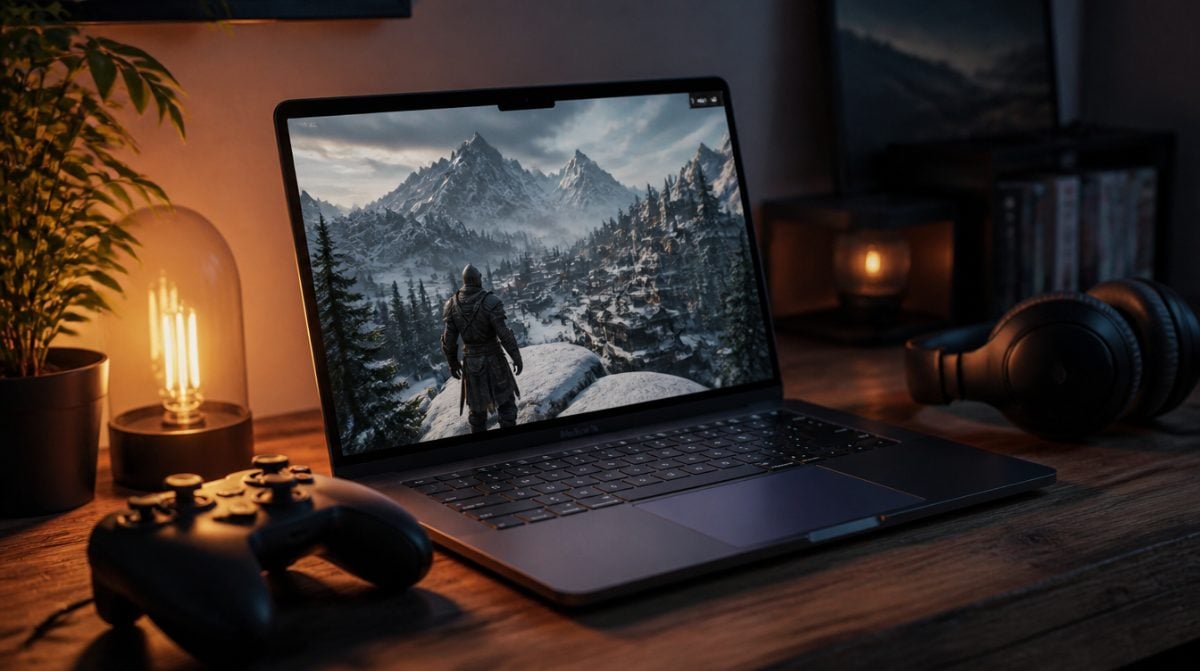
As of October 19, 2026, there is a new answer to an old question: how to play Skyrim on Mac without a Windows PC. A free community app called SkyrimMT sets up Steam, the game and a mod manager in one pass on any Apple Silicon Mac, mostly from a single button labeled “Set up everything”.
SkyrimMT is not an official Bethesda release, so this is an unofficial route. It runs the Windows version of Skyrim Special Edition through a translation layer, which means you need to own the game on Steam and accept some rough edges from a very young project.
What you need before you try how to play Skyrim on Mac
The checklist for how to play Skyrim on Mac is short, but each item matters. Miss the first and nothing else will help.
| Requirement | Details |
|---|---|
| Mac | Any Apple Silicon model (M-series chip). Intel Macs are not supported. |
| macOS | macOS 13 Ventura or newer |
| Game | Skyrim Special Edition owned on Steam (Anniversary Edition content is also covered) |
| Storage | Roughly 25 GB free |
| Mods account | A free Nexus Mods account; Premium only if you want downloads to happen without clicking through each one |
The app itself costs nothing and is published under the MIT license by a developer who goes by HorrorPills. It ships with no Bethesda, Valve or Nexus Mods files and has no ties to those companies, so the game still has to come from your own Steam library.
How SkyrimMT gets a Windows game running on macOS
Under the hood, the installer builds a self-contained folder holding Wine, the Windows build of Steam and the game. Wine is the long-running open-source layer that lets Windows programs run on other systems, and it does the heavy lifting here.
Graphics go through DXMT, which converts the Direct3D 11 calls Skyrim makes into Metal, the graphics framework Apple Silicon actually speaks. The game then starts through SKSE (the Skyrim Script Extender) rather than Bethesda’s own launcher, which is also what most popular mods expect.
Because everything lives in one folder, the setup stays out of the rest of your system. If this approach to how to play Skyrim on Mac does not work out, deleting that folder is most of the cleanup.
Setup steps for Skyrim on an Apple Silicon Mac
Here is how to play Skyrim on Mac with SkyrimMT, start to finish.
- Open the SkyrimMT page on GitHub, go to Releases and download SkyrimMT-app.zip.
- Unzip it and drag the app into your Applications folder.
- The app is not notarized by Apple, so a normal double-click will be blocked. Right-click (or Control-click) the app and choose Open, then confirm.
- Click Set up everything, found in the Setup tab.
- When the Steam window appears, log in with your own Steam account.
- Confirm the Skyrim install and wait for the download to finish.
- Switch to the Mod Manager, open Essentials and paste your Nexus Mods API key.
- Click Install all to add the core mod bundle, then launch the game.
The Essentials bundle covers the usual foundation pieces, including SKSE, Address Library, Engine Fixes and SkyUI. Most bigger mods depend on at least one of those, so it is worth installing even if you plan to keep things close to vanilla.
Skyrim mods on Mac: what the built-in manager handles
For many players, the mods are the whole reason to keep coming back to Skyrim. Any honest guide to how to play Skyrim on Mac has to cover them, and SkyrimMT goes well beyond a basic launcher here.
- Installing mods. It handles plain archives and FOMOD installers, lets you browse and download from Nexus Mods, and supports Nexus Collections and Wabbajack modlists.
- Moving an existing setup. You can import a Mod Organizer 2 profile from a PC build.
- Keeping a load order sane. LOOT sorting, conflict handling, profiles and restorable snapshots are all built in.
- Troubleshooting. Health checks, a crash log reader and a save inspector help track down what broke.
- Modding tools. LOOT, Pandora and BodySlide run natively, while xEdit and DynDOLOD run through Wine.
The launcher side adds graphics presets, a frame-rate cap, controller support, a smooth-mouse option and a way to pin an older version of Skyrim so a Bethesda patch does not break your mods. If you play with a gamepad, our guide to Xbox controller support on macOS covers pairing.
Limits and risks to weigh first
Be clear-eyed about what this is before you commit an afternoon to how to play Skyrim on Mac this way. As of October 19, the GitHub project had 3 commits and 10 stars. That is a weekend-project footprint, not a polished product from a studio with a support line.
- No Apple notarization. Apple has not checked this app, which is why Gatekeeper blocks it at first. Only grant that exception if you are comfortable running unreviewed code.
- No official support. If a Steam or game update breaks something, Bethesda and Valve will not help. The version-pinning option exists for exactly that reason.
- Performance details are thin. The project does not publish frame rates, RAM requirements or a tested-Mac list, so results on a base MacBook Air versus a Mac Studio are anyone’s guess for now.
- Nexus account needed. Mod downloads need your own Nexus Mods API key, and free accounts mean more manual clicks.
Back up any save files you care about before importing them. The snapshot tool helps, but a second copy is free.
If Skyrim will not open on your Mac
A common snag with how to play Skyrim on Mac is the very first launch. If macOS says the app cannot be opened, go back to step 3 and use right-click and Open, or allow it under System Settings > Privacy & Security.
If the game crashes after you add mods, run the health check and open the crash log analyzer before deleting anything. Restoring a snapshot from before the last change is usually faster than hunting through dozens of plugins by hand. Intel Mac owners have no fix here, because this method of how to play Skyrim on Mac only supports Apple Silicon. Players who like this kind of port will also want to read about Control Ultimate Edition on Mac, an official release that shows how far native Mac gaming has come.
Frequently asked questions about Skyrim on Mac
Can you play Skyrim on a MacBook Air?
Yes, if it has an Apple Silicon chip and runs macOS 13 or later. SkyrimMT supports any M-series Mac, though the project has not published performance figures for specific models.
Can you play Skyrim on Mac for free?
The SkyrimMT tool is free and open source, but you still need to own Skyrim Special Edition on Steam. A free Nexus Mods account works, though Premium is needed for fully automatic mod downloads.
Does Skyrim work on an Intel Mac?
Not with SkyrimMT. The tool requires an Apple Silicon Mac, so Intel models are not supported.
It’s exciting, but it’s a three-commit project with no notarization, so back up your saves and wait for a few updates if you’re cautious.
Is SkyrimMT the right way to play Skyrim on your Mac?
If you already own Skyrim Special Edition on Steam and have an M-series Mac with 25 GB to spare, this is the simplest answer yet to how to play Skyrim on Mac, and it is worth an evening of tinkering. If you are on an Intel Mac, or you are uneasy running an unnotarized app from a three-commit project, wait and watch the GitHub page for a few updates. Either way, keep your saves backed up: the Dragonborn has survived worse than a bad patch, but your 200-hour character might not.