Apple Intelligence switches on by itself once an eligible device installs the 27 updates. Siri AI does not, and that difference explains most reports of Siri AI not working on a new iPhone, iPad or Mac. Apple launched the assistant as a beta on September 14, 2026, alongside iOS 27, and you have to request it, sit in a queue and clear a short list of rules before it ever appears.
So if you updated and still hear the old Siri, nothing is necessarily broken. Siri AI needs a supported device, English as both your device and Siri language, and an Apple Account in an eligible region. Miss any one of those and the feature quietly stays hidden.
What goes wrong with the new Siri
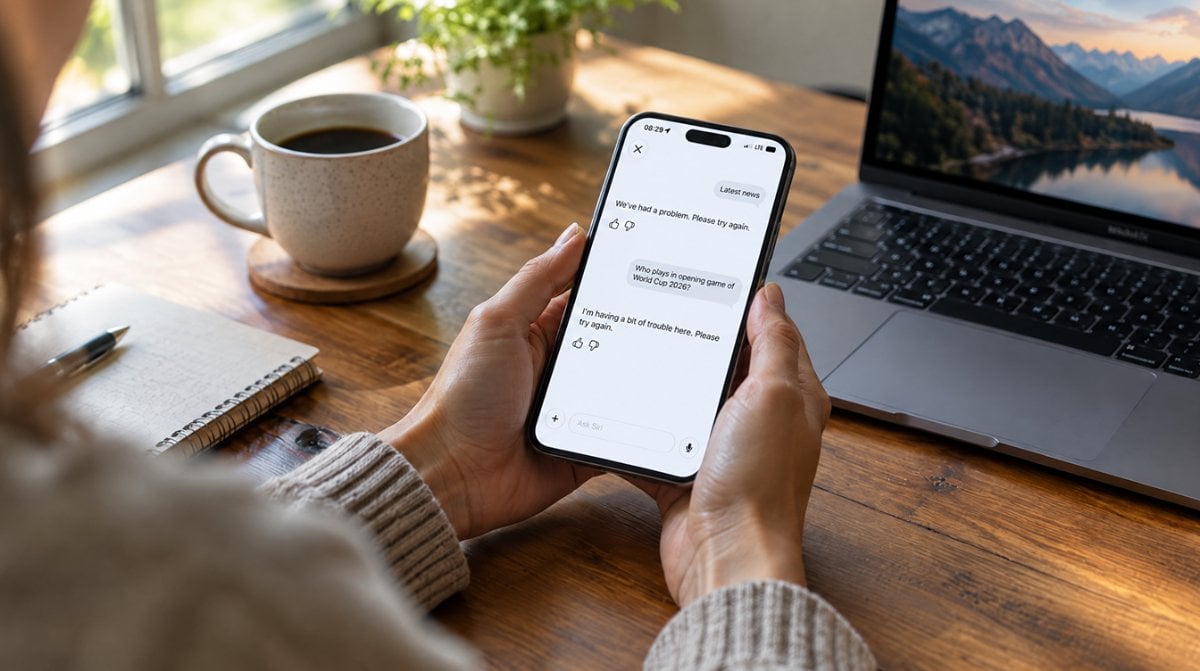
Reports of Siri AI not working fall into three buckets: the Try Siri AI (Beta) option never appears in Settings, setup finishes but nothing downloads, or the assistant is sharp one day and vague the next. Very few of these are bugs.
Siri AI not working? Seven fixes, easiest first
- Make sure your hardware is on the list. With iOS 27 you need an iPhone 15 Pro, iPhone 15 Pro Max, any iPhone 16 or newer, or iPhone Air. iPads need the A17 Pro iPad mini or an M1 chip or later, Macs need a MacBook Neo or an M1 or later model, and every Apple Vision Pro qualifies.
- Update, then opt in. Install the 27 release, open Settings, choose Siri and select Try Siri AI (Beta). If Siri itself is off, turn it on first, then pick a voice, do voice enrollment and review the privacy choices.
- Give the waitlist time. Finishing setup only puts you in line, and the queue explains many cases of Siri AI not working right after setup. Apple says the wait varies, and the download starts by itself when your turn arrives.
- Line up your languages. Your device language and your Siri language have to match, and for this beta that means English for now. Just switched the Siri language? Apple Intelligence can stay unavailable until the new Siri voice has fully downloaded.
- Check the region on your Apple Account. In the European Union, Siri AI is off the table on iPhone, iPad and Apple Watch for now, though EU accounts can still use it in English on a Mac running macOS 27 Golden Gate or a Vision Pro with visionOS 27. Accounts set to mainland China cannot use it yet, and it is not offered to anyone under 13.
- Clear some storage. Apple Intelligence can claim up to 14GB on an iPhone 17 Pro, 17 Pro Max or iPhone Air, and on M4 or later iPads and M3 or later Macs with 12GB of memory. Other supported models need up to 8GB, and Apple Watch up to 1.5GB. A nearly full device is an easy way to stall the download.
- Wait out the daily cap. Siri AI leans on Apple’s servers for some requests, and those carry daily usage limits. If it handled big jobs in the morning and balks by evening, that is Siri AI not working because of a daily cap, not a fault.
Apple Watch, Mac and voice quirks
Apple Watch. Series 9 or later, Ultra 2 or later and SE 3 can run Siri AI, but only when paired with an Apple Intelligence iPhone that already has it switched on. Siri AI not working on your wrist usually traces back to the phone, so sort out the iPhone first.
Mac. Setup follows the same Settings path. If space is tight, our guide on removing Apple Intelligence from Mac storage on macOS 27 shows what you can reclaim. Keep in mind that Siri AI is powered by Apple Intelligence.
Expressive voices. The new, more natural voices need Apple’s AFM Core Advanced on-device model, limited to iPhone Air, the iPhone 17 Pro and 18 Pro models, M4 or later iPads and M3 or later Macs with 12GB of memory, and Apple Vision Pro with M5. Their absence on other models does not mean Siri AI not working; the assistant runs fine without them.
What Apple has said so far
Siri AI is still a beta, and Apple’s How to get Siri AI support page lists requirements rather than troubleshooting steps. At launch on September 14, Apple said French, Japanese, Korean, Portuguese and Spanish would follow English the next month.
Apple also says access beyond the daily limits will cost a fee in the future, with no price or date yet. If you are still on iOS 26, our iOS 27 release date guide covers the rollout.
Siri AI waitlist and availability questions
How long is the Siri AI waitlist?
Apple does not give a fixed time. It says wait times vary, and Siri AI downloads on its own once your turn comes, so keep the device updated and connected.
Does Siri AI work on iPhone 15?
Only on the iPhone 15 Pro and iPhone 15 Pro Max. The standard iPhone 15 and iPhone 15 Plus are not on Apple’s supported list.
Is Siri AI available in the EU?
Not on iPhone, iPad or Apple Watch for now. EU accounts can use it on a Mac running macOS 27 Golden Gate or a Vision Pro with visionOS 27, as long as the device and Siri languages are both English.
When to stop troubleshooting Siri AI and just wait
If your device is on the list, both languages say English, your account region qualifies and you have tapped Try Siri AI (Beta), stop resetting things. At that point Siri AI not working almost always means you are still in the queue, and the download will turn up without your help. Owners of unsupported models, or anyone in the EU on an iPhone, can skip the fiddling for now. The classic Siri still answers in the meantime, just with less to say.