
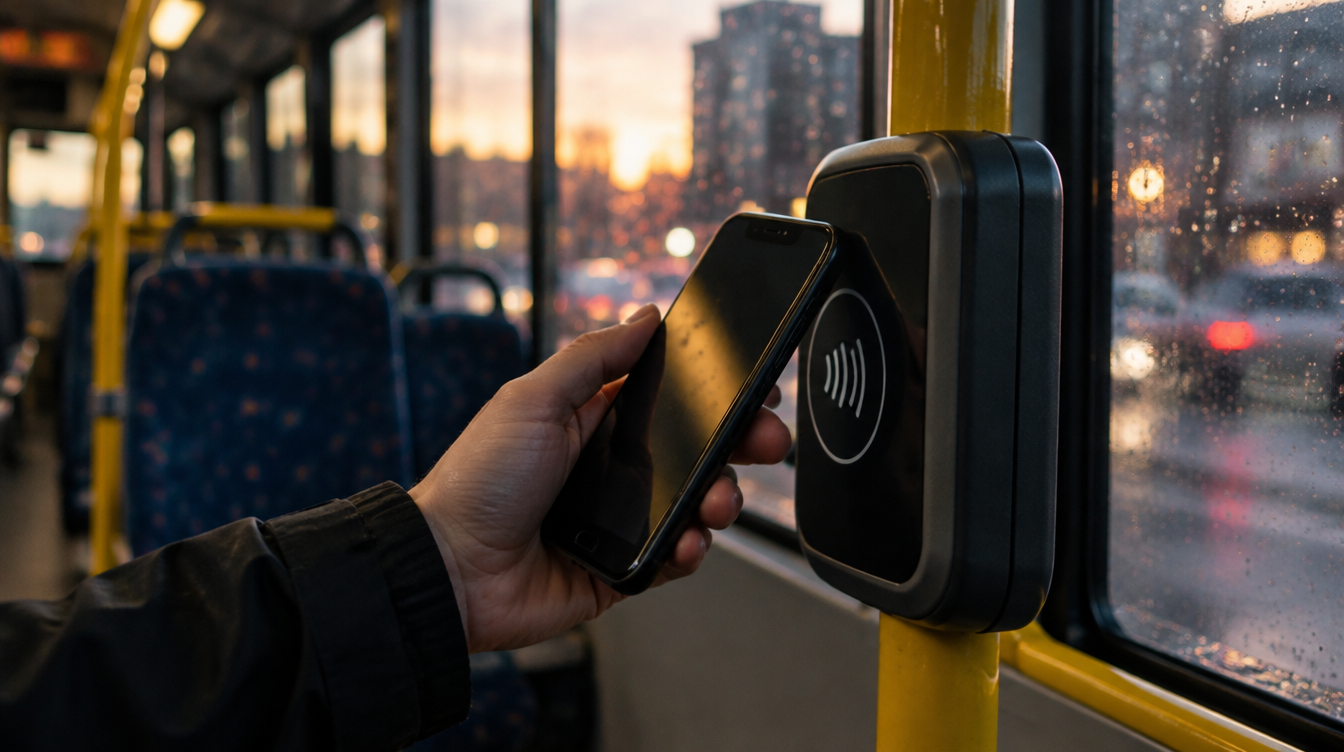
To add Bee Card to Apple Wallet, open Wallet on an iPhone running iOS 27, tap the plus button, pick Travel Card, choose Bee Card and buy your first ticket. That purchase creates the card on the spot, and from then on you just hold your phone or watch to the reader on Manchester’s buses and trams.
The bigger news is what you can load onto it. Until this week, the Wallet version was really aimed at young riders on Our Pass. Transport for Greater Manchester has now opened it to eight standard bus, tram and combined tickets, so most adult commuters and weekend visitors finally have a reason to try it.
What you need before you add Bee Card to Apple Wallet
The hardware bar is low, but the software bar is not. Everything hinges on being on this year’s operating systems.
| Device | Oldest supported model | Software needed |
|---|---|---|
| iPhone | iPhone 11, or the second-generation iPhone SE | iOS 27 or newer |
| Apple Watch | Series 8, or the Apple Watch SE 2 | watchOS 27 or newer |
You also need a payment card already set up in Wallet, because there is no separate signup. The card only exists once you buy a ticket. If you are still on iOS 26, our rundown of iOS 27 and the devices it supports is a good place to check whether your phone can make the jump.
One limit catches people out straight away. The plastic Bee Card in your drawer cannot be moved into Wallet. The digital one is a brand new card with its own tickets.
How to add Bee Card to Apple Wallet on iPhone
- Open the Wallet app.
- Tap the + button.
- Pick Travel Card. On some phones this option is labelled Transit Card instead.
- Scroll to the United Kingdom list and tap Bee Card (it may appear as Bee Network).
- Tap Continue.
- Choose the ticket you want from the list.
- Confirm the purchase, and the card is created.
The card lands in Wallet with that ticket already on it. Need another one later? Open the card and use Buy tickets. A single Bee Card can carry several tickets at once, so a weekly bus pass and a weekend tram ticket can sit side by side.
Setting it up on Apple Watch instead
Prefer to add Bee Card to Apple Wallet on your wrist first? The watch has its own route in. Open Wallet on the watch, tap the three-dot button, then Add Card, then Travel Card. From there pick Bee Card, tap Continue, choose a ticket and confirm. Tickets can also be bought for the watch from the Watch app on your iPhone, which is easier than squinting at a list on your wrist.
Moving it between devices. You can shift a Bee Card from iPhone to watch, or back again, through the Watch app. It only lives on one device at a time, so it disappears from the first one once the move finishes. Any tickets travel with it.
Which Bee Network tickets work in Wallet
You get a fixed menu when you add Bee Card to Apple Wallet, not the whole fare range. Here is the full list as Transport for Greater Manchester publishes it:
| Bus only | Tram only (all zones) | Bus and tram (all zones) |
|---|---|---|
| 1-day Bee Bus | Weekend Tram | 1-day Bus + Tram |
| 1-day Bee Bus Family (off-peak) | Weekend Tram Family | 7-day Bus + Tram |
| 7-day Bee Bus | 7-day Tram |
Anything outside that list, including child fares, still lives in the separate Bee Network app. You also cannot top up a cash balance on the Wallet card. It holds tickets, not money.
Watch the 3:59am cutoff. The expiry date shown under the card means the end of that service day, which runs until 3:59am. A late night out on the last day of a 7-day ticket is fine. A 5am start the next morning needs a fresh ticket.
Using it on buses and trams
Hold the iPhone or watch near the contactless reader until you see a tick and the word Done. That is your proof the tap worked.
Express Mode is the main reason to add Bee Card to Apple Wallet at all. The first Bee Card you add is switched to Express automatically, so there is no Face ID glance or passcode needed at the reader. Your phone can stay locked in your hand.
Trams need a second tap. On the tram network you also tap off at the platform when your trip ends, so do not stroll straight out of the stop.
Bee Network Apple Pay versus the Bee Card: which gets charged
This is where most of the confusion will come from. Once you add Bee Card to Apple Wallet, the reader gives it priority over your bank card whenever a valid ticket is loaded. That is great on a commute and annoying on the odd day you wanted to pay as you go.
To pay with Apple Pay instead, flip the Express settings around: turn Express on for the payment card you want charged and off for the Bee Card. Pay-as-you-go contactless trips run through Apple Pay, not through the Wallet Bee Card.
A common snag is a double charge from a phone case with a bank card tucked in the back. The reader can see both. Keep plastic cards away from your phone or watch when you tap.
Lost phones, kids and account limits
A few rules are worth knowing before you add Bee Card to Apple Wallet for a teenager or rely on it every day.
- Lost or stolen device: mark it as lost in Find My and the Bee Card is suspended. If the phone turns up before the ticket runs out, the card can be switched back on.
- Teenagers: anyone 13 or older with their own Apple Account can set one up, but Wallet only sells adult and family fares. Child tickets are app-only.
- No account link: there is no way to tie the Wallet version to your Bee Network login, so journey planning and travel alerts stay in the Bee Network app.
- Receipts: trips show under the card in Wallet, while purchases appear in the Apple Pay transactions for whichever bank card paid.
Full details sit on the official Bee Card in Apple Wallet page from Transport for Greater Manchester. If you use Wallet for spending money too, our guide to Apple Cash identity verification covers another Wallet change worth sorting this autumn.
Frequently asked questions
Does Bee Network accept Apple Pay?
Yes. You can tap a payment card in Apple Pay to travel pay as you go, as long as Express is turned on for that card and off for any Bee Card in Wallet.
Can you add a physical Bee Card to Apple Wallet?
No. A plastic Bee Card cannot be transferred. Wallet creates a new digital Bee Card when you buy your first ticket.
Why is Bee Network Apple Pay not working on my iPhone?
Check that you are on iOS 27, that Express is set on the card you expect to be charged, and that no plastic card is touching the phone. A Bee Card with a valid ticket always takes priority at the reader.
Should you add Bee Card to Apple Wallet or stick with Apple Pay?
If you ride the same routes most days, add Bee Card to Apple Wallet and load a 7-day ticket. It is quicker at the reader and your phone stays locked. Occasional riders, and parents buying child fares, can skip it and keep tapping with Apple Pay or the Bee Network app. Either way, keep the plastic cards out of the phone case.



















