
Apple has achieved a major milestone with the FDA approval of sleep apnea detection for three Apple Watch models: Series 9, Series 10, and Ultra 2. This breakthrough marks a new chapter in wearable health technology, empowering users to monitor their sleep patterns and detect potential breathing disturbances that could signal sleep apnea. With this advanced feature, Apple Watch users can now take a proactive approach to managing their health, relying on continuous, real-time data to make informed decisions.
Understanding Sleep Apnea
Sleep apnea is a serious sleep disorder characterized by repeated interruptions in breathing during sleep. The most common type, obstructive sleep apnea (OSA), occurs when throat muscles relax excessively, blocking the airway and disrupting airflow. These interruptions can significantly impair sleep quality, leading to daytime fatigue and long-term health risks such as hypertension, diabetes, and heart problems.
In the U.S., more than 30 million people are estimated to suffer from sleep apnea, yet only 6 million have been formally diagnosed. This discrepancy highlights the urgent need for accessible and effective monitoring tools, like the Apple Watch, that can help identify the condition early and encourage timely medical intervention.
Importance of Sleep Tracking
Sleep tracking has become a crucial aspect of health monitoring, especially for conditions like sleep apnea that often go undiagnosed. By using wearables like the FDA-approved Apple Watches, individuals can track their sleep patterns and monitor breathing disturbances — one of the key indicators of sleep apnea.
Key Benefits of Sleep Tracking:
- Early Detection: Identifies signs of sleep apnea, prompting timely medical evaluation.
- Improved Sleep Quality: Offers insights into factors affecting rest, enhancing overall sleep health.
- Accessibility: Provides an easy and convenient way for users to assess their sleep patterns.
- Continuous Monitoring: Tracks sleep consistently to detect disturbances more effectively.
- Health Risk Reduction: Early intervention can lower the risks of related health conditions like hypertension and diabetes.
Apple Watch Sleep Apnea Detection Features
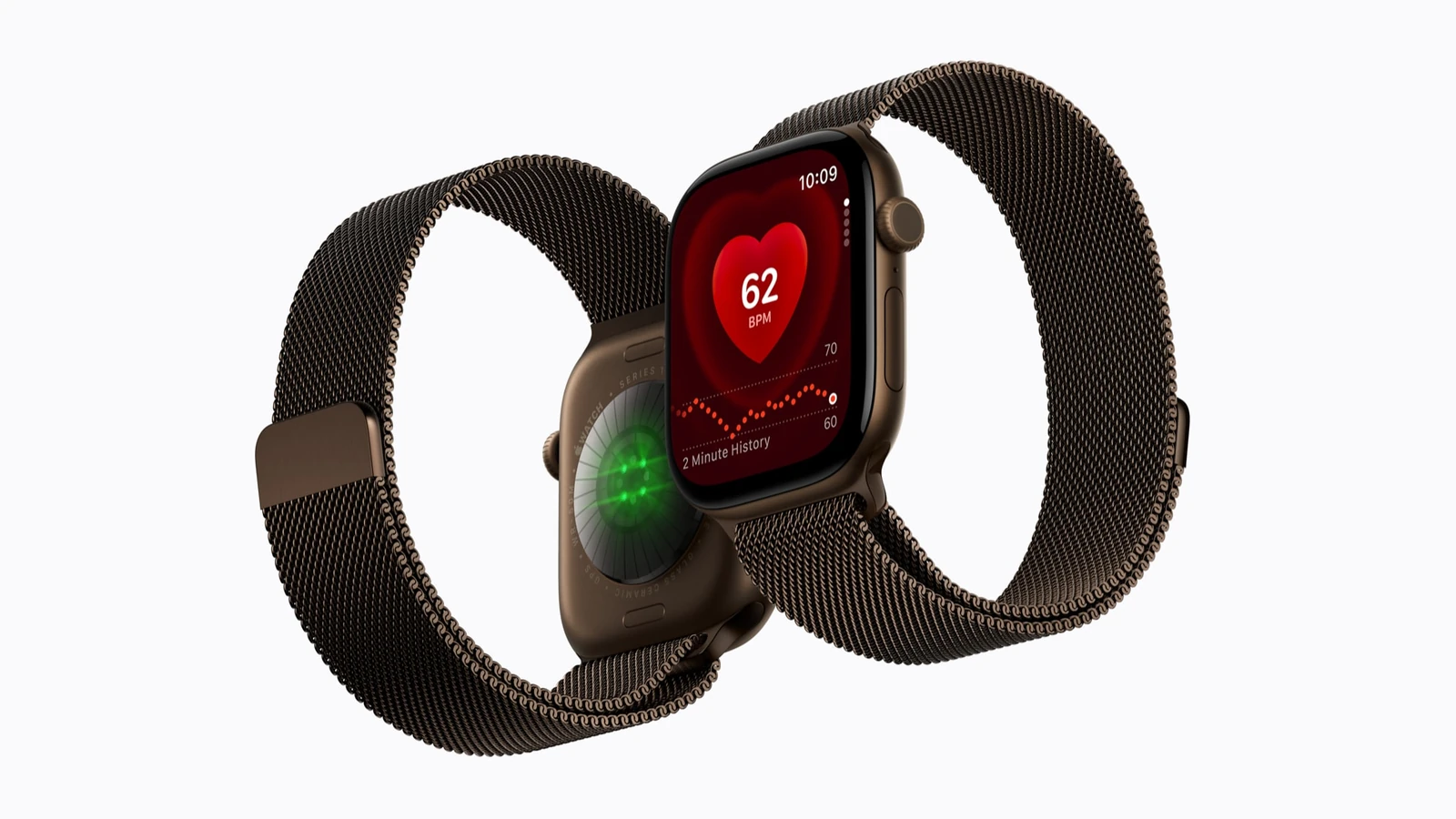
With the introduction of WatchOS 11, Apple Watches now have a new Breathing Disturbances metric that tracks movements indicative of sleep apnea. Using the built-in accelerometer, the device measures subtle wrist movements associated with disrupted breathing, giving users a clear view of their sleep quality.
Data is collected over a period of time, with users required to track their sleep for at least 10 nights within 30 days to generate a comprehensive sleep apnea risk assessment. This data is seamlessly integrated into the Health app, where users can view monthly trends, get personalized notifications, and even export a PDF report for their healthcare provider.
FDA Approval: Why It Matters
The FDA’s approval of sleep apnea detection on Apple Watches is more than just a regulatory win — it signifies that Apple’s technology meets the high standards required for medical devices. The approval process involves:
- Comprehensive Clinical Data: Clinical studies and extensive testing results to demonstrate effectiveness.
- Device Classification: Regulatory approval based on intended use and risk assessment.
- Post-Market Surveillance: Ongoing monitoring to ensure long-term safety and performance.
This approval not only enhances consumer trust in wearable health technology but also sets the stage for further innovations in personal health management.
Approved Apple Watch Models
Three Apple Watch models have received FDA approval for sleep apnea detection, bringing this advanced feature to a wide range of users:
| Apple Watch Model | Key Features |
|---|---|
| Series 9 | Breathing Disturbances metric, sleep apnea detection for users 18+ |
| Series 10 | Continuous sleep monitoring, integrates with Health app |
| Ultra 2 | Advanced sensors, sleep apnea risk analysis |
These models use advanced sensors to track breathing patterns and provide insights into potential sleep disturbances. With seamless integration into the Health app, users can easily monitor their sleep health and share data with their doctors.
Benefits of Monitoring Sleep Apnea with Wearables
Why Monitor Sleep Apnea with Apple Watch?
- Cost-Effective: Reduces the need for expensive in-lab sleep studies.
- Accessible: Enables continuous, at-home monitoring for millions of users.
- Proactive: Encourages early detection, which can lead to better health outcomes and lower long-term healthcare costs.
Early detection through wearable technology like Apple Watch can help individuals address sleep apnea before it leads to more serious health complications. By identifying breathing disturbances early, users can seek medical advice and begin treatment sooner.
Next Steps for Users
For those interested in using the new sleep apnea detection features, here’s how to get started:
- Update to WatchOS 11: Ensure your Apple Watch is updated to the latest software to access these health features.
- Monitor Breathing Disturbances: Regularly track your sleep in the Health app to assess your risk for sleep apnea.
- Consult a Doctor: If the watch detects consistent breathing disturbances, it’s essential to seek medical advice for further evaluation and treatment.
By following these steps, users can take full advantage of Apple Watch’s powerful health monitoring capabilities.
Conclusion
The FDA approval of the Apple Watch Series 9, Series 10, and Ultra 2 for sleep apnea detection marks a turning point in wearable health technology. By integrating advanced monitoring features into everyday devices, Apple is helping to bridge the gap between users and essential health insights. As we look to the future, the potential for wearables to revolutionize personal health management becomes clearer, empowering individuals to take control of their health like never before.
For more details on the sleep apnea detection features available on the Apple Watch Series 10, Series 9, and Ultra 2, check out this in-depth article: Sleep Apnea Detection Features on Apple Watch Series 10, 9, Ultra.