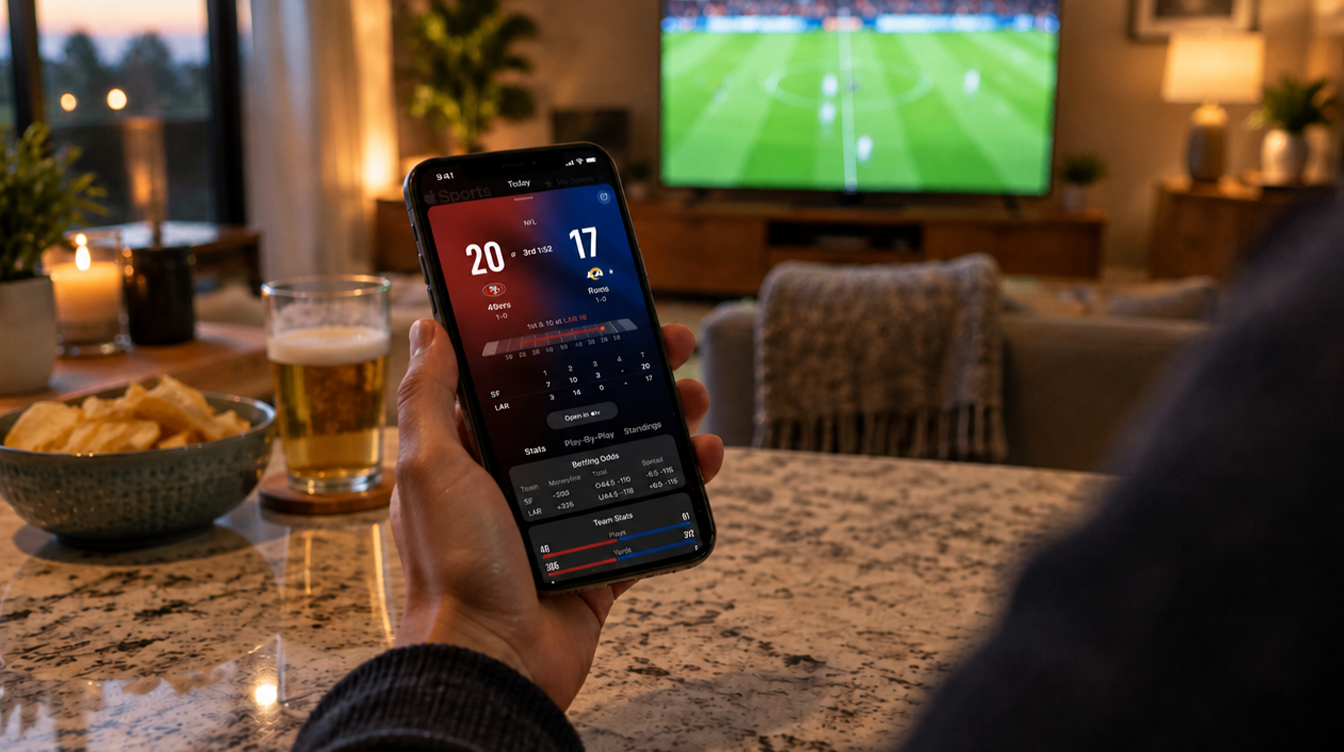
The game is on in the living room, but you are in the kitchen with your hands full. You glance at your iPhone, see the score frozen on the Lock Screen during halftime, and learn nothing new for fifteen minutes. That dead stretch is exactly what Apple changed this week. With version 4.5, the Apple Sports live activity now fills breaks in play with key game stats instead of just sitting there.
Apple released the update on October 15, and it also adds five more soccer competitions. The app is still free and still iPhone only, so the upgrade costs nothing but a quick trip to the App Store.
How the Apple Sports live activity works
Apple Sports is a small scores app, separate from the TV app. Once you follow a game, the Apple Sports live activity can pin that matchup to your Lock Screen so the score updates without you unlocking the phone. Tap through and you land on the game page, which holds the full box score.
What the Lock Screen view lacked was anything useful during pauses. A timeout, a half or an intermission left you staring at the same two numbers.
Version 4.5 fills that gap. Apple’s release notes say the Live Activity now surfaces key stats during breaks in play, and that this applies across leagues rather than to a single sport. Apple frames the goal as helping fans “stay even closer to the game at a glance.”
Which stats show up, and which sports get them
Here is where Apple stays vague. The notes do not list which numbers appear for each sport, and they do not name a league that is left out. So the Apple Sports live activity in a basketball game may surface very different figures than one for a soccer match, and Apple has not published a breakdown.
The safest reading is simple: any game you can already follow with a Live Activity should now show something during a stoppage. If a league feels thin, give it time; this app changes often.
Five new soccer leagues in the Apple Sports app
The other half of the update is coverage. Version 4.5 brings in these competitions:
| Competition | Where it is played |
|---|---|
| Brazilian Série B | Brazil (second tier) |
| English League One | England (third tier) |
| English League Two | England (fourth tier) |
| Norwegian Eliteserien | Norway (top flight) |
| UEFA Nations League | European national teams |
Fans of a lower English club or a Norwegian side no longer need a separate app for scores, and the Nations League helps anyone tracking national teams between tournaments.
Why Apple keeps adding to a free scores app
Look at the version history and a pattern jumps out. Apple ships an update roughly every month, and nearly every one widens the app’s reach a little more:
- Version 3.10 (April 20): weather conditions for F1 races, plus smaller widgets that also work in CarPlay.
- Version 4.0 (May 19): lineups, formations and brackets for the 2026 World Cup.
- Version 4.2 (July 20): formations for most soccer leagues, plus seven more leagues, including the Eredivisie, Scottish Premiership and Japan’s J1 League.
- Version 4.4 (September 23): tennis brackets for the Grand Slams and 1000-level events.
Apple also ties the app to Apple TV and Apple News, so a quick score check can turn into a stream or a story. Making the Apple Sports live activity useful during breaks keeps people inside that loop for the whole game, which is clearly the point.
Live Activities have spread well beyond sports, too. We covered an earlier example in how iOS 18.2 brought Live Activities to Safari downloads.
Apple Sports live activity not updating? Check these first
A common snag is an Apple Sports live activity that stops refreshing or never shows the new break-time stats. Apple has not described a known bug, so start with the basics the App Store listing spells out:
- Confirm you have version 4.5. The break-time stats arrive only with this release, so an older build will look exactly the same as before.
- Check your iOS version. The app requires iOS 18.0 or later.
- Look at your connection. Apple says the app needs internet access, so a weak signal at a stadium can stall the score.
- Allow Live Activities for the app. If they are switched off for Apple Sports in the Settings app, nothing will pin to the Lock Screen.
- Consider your region. Apple notes that features can vary by country, region or device.
Still stuck? Remove the Live Activity and start it again from the game page.
What Apple Sports does not do
It is not a streaming service. The app shows scores and stats and can hand you off to Apple TV, but it does not play games itself. For racing fans who want the video, our guide to watching F1 on Apple TV covers that side.
It is not on every Apple device. The App Store listing shows Apple Sports as an iPhone app only, with no separate Mac, iPad or Apple Watch version listed.
Frequently asked questions about Apple Sports
Is the Apple Sports app free?
Yes. Apple Sports is a free download from the App Store, and the version 4.5 update costs nothing.
Does Apple Sports work on Apple Watch?
Apple lists the app for iPhone only. The App Store page does not show a dedicated Apple Watch version.
Does Apple Sports cover F1?
Yes. Motorsports are part of the app’s coverage, and version 3.10 added weather conditions for F1 races.
Is the Apple Sports live activity worth turning on?
If you already follow a team in the app, update to 4.5 and pin your next game; the Apple Sports live activity finally earns its Lock Screen space during the boring bits. Fans of the five new soccer competitions should add their clubs today. If you only check scores once a week, you can skip it without missing much. Halftime just got a lot less quiet.