The old routine for an AirPods firmware update was simple: do nothing and hope it showed up. The better routine, now that Apple has posted version 9B47 for most current models, is to check what your earbuds are running and give them a short nudge if they are behind.
Apple refreshed its AirPods firmware support page on November 10, 2026, and listed 9B47 as the newest version for AirPods Pro 3, AirPods Pro 2, AirPods 4, AirPods 5 and AirPods Max 2. There is no update button anywhere in Settings, but a charged case, Wi-Fi and about half an hour usually get the job done.
Which AirPods get firmware 9B47
Not every pair is on the same track. Older models stopped at earlier builds, so a version that looks dated may already be the final one for your earbuds.
| Model | Latest firmware |
|---|---|
| AirPods Pro 3 | 9B47 |
| AirPods Pro 2 (USB-C or Lightning MagSafe case) | 9B47 |
| AirPods 5 (including the Wireless Charging Case version) | 9B47 |
| AirPods 4 (with or without Active Noise Cancellation) | 9B47 |
| AirPods Max 2 | 9B47 |
| AirPods Max 1 (USB-C) | 7E108 |
| AirPods Max 1 (Lightning) | 6F25 |
| AirPods Pro 1, AirPods 3, AirPods 2 | 6F21 |
| AirPods 1 | 6.8.8 |
Apple’s release notes for 9B47 are about as short as release notes get: “Bug fixes and other improvements.” Apple has not said which bugs were fixed, so treat this AirPods firmware update as housekeeping rather than a feature drop.
How to check your AirPods firmware version
Start here, because there is no point babysitting a charging case if your earbuds already have the latest build. Connect your AirPods first, then look it up on whichever device you use most.
- iPhone or iPad: open Settings, tap Bluetooth, then tap the Info button beside your AirPods. The firmware number sits in the About section near the bottom.
- Mac: open the Apple menu, pick System Settings, choose Bluetooth and click the Info button next to your AirPods.
Compare the number you see with the table above. If it matches, you are done and can skip the rest of this page.
How to force an AirPods firmware update, step by step
Apple delivers new firmware on its own whenever the earbuds are charging near a Wi-Fi-connected iPhone, iPad or Mac. That can take days if your case rarely sits on a charger next to your phone. These eight steps recreate those conditions on purpose.
- Update your iPhone, iPad or Mac to the newest iOS, iPadOS or macOS release and check that Bluetooth is switched on.
- Pair or connect your AirPods to that device over Bluetooth.
- Join a Wi-Fi network on the iPhone, iPad or Mac.
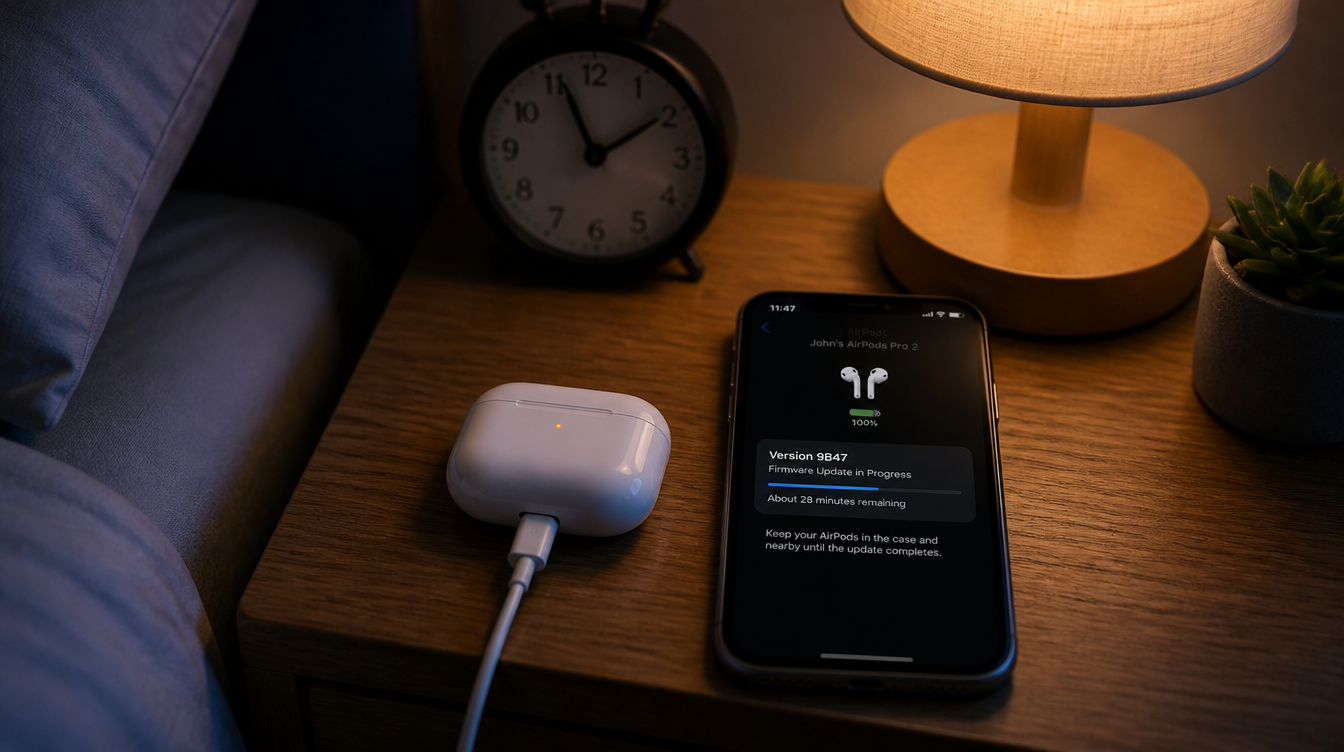
- Plug the charging case into power with a cable or set it on a charger.
- Drop both earbuds into the case and shut the lid. Leave it shut, and keep the case within Bluetooth range of your device.
- Give it at least 30 minutes. Leaving it overnight is the lazy and reliable option.
- Open the lid so the earbuds reconnect.
- Look up the firmware number again using the steps in the previous section.
The detail most people skip is power. A case sitting on a desk with a full battery is not the same as a case plugged into a wall, and the AirPods firmware update is far more likely to land when the case is actually charging.
AirPods Max need a cable, not a case
Over-ear owners follow nearly the same routine with one swap. Keep the iPhone, iPad or Mac current, on Wi-Fi and connected to the headphones, then plug the charging cable into the bottom of the right ear cup and connect the other end to a USB charger or port.
Leave the AirPods Max within Bluetooth range for at least 30 minutes, reconnect them and check the version. Only AirPods Max 2 is listed for 9B47; the first-generation models top out at 7E108 (USB-C) and 6F25 (Lightning).
When the AirPods firmware update will not install
A common snag is a version number that refuses to budge after several tries. Work through these in order before you give up.
- Recheck the basics. An out-of-date iPhone, a case that is not on power or a phone that wandered off with you to another room will all stall the process.
- Reset the earbuds. Apple’s own advice for a stuck AirPods firmware update is to reset the AirPods and then repeat the steps. Our guide on how to reset AirPods, AirPods Pro and AirPods Max walks through it for each model.
- Book a visit. If you have no Apple device nearby, Apple says an Apple Store or an Apple Authorized Service Provider can update the firmware for you by appointment.
If the real problem is audio rather than the version number, such as a single earbud going quiet, our quick fix for one AirPod with no sound is a better starting point.
AirPods firmware questions
Can you update AirPods firmware manually?
Not with a button. You can trigger it yourself by charging the case near an updated iPhone, iPad or Mac on Wi-Fi with the lid closed for at least 30 minutes.
How do you update AirPods firmware without an iPhone?
An iPad or Mac running the latest software works the same way. With no Apple device at all, Apple offers firmware updates by appointment at an Apple Store or Apple Authorized Service Provider.
Can you update AirPods firmware on Android?
Apple’s instructions only cover iPhone, iPad and Mac. Android owners without an Apple device can book an appointment with Apple or an authorized service provider instead.
Is it worth chasing the AirPods firmware update tonight?
If your AirPods are acting up with dropouts, odd connection hiccups or anything else that feels buggy, plug the case in tonight and run the steps; a bug-fix build is exactly what you want. If everything sounds fine, skip the fuss, because this AirPods firmware update will find you the next time the case charges beside your phone. A charging case left alone overnight does more good than an hour of refreshing Settings.