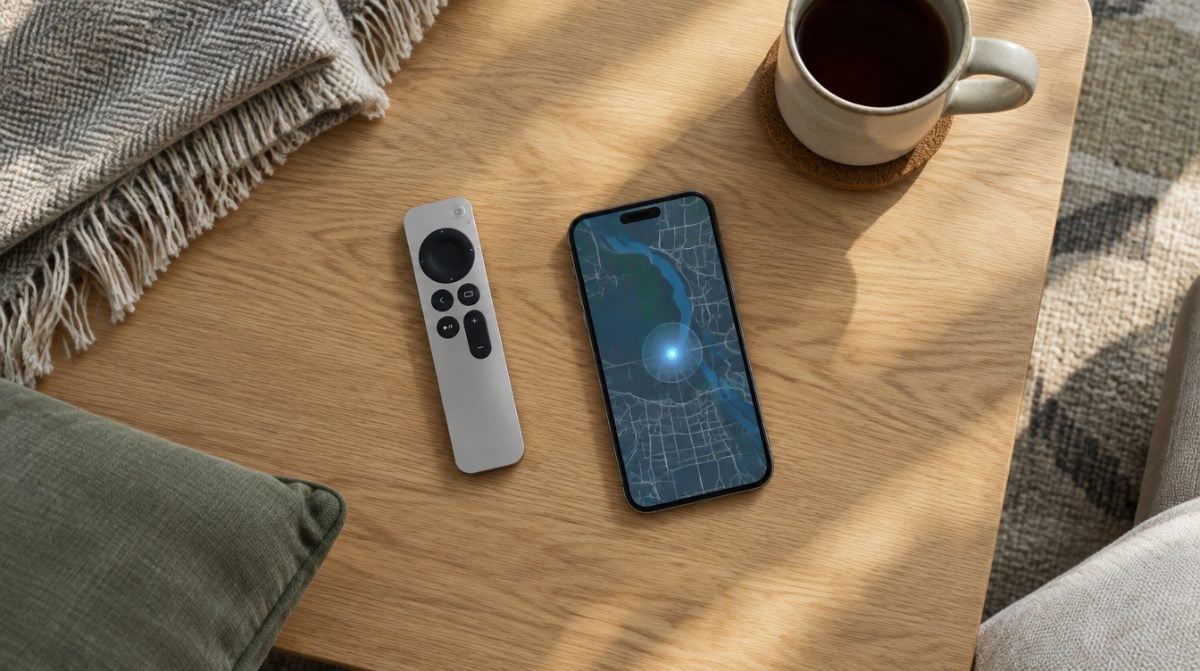
You don’t need to do anything special to add Apple TV remote to Find My anymore. Once your iPhone runs iOS 27.2, a compatible Siri Remote shows up in the Find My app’s Devices list by itself, right beside your AirPods and iPad. The catch is the word compatible: only the Siri Remote (2nd generation) and newer qualify.
That’s a real shift. Until this update, the only way to hunt down a missing remote was a Find button tucked inside the Apple TV Remote control in Control Center. Find My itself had no idea your remote existed. Here is what changed, what you need, and what to do when the remote refuses to appear.
What you need to add Apple TV remote to Find My
The list is short, but every item matters. Miss one and any attempt to add Apple TV remote to Find My ends with an empty device list.
| Requirement | Details |
|---|---|
| Remote | Siri Remote, 2nd generation or later |
| iPhone software | iOS 27.2, released October 26, 2026 |
| iPhone model | Any iPhone that runs iOS 27.2 (iPhone 11 and later) |
| Precision Finding | Siri Remote (4th generation) with an iPhone 17 model (not the iPhone 17e), a newer iPhone, iPhone Air or iPhone Duo |
Apple spells out the remote and iPhone rules in the footnotes on its Apple TV 4K page, which also notes that Precision Finding availability varies by region.
How to see your Siri Remote in the Find My app
You don’t pair the remote through Find My the way you would an AirTag. The steps below are really about making sure the update landed and then knowing where to look.
- Open Settings on your iPhone, tap General, then Software Update, and install iOS 27.2 if it is waiting.
- Restart the iPhone once the install finishes. It is not required, but it rules out a stale Find My session.
- Open the Find My app.
- Tap the Devices tab at the bottom of the screen.
- Scroll the list. A supported Siri Remote appears here alongside your other Apple gear.
- Tap the remote to see the options Find My offers for it.
So the honest answer to how you add Apple TV remote to Find My is that iOS 27.2 handles the adding. Your job is just to get the update installed and open the right tab.
The 4th-generation Siri Remote does more
Every 2nd-generation or newer Siri Remote gets basic Find My support, so anyone who can add Apple TV remote to Find My at all gets the device listing. The new Siri Remote (4th generation), which ships in the box with the Apple TV 4K (4th generation) that goes on sale November 13, goes further.
- It can play a sound. You can trigger it from the Find My app, which beats lifting every cushion on the sofa.
- It supports Precision Finding. With a recent iPhone, Find My can guide you to the remote step by step instead of just telling you it is nearby.
- It charges over USB-C. The remote has a rechargeable battery, a USB-C port and Bluetooth 6.
The Siri Remote sells on its own for $59 in the US. If your current remote is older than the 2nd generation, that price is the cost of joining Find My at all.
Apple TV remote not showing up in Find My?
A common snag after the update is opening Devices and finding no remote at all. Work through these in order, easiest first.
- Confirm the iPhone version. Go to Settings, General, About and check that it says 27.2. A phone stuck on 27.1 will not list the remote.
- Check the remote’s generation. The 1st-generation Siri Remote and older Apple TV remotes are not supported, so they will never appear, no matter how long you wait.
- Update the Apple TV too. The current Apple TV software is tvOS 27.2. Keeping both devices current is the simplest way to avoid mismatches. MacRumors also notes that some remotes need a firmware update before they appear.
- Check the Apple Account. Make sure the iPhone you are checking is signed in to the same Apple Account as your Apple TV. It takes ten seconds to rule out.
- Fall back to Control Center. If the remote still won’t show, the older method keeps working. Our guide to finding a lost Apple TV remote with your iPhone walks through it.
Apple has not published a dedicated troubleshooting page for this yet, so if you add Apple TV remote to Find My and it still goes missing from the list, the Control Center route is your reliable backup.
The Control Center method still works
Being able to add Apple TV remote to Find My doesn’t retire the old trick; the new listing sits on top of it. According to Apple’s support article on lost remotes, any iPhone on iOS 17 or later can still locate a 2nd-generation or newer remote, as long as the Apple TV runs tvOS 17 or later.
Open Control Center, tap the Apple TV Remote control, tap the device list at the top, then tap Find next to your remote. You may have to walk around a little before it connects. A circle on screen grows as you get closer, with labels moving from far to near to here.
Which should you use? Find My is better when you want every lost item in one app. Control Center is faster when you are standing in the living room with the Apple TV already on. Many households will end up using both.
Is it worth upgrading an older remote?
If you have a 2nd or 3rd-generation Siri Remote, iOS 27.2 is all it takes to add Apple TV remote to Find My, at no cost. Precision Finding and the speaker are nice, but they need the newest remote and a recent iPhone, so most people can wait.
Owners of a 1st-generation Siri Remote are in a different spot. That remote gets nothing from this update, and a replacement is the only path into Find My. If you are weighing a full box upgrade instead, our Apple TV 4K 2026 vs 2022 comparison covers what else changed.
Frequently asked questions
Does the Apple TV remote have Find My?
Yes, with iOS 27.2 the Siri Remote (2nd generation and later) appears in the Find My app on iPhone. Older remotes, including the 1st-generation Siri Remote, are not supported.
Can I make my Apple TV remote play a sound?
Apple says the Siri Remote (4th generation) can play a sound when it goes missing. You can trigger it from the Find My app.
Can I find my Apple TV remote on iPad?
Apple has not said whether the new Find My listing works on iPad. Its documentation for Siri Remote finding only mentions iPhone.
Should you add Apple TV remote to Find My?
If your remote is a 2nd-generation Siri Remote or newer, there is nothing to decide: update to iOS 27.2 and it is already there. Anyone still on a 1st-generation remote can skip this until the next replacement. Either way, the remote that used to vanish into the couch now has a home in the same app as your keys.