
Apple is reportedly preparing a major MacBook Pro redesign for later this year, bringing two significant changes that could redefine how users interact with their laptops. According to recent reports, the updated MacBook Pro lineup is expected to feature both touchscreen capability and the Dynamic Island interface currently found on recent iPhone models.
Dynamic Island Coming to MacBook Pro
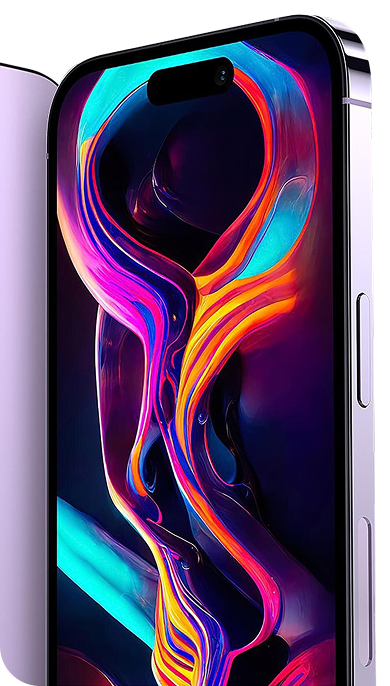
The Dynamic Island, which debuted on iPhone models as a way to present real-time information around the front camera notch, is expected to make its way to the MacBook Pro. According to Bloomberg’s reporting, the implementation will be built around a hole-punch-sized cutout for the laptop’s camera, reportedly smaller than the pill-shaped cutout used on current iPhone Pro models.
Since the MacBook Pro adopted a notch design in 2021, users have questioned the purpose of the cutout given the absence of Face ID or other obvious benefits. The addition of Dynamic Island functionality could finally provide a practical reason for the display interruption, offering persistent access to system information, media playback controls, and app activities.
On iPhone, Dynamic Island displays contextual information including music playback, weather updates, sports scores, ride-sharing status, and flight tracking. The Mac implementation will likely provide similar functionality adapted for desktop workflows.
Optimized Touch Interface for macOS
Apple is reportedly developing specific macOS optimizations to accommodate touch input rather than simply enabling touch on existing interfaces. According to Bloomberg, the implementation includes several thoughtful design considerations.
When users touch a button or control, the interface will reportedly display a new type of menu surrounding their finger with relevant touch command options. The software is expected to show the most appropriate controls based on prior user interactions. Additionally, when someone taps an item in the menu bar, the controls will reportedly enlarge to be more easily selectable with a finger.
These reported optimizations suggest Apple is taking a measured approach to adding touch capability to the Mac, designing specifically for the use case rather than simply porting iOS conventions to macOS.
OLED Display Technology Expected
In addition to touch and Dynamic Island features, the redesigned MacBook Pro models are expected to adopt OLED display technology. This would represent a significant upgrade from the current mini-LED displays, potentially offering improved contrast ratios, power efficiency, and thinner display assemblies.
OLED technology has been a long-rumored addition to the MacBook Pro lineup, with Apple having already implemented the technology in iPhone, iPad Pro, and Apple Watch products. The transition would align the MacBook Pro display technology with Apple’s premium mobile devices.
Release Timeline and Product Strategy
The touchscreen MacBook Pro with Dynamic Island is reportedly scheduled for a fall 2026 release. This timeline would be separate from the M5 Pro and M5 Max MacBook Pro models expected to launch in March 2026, suggesting Apple plans to maintain its existing MacBook Pro lineup while developing this more substantial redesign.
The staggered release strategy would be consistent with Apple’s historical approach of introducing processor upgrades separately from major design changes, allowing the company to refine new technologies before broad deployment.
Potential Design Considerations
The addition of touchscreen capability to the MacBook Pro raises questions about potential design compromises. Touch-enabled displays typically require additional layers and components that could affect overall device thickness, weight, battery life, and thermal management.
Apple has historically prioritized battery life and thermal efficiency in its laptop designs, so the implementation of touch technology will likely need to meet the company’s standards in these areas. Whether Apple can add touch capability without compromising the current MacBook Pro’s performance characteristics remains to be seen.
FAQ
Q: Will all MacBook Pro models get touchscreen capability?
A: Current reports suggest the touchscreen and Dynamic Island features are planned for models launching in fall 2026. The M5 Pro and M5 Max models expected in March 2026 are not reported to include these features.
Q: Will the touchscreen MacBook Pro support Apple Pencil?
A: There have been no confirmed reports about Apple Pencil support for the touchscreen MacBook Pro. Apple has not announced which input methods the device will support.
Q: Will macOS receive a major redesign for touch input?
A: According to reports, Apple is developing specific touch optimizations for macOS rather than a complete interface redesign. The operating system will reportedly adapt menus and controls when touch input is detected while maintaining its existing design language.
MacReview Verdict
The reported additions of touchscreen capability and Dynamic Island to the MacBook Pro represent potentially significant changes to Apple’s professional laptop lineup. The inclusion of macOS-specific touch optimizations suggests Apple is approaching this transition thoughtfully rather than simply enabling touch on existing interfaces.
The Dynamic Island feature could finally provide practical justification for the notch design introduced in 2021, offering users persistent access to system information and app activities. Combined with expected OLED display technology, these changes could represent the most substantial MacBook Pro redesign in several years.
However, significant questions remain about potential compromises in battery life, thermal performance, and overall device design. Apple’s ability to implement touch technology while maintaining the MacBook Pro’s current standards for performance and efficiency will be critical to the success of this redesign. As with all unreleased Apple products, specifications and features remain subject to change before launch.