
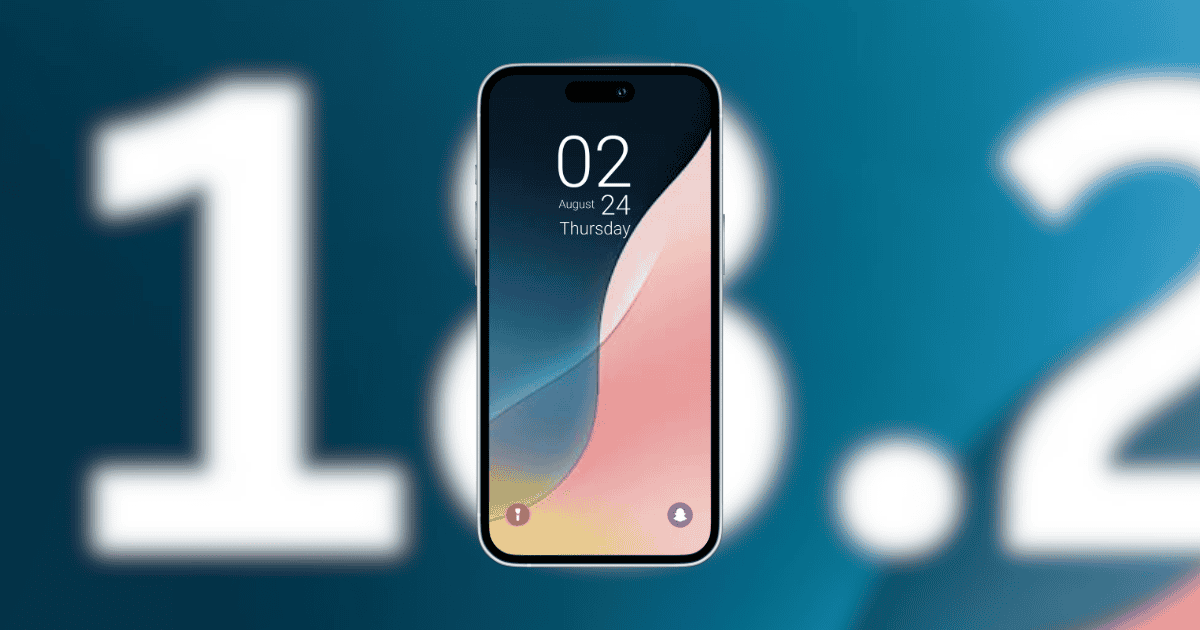
In the ever-evolving world of mobile technology, Snapchat continues to innovate by introducing new features with the iOS 18 update. This time, the social media giant has integrated customizable lock screen shortcuts alongside advanced camera controls for the iPhone 16. These updates are set to revolutionize how users interact with the app, making it easier than ever to capture spontaneous moments. But what do these changes really mean for the everyday user and photography enthusiasts alike? Let’s explore.
iOS 18’s New Lock Screen Customization
iOS 18’s lock screen customization brings a significant shift in how users access their favorite apps. Now, instead of relying on the default flashlight and camera icons, users can personalize their lock screens with shortcuts to any app—Snapchat included.
- Snapchat Camera Shortcut: One of the standout updates is the ability to place the Snapchat camera directly on the lock screen, enabling users to launch the camera without even unlocking their phone. This feature provides a quick and simple way to take photos, aligning with the fast-paced nature of modern social media use.
- Ease of Access: By integrating this feature into the lock screen, Snapchat enhances convenience for users, especially those who love capturing fleeting moments. Whether it’s a quick selfie or a spontaneous shot, users can now tap the lock screen shortcut and snap away in an instant.
However, while this shortcut makes the camera more accessible, users must still unlock their phones to share or edit their photos, maintaining a balance between convenience and security.
Fast Access to Snapchat Camera
Snapchat’s integration with iOS 18 offers more than just a shortcut to the app’s camera. It reflects a broader shift towards providing fast access to essential functions on mobile devices. The camera shortcut enables users to:
- Capture Photos Instantly: No need to unlock your phone or navigate through multiple apps—just tap the Snapchat camera shortcut, and you’re ready to snap.
- Quick Launch Features: Perfect for users who frequently share moments on Snapchat, this feature enhances the speed at which they can capture content, ideal for those fast-paced moments that social media thrives on.
Moreover, iPhone 16 users benefit from advanced camera controls, allowing them to tailor their Snapchat experience to their personal preferences. Whether it’s adjusting settings or accessing the app through the lock screen, the update is designed to boost user efficiency.
Customization and User Control
The real beauty of the iOS 18 update lies in its focus on customization. Users can now take control over how they interact with their iPhones, creating a more personalized experience. Some key customization options include:
- Lock Screen Customization: Tap and hold the lock screen to access the customization menu, where users can swap out default icons for the Snapchat camera.
- Single-Tap Camera Access: By placing the Snapchat shortcut on the lock screen, users can open the camera with a single tap—perfect for those moments when time is of the essence.
- Action Button Customization: On iPhone 15 and 16 models, users can customize the Action button to quickly launch Snapchat or other apps they frequently use.
- Snapchat Widgets: Users can also add Snapchat widgets to their lock or home screen for even faster access to the app, streamlining their photo-sharing experience.
These updates emphasize user convenience by allowing for a more seamless interaction with Snapchat, ensuring that users are never more than a tap away from capturing the perfect shot.
Comparison to Other Apps
Snapchat’s new features draw interesting comparisons to other apps that have adopted quick access functionalities. For instance:
- Google’s Quick Tap to Snap: Similar to Snapchat’s lock screen shortcut on iOS 18, Google introduced Quick Tap to Snap on its Pixel devices, which enables users to quickly access the camera for capturing snaps.
- Halide Camera App: Another comparison can be made with the Halide app, which also allows users to access the camera directly from the lock screen, showcasing a growing trend towards instant access to photography tools.
This alignment with industry standards reflects a broader demand for convenience and speed, key factors in today’s fast-paced mobile environment.
Benefits for Photography Enthusiasts
The new Snapchat feature on iOS 18 isn’t just about convenience; it also has far-reaching implications for photography enthusiasts. The ability to launch the camera directly from the lock screen offers several advantages:
- Spontaneous Captures: Whether it’s a fleeting sunset or a candid moment with friends, users no longer need to fumble with their phones to open the camera. The shortcut enables them to snap photos instantly.
- Camera-Only Mode: In cases where users want to focus solely on photography without distractions, the Camera-Only mode allows them to capture images quickly, without editing or filters getting in the way.
- Customization for Professionals: The ability to customize the Action button and widgets ensures that professional photographers can tailor their phone’s settings to meet their specific needs, enhancing the mobile photography experience.
In essence, these updates are designed to elevate the user experience, making mobile photography faster, simpler, and more enjoyable.
The Limits of the Lock Screen Shortcut
While the lock screen shortcut offers a range of advantages, it’s not without its limitations. The Camera-Only mode restricts users to basic photo capture, meaning more advanced features like filters, editing, and sharing require the device to be unlocked.
Here’s what users can and cannot do directly from the lock screen:
- Can Do: Capture photos, access Camera-Only mode, and quickly launch the Snapchat app.
- Cannot Do: Apply filters, edit snaps, or send images directly without unlocking the phone.
These limitations, while necessary for security and privacy, may feel restrictive for users who are accustomed to Snapchat’s full suite of features. However, the lock screen shortcut remains a useful tool for those moments when speed is key.
What Lies Ahead for Mobile Camera Technology
The iOS 18 update, paired with Snapchat’s lock screen features, is indicative of the broader advancements coming to mobile camera technology. Looking forward, users can expect further innovations that enhance their ability to capture and share content on the go. Key trends to watch include:
- Enhanced Sensors: Expect improvements in camera sensors that allow for sharper images, even in challenging lighting conditions.
- AI-Driven Photography: As artificial intelligence becomes more integrated into camera systems, users will benefit from real-time photo enhancements, personalized filters, and smart suggestions tailored to individual preferences.
- Instant Access and Customization: The demand for instant camera access will likely drive more features aimed at speeding up the photography process, ensuring users can take photos and videos without lengthy navigation.
The future of mobile cameras is bright, with new features designed to improve not just image quality but also user experience.
MacReview Verdict
Incorporating Snapchat shortcuts with iOS 18‘s lock screen customization is more than just a tweak—it’s a reflection of how mobile technology continues to evolve to meet the demands of modern life. Whether you’re a social media enthusiast or a professional photographer, these new tools ensure you’re always ready to capture the perfect moment. As mobile photography advances, one thing is certain: speed and convenience will remain at the forefront of innovation.



















