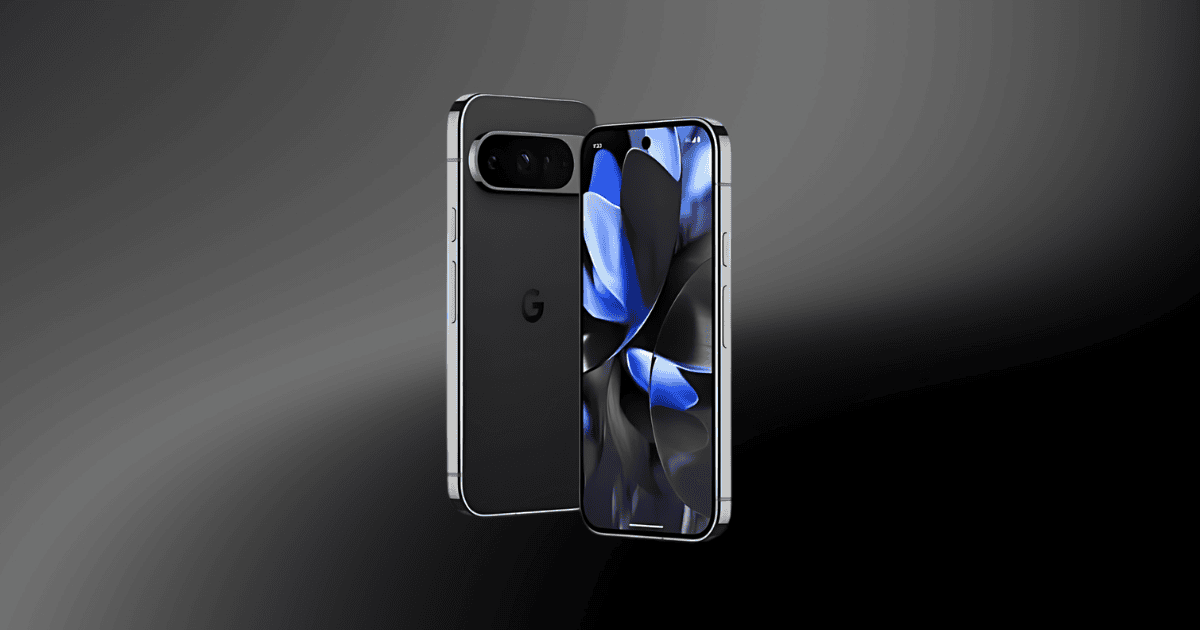
In recent developments, Google’s Pixel AI tools, particularly those integrated within the Pixel 9 series, have demonstrated remarkable advancements in image generation and editing capabilities. Notably, the Reimagine feature allows users to infuse their photos with lifelike elements, raising questions about the authenticity of visual media. While the potential for creativity is substantial, this innovation also brings to the forefront pressing ethical considerations surrounding misinformation and misuse. As these technologies continue to evolve, one must ponder the implications for digital integrity and the responsibilities of users in this new landscape.
Overview of Pixel AI Tools
Google’s Pixel AI tools, now embedded in the Pixel 9 series, represent a significant leap in user-friendly image generation and editing capabilities powered by Gemini AI. These advanced editing tools empower users to engage in creative image creation and editing with unprecedented ease.
The Pixel Studio app, a notable feature, allows users to generate images based on text prompts, producing results that range from whimsical to bizarre. While this offers exciting opportunities for creativity, it also raises ethical concerns regarding the potential generation of offensive or misleading content.
One of the standout features is the Reimagine tool, which enables users to add realistic elements to existing photos, such as altering backgrounds or inserting objects. However, this capability has led to concerns about the potential misuse of these generative AI tools, especially in creating misleading images that may contribute to misinformation.
In response to these challenges, Google has implemented safety checks and is continuously refining AI responses to mitigate the generation of inappropriate or violent images.
Ultimately, while Pixel AI tools democratize access to advanced editing techniques, they also necessitate careful consideration of the implications for image authenticity in the digital landscape.
Reimagine Feature Explained
One of the most notable innovations in the Pixel 9 is the Reimagine feature, which empowers users to enhance their photographs by adding realistic elements that were not originally present. This groundbreaking tool harnesses advanced AI algorithms to seamlessly integrate new objects and scenes into existing images, often achieving surprisingly lifelike modifications.
The capabilities of the Reimagine feature can be distilled into four key aspects:
- AI Editing: It utilizes sophisticated algorithms to ensure that added elements match the lighting and perspective of the original photo.
- Image Creation: Users can reimagine their photos by inserting scenes or objects, expanding their creative possibilities.
- Realistic Elements: The technology excels at producing lifelike additions, which can blur the line between reality and modification.
- Ethical Concerns: The realism of edited images raises significant concerns about misinformation and the potential for misuse, particularly in sensitive contexts.
While the Reimagine feature democratizes creativity, it also necessitates a responsible approach to image authenticity in a digitally evolving landscape.
Enhanced Magic Editor Insights
The introduction of the Enhanced Magic Editor builds on the innovative capabilities established by the Reimagine feature, further simplifying the editing process for users. This advanced tool allows individuals, regardless of their editing proficiency, to achieve professional-level results effortlessly.
The Magic Editor facilitates significant image modifications, such as repositioning subjects and transforming backgrounds, making even complex edits accessible through an intuitive interface.
Powered by generative AI, the Enhanced Magic Editor promotes creativity in what can be described as an image playground. Users can easily convert gray skies into vibrant blue hues, showcasing the editing tool’s versatility.
Each month, non-Pixel device users receive 10 Magic Editor saves, encouraging regular engagement with its functions. To unlock additional saves, users are incentivized to explore Google’s ecosystem, which offers superior editing options through Pixel devices or a Premium Google One plan.
With minimum compatibility requirements, including devices with 3 GB RAM and those running Android 8.0 or iOS 15 and above, the Enhanced Magic Editor democratizes the art of photo editing.
As a result, it empowers users to elevate their pixel AI image creation endeavors while maintaining ease of use and accessibility.
Creative Potential for Users
With the advent of Pixel Studio on the Pixel 9 Pro, users are empowered to unleash their creativity through a diverse array of AI-generated imagery.
This innovative platform combines sophisticated creation and editing tools, allowing for a seamless transition from imagination to execution. The integration of generative AI enables users to explore whimsical and fantastical concepts with ease.
Here are four exciting creative potentials of Pixel Studio:
- Whimsical Scenes: Users can generate delightful images like “two cats dancing in a meadow” or humorous depictions such as a “capybara using an iPhone.”
- Bizarre Creations: The platform allows for the creation of unusual visuals, including a “horror-themed image of a mouse eating flesh,” showcasing the range of AI images possible.
- Fantasy and Pop Culture: Users can craft imaginative scenes like a “giant monster looming over Victorian London,” tapping into popular culture.
- High-Quality Outputs: Create vintage-style posters with accurate text, demonstrating the precision of these editing tools.
Ethical Concerns and Misuse
AI-generated imagery, while offering remarkable creative possibilities, also presents significant ethical challenges that cannot be overlooked. The emergence of tools like Google’s Reimagine feature underscores the potential for misuse, especially when user-generated prompts yield inappropriate or harmful content, such as violent scenarios or disaster imagery.
Despite initial safety checks, incidents of generating offensive or misleading AI-generated content have sparked concerns regarding the authenticity and impact of these images.
The high realism of AI-generated images complicates the ability to distinguish between original and manipulated content. The removal of metadata further exacerbates risks associated with misinformation, as individuals may unwittingly propagate distorted realities. This highlights the urgent need for robust ethical guidelines in the development and application of AI image tools to ensure responsible usage.
Moreover, a significant portion of the population appears indifferent to the ethical implications of AI-generated content, revealing a gap in awareness that could lead to further misuse.
As technology advances, fostering a culture of critical thinking and ethical responsibility is essential to mitigate the dangers posed by increasingly sophisticated image manipulation capabilities.
The Rise of Deepfake Technology
Emerging from the ethical concerns surrounding image manipulation, deepfake technology has rapidly gained traction, transforming the landscape of digital content creation.
With advancements in tools such as Google’s Pixel 9 and its Reimagine feature, creating highly realistic fake images and videos has become increasingly accessible. This democratization of content creation, however, brings significant challenges.
- Misinformation Spread: Deepfake technology can easily be exploited to produce misleading content, particularly in political contexts, undermining informed decision-making.
- Harassment: The potential misuse of deepfakes for personal attacks poses serious ethical implications, especially when involving individuals without their consent.
- Authenticity Crisis: As deepfakes proliferate, distinguishing authentic content from manipulated media becomes increasingly difficult, complicating public discourse.
- Regulatory Calls: The rise of deepfake technology has prompted discussions around the need for regulatory measures to mitigate harmful content creation, particularly concerning minors and sensitive subjects.
The intersection of deepfake technology and advanced image tools like Google’s Pixel 9 highlights the urgent need for awareness and responsibility in digital content creation to safeguard against misinformation and uphold ethical standards.
Ensuring Responsible Usage
Ensuring responsible usage of advanced image tools, such as those integrated into Google’s Pixel 9, is crucial to mitigating the risks associated with digital content creation. As the capabilities of AI content generation expand, user intent becomes a pivotal factor in determining ethical standards.
Google’s Terms of Service explicitly prohibit certain types of content to curb misuse, but early tests revealed loopholes that allowed for the creation of offensive images. This underscores the necessity for ongoing refinement of AI tools to uphold ethical standards.
The Reimagine tool, while innovative, poses significant risks by enabling the addition of realistic yet potentially harmful elements to images, raising concerns about authenticity and misinformation.
Given that approximately 90% of the population shows indifference toward the ethical implications of AI-generated content, there is an urgent need for educational initiatives. By fostering awareness about the responsible usage of these technologies, users can better navigate the complexities of digital image manipulation, ultimately promoting a culture of accountability.
Google must continue to enhance its tools while prioritizing user education to ensure that the creative potential of AI is harnessed responsibly.
Final Thoughts
In a landscape where digital artistry flourishes, the emergence of advanced image generation tools like Google’s Pixel AI serves as both a brush and a sword, crafting beauty while wielding the potential for deception. As the boundaries between reality and manipulation dissolve, the imperative for ethical stewardship becomes paramount. Without vigilant oversight, these powerful tools may transform creative expression into a double-edged weapon, threatening the very fabric of authenticity in visual communication.