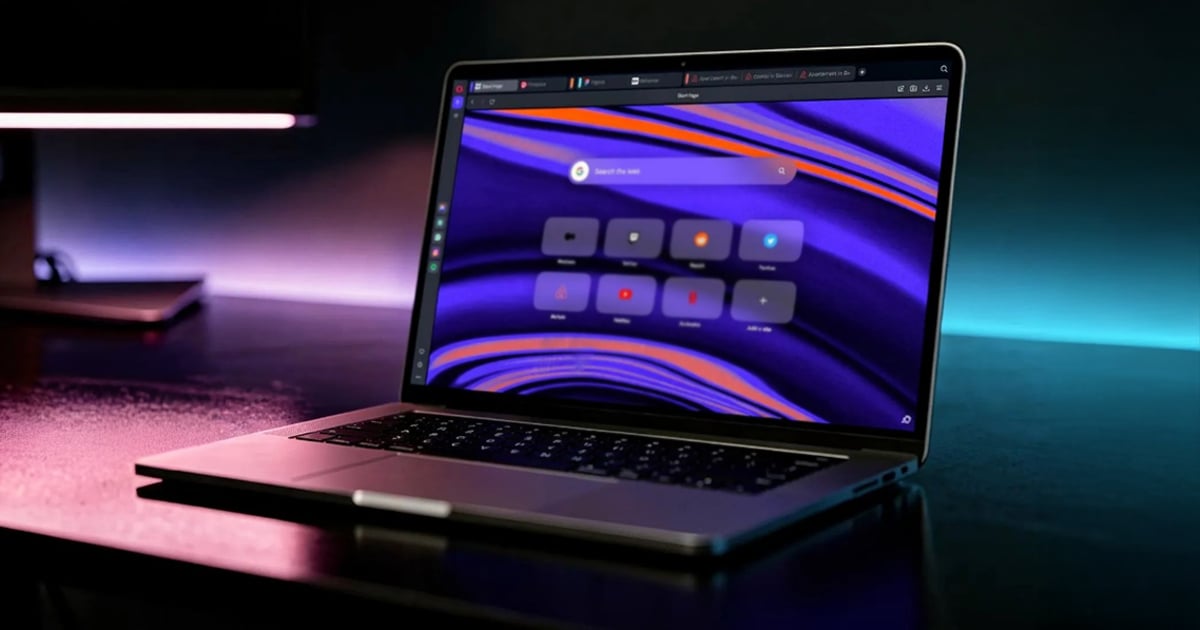
Opera has released Opera One R3, a significant update to its flagship browser that introduces customizable Tab Islands, an enhanced AI assistant with YouTube comprehension capabilities, and dynamic themes with dedicated soundscapes. The update represents Opera’s continued effort to differentiate its browser experience through innovative organizational features and AI integration.
Enhanced Tab Islands with Color Coding
Opera One R3’s most visible improvement centers on Tab Islands, the browser’s automated approach to tab grouping. Users can now select from nine different colors and assign custom names to each Tab Island, providing greater visual distinction between different browsing contexts and projects. This enhancement builds on Opera’s existing tab management system by adding personalization options that help users maintain organization across multiple workflows.
The color-coding system allows for quick visual identification of tab groups, potentially reducing the cognitive load associated with managing numerous open tabs across different tasks or projects.
AI Assistant with Context Awareness
Opera One R3 reportedly integrates the agentic AI engine from Opera Neon, which the company claims improves AI-related task performance by up to 20%. The AI assistant demonstrates context awareness of Tab Islands, allowing it to provide responses based on the specific group of tabs currently in focus without mixing information across different contexts. Users can disable this contextual feature if preferred.
A notable addition is the AI assistant’s ability to analyze YouTube videos. According to Opera, users can ask questions about video content, potentially streamlining information gathering from video sources. The practical effectiveness of this feature will likely depend on the complexity of the content and the specificity of user queries.
Dynamic Themes with Soundscapes
Opera One R3 introduces three new dynamic themes that extend beyond visual customization:
- Radiance: Features dedicated soundscapes alongside visual elements
- Orbit: Includes accompanying audio designed to complement the visual theme
- Sonic: Created in partnership with Spotify, this theme reacts dynamically to music played through Opera’s integrated browser player
The addition of soundscapes represents an unusual approach to browser theming, extending the customization experience into the auditory realm. Whether users will find ambient browser sounds beneficial or distracting remains to be seen through real-world usage.
Google Services Integration and Experimental Features
Opera One R3 deepens integration with Google services by adding Gmail and Google Calendar directly to the browser sidebar, joining other sidebar tools. This integration provides quick access to these services without requiring separate tabs.
The update also introduces an early bird mode that merges the beta program into the main browser. Users who enable this mode gain access to experimental features, including a four-way split screen capability that allows simultaneous viewing of multiple web pages within a single window. This feature could prove valuable for users who regularly reference multiple sources or compare information across different sites.
Availability
Opera One R3 is rolling out now and is available for download from Opera’s website. The update applies to the company’s flagship browser and is separate from Opera Neon, which launched in December 2025 as a distinct AI-focused browser product.
FAQ
Q: Is Opera One R3 available for macOS?
A: Yes, Opera One R3 is available for macOS along with other supported platforms. Users can download the update directly from Opera’s website.
Q: Do I need a separate Opera Neon installation to access the AI features?
A: No, Opera One R3 integrates the AI engine from Opera Neon directly into the flagship browser. You do not need to install Opera Neon separately to access these AI capabilities.
Q: Can I disable the soundscapes if I find them distracting?
A: While Opera has not explicitly detailed granular audio controls in the announcement, users can choose different themes or likely adjust audio settings through browser preferences to manage the soundscape experience.
Q: What are the system requirements for the four-way split screen feature?
A: Opera has not specified particular system requirements beyond enabling early bird mode to access experimental features like four-way split screen. Performance will likely depend on available system resources and the complexity of the web pages being displayed.
MacReview Verdict
Opera One R3 represents a thoughtful iteration on browser functionality, particularly for users who value organizational tools and contextual AI assistance. The color-coded Tab Islands address a genuine usability challenge in modern browsing, where dozens of open tabs have become commonplace. The AI assistant’s context awareness is a logical extension of tab grouping, though its practical utility will depend heavily on individual usage patterns.
The addition of soundscapes is arguably the most experimental aspect of this release. While some users may appreciate ambient audio as part of their browsing environment, others will likely find it unnecessary or distracting. The Spotify integration with the Sonic theme shows creative partnership thinking, though it targets a specific use case.
For Mac users seeking alternatives to Safari or Chrome, Opera One R3 offers a distinct approach to browser design that prioritizes workspace organization and AI integration. The early bird mode provides a transparent path to experimental features without requiring separate beta installations, which could appeal to users comfortable with occasional instability in exchange for early access. Whether these features justify switching from established browsers will depend on individual workflow needs and tolerance for a less mainstream browsing option.