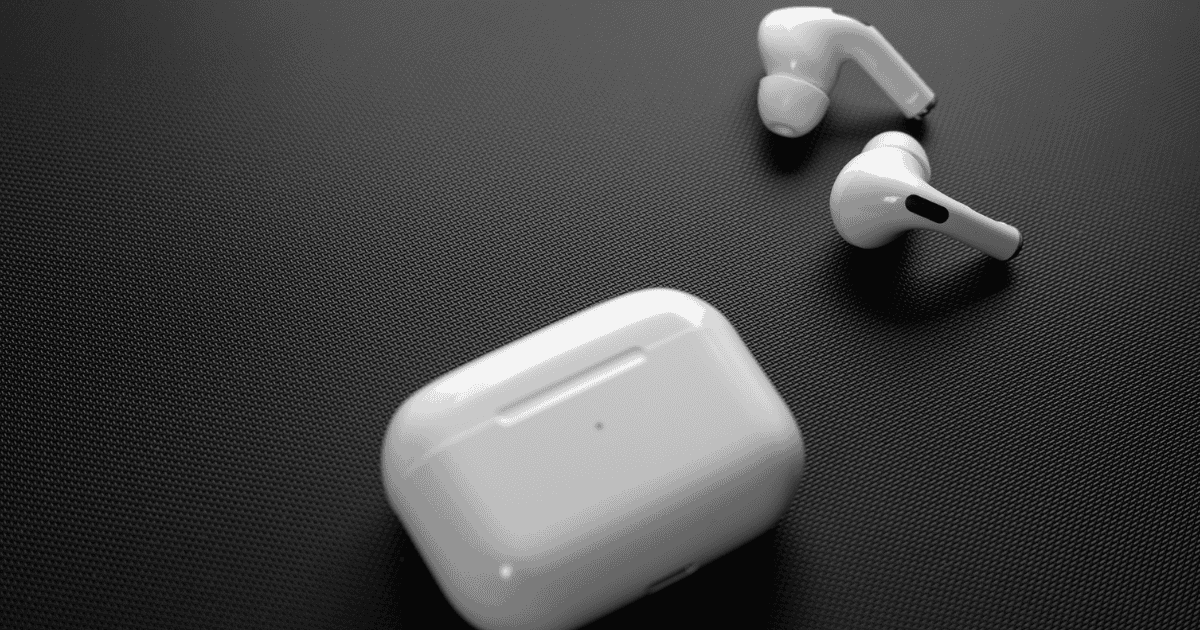
The recent firmware update 7A294 for AirPods Pro 2 has introduced several remarkable features from iOS 18, greatly enhancing the auditory experience for users. With advancements such as voice isolation and personalized spatial audio, these enhancements promise to redefine how users interact with their devices. Additionally, the integration of adaptive audio controls indicates a shift towards more customizable sound experiences. However, the implications of these updates extend beyond mere functionality, raising questions about compatibility with other AirPods models and potential future enhancements. What could this mean for the broader ecosystem of Apple audio devices?
Overview of the Firmware Update
What enhancements can users expect from the latest firmware update for the AirPods Pro 2? The new firmware update, identified by build number 7A294, introduces significant improvements designed to elevate the overall audio experience.
This update replaces the previous version 6F8 and enhances features such as voice isolation, which provides clearer call quality by minimizing background noise. Additionally, users can enjoy head gesture controls for Siri, offering a more intuitive and hands-free interaction.
A standout feature of this firmware update is the introduction of Personalized Spatial Audio for gaming, which allows users to experience audio in a more immersive manner through a new API. This enhancement not only enriches the listening experience but also aligns with the capabilities of iOS 18, ensuring compatibility for peak performance.
For users to benefit from these advancements, the AirPods Pro 2 must be connected to an iPhone and charging via Bluetooth, as the firmware update is automatically installed.
With these enhancements, the AirPods Pro 2 continue to set the standard for premium audio quality and user engagement in a rapidly evolving technological landscape.
Key Features of iOS 18
iOS 18 introduces several key features that greatly enhance user interaction and audio performance. One of the standout innovations is the improved voice isolation technology, which minimizes background noise during calls, ensuring crystal-clear communication even in noisy environments. This feature is particularly beneficial for AirPods Pro 2 users, enhancing the overall call experience.
Additionally, iOS 18 expands personalized spatial audio capabilities, utilizing the TrueDepth camera to create tailored audio profiles for gaming. This enhancement allows users to experience a more immersive auditory environment, transforming how sound interacts with gameplay.
The voice quality for in-game chat has also seen remarkable upgrades, now supporting 16-bit, 48 kHz audio, while reducing latency for seamless synchronization with in-game actions.
Moreover, adaptive audio controls have been refined, enabling users to customize the sound levels based on their surroundings. This feature is essential for maintaining awareness of one’s environment while enjoying music or conversations through AirPods Pro 2.
Collectively, these advancements in iOS 18 greatly elevate the user experience, making audio interactions more intuitive and engaging.
How to Check Firmware Version
Checking the firmware version of your AirPods Pro 2 is a straightforward process that guarantees you are utilizing the latest features and improvements.
To begin, access your iPhone and open the Settings app. From there, navigate to the Bluetooth menu, where you will find a list of connected devices. Locate your AirPods Pro 2 in this list.
Once you have identified your AirPods Pro 2, tap the “i” icon next to the device name. This action will take you to a detailed view, where you can check your AirPods firmware. The Firmware Version number will be displayed prominently, allowing you to verify if you have the latest update installed.
As of now, the current firmware version for AirPods Pro 2 is 7A294, which encompasses the new features introduced with iOS 18.
Ensuring you have the latest firmware version not only enhances your audio experience but also optimizes compatibility with your iPhone and other devices. Regularly checking your AirPods firmware is essential for accessing the full range of functionalities and improvements offered by Apple.
Steps to Update AirPods Pro 2
Updating your AirPods Pro 2 is a straightforward process that guarantees you benefit from the latest features and enhancements. To begin, make certain your AirPods are charged and within Bluetooth range of a compatible iPhone or iPad.
The firmware update for AirPods Pro 2 occurs automatically when they are connected to a device running the latest iOS, iPadOS, or macOS while charging.
To facilitate the update process, it is recommended to charge both your AirPods and the connected iPhone together for at least 30 minutes. This allows the AirPods to receive the firmware update efficiently.
The current firmware version for AirPods Pro 2 is 7A294, which you can check by accessing the Bluetooth menu in the iPhone Settings app and tapping the “i” next to your AirPods.
If the firmware update does not install immediately, it is essential to be patient, as updates are rolled out gradually and may not be available for all devices at once.
Enhanced Audio Experience
The enhancement of audio quality in the AirPods Pro 2 represents a significant leap forward in personal audio technology. The latest firmware update introduces cutting-edge features that elevate the listening experience to unprecedented levels.
One of the standout features, Voice Isolation, effectively minimizes background noise during calls, ensuring crystal-clear voice clarity in noisy environments.
The upgrade to Personalized Spatial Audio enhances immersion, particularly in gaming, by allowing tailored audio profiles that adapt to individual preferences. This improvement supports in-game voice quality at 16 bits and 48 kHz, markedly increasing audio fidelity and ensuring that players can communicate effectively.
Additionally, the reduction in audio latency synchronizes sound with in-game actions, further enriching the overall gameplay experience.
Enhanced Adaptive Audio controls empower users to customize the level of ambient sound they wish to permit, allowing for a more personalized listening environment. This feature optimizes audio experiences in various settings, whether in a bustling café or a quiet home office.
Collectively, these advancements create a more immersive and intuitive auditory landscape, affirming the AirPods Pro 2’s position at the forefront of audio technology.
Compatibility With Other Airpods Models
With the introduction of the latest firmware update, AirPods Pro 2 users can take full advantage of the new features designed to enhance their audio experience.
However, it’s crucial to note the compatibility limitations with older AirPods models. While the AirPods Pro 2 have received the firmware update, other models remain on previous versions and lack access to some of the innovative functionalities introduced with iOS 18.
The following points highlight the compatibility landscape:
- Older Models: AirPods Pro (1st gen), AirPods (3rd gen), and AirPods Max continue to operate on firmware versions such as 6A326, which restricts their access to the latest features.
- Firmware Update Access: Only AirPods Pro 2, with firmware version 7A294, can utilize improvements like personalized spatial audio for gaming, elevating user experience.
- Seamless Integration: The latest firmware updates for AirPods Pro 2 guarantee peak performance and seamless connectivity, making them the go-to choice for iOS 18 features.
Future Updates and Expectations
Anticipating additional advancements, users of AirPods Pro 2 can expect upcoming firmware updates to refine and expand the capabilities introduced in the recent iOS 18 release. These future updates are likely to focus on enhancing voice quality and improving noise cancellation, ensuring clearer communication and a more immersive listening experience.
Moreover, users may look forward to enhanced customization options for Personalized Spatial Audio, which could cater to a wider array of audio experiences, including music, movies, and gaming. This personalization will allow users to tailor their audio environment according to individual preferences and settings.
Ongoing updates are also expected to address community feedback regarding connection stability and call quality, which are vital for maintaining a seamless user experience.
In addition, Apple is anticipated to integrate advanced AI capabilities for Siri enhancements, refining voice recognition and responsiveness during various interactions, thereby making the digital assistant even more intuitive.
MacReview Verdict
To summarize, the recent firmware update for AirPods Pro 2 introduces a remarkable repertoire of revolutionary enhancements, greatly refining the auditory experience. With features such as advanced voice isolation, personalized spatial audio, and adaptive controls, users can expect a seamless symphony of sound tailored to their surroundings. This update not only strengthens sound quality but also solidifies synergy with other Apple devices, paving the path for potential future innovations in immersive audio interactions.