When you strap on your new Apple Watch, you’re not just wearing a timepiece; you’re unlocking a suite of powerful features that can enhance your daily routine. From sophisticated health monitoring tools to seamless integration with your iPhone, this device is designed to keep you connected and engaged. You’ll find customizable options that reflect your personal style and robust fitness tracking capabilities that motivate you to stay active. But there’s much more to explore, and understanding these features can truly transform how you approach your day. What’s next on the horizon for your Apple Watch?
Health Monitoring Capabilities
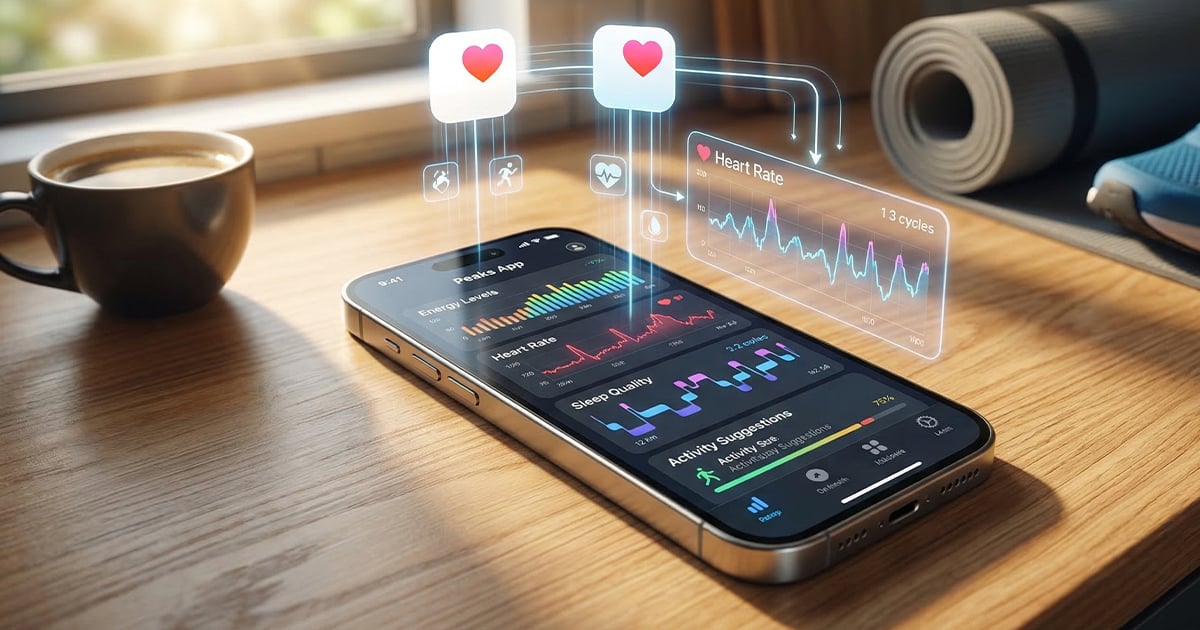
When it comes to health monitoring, your new Apple Watch is a powerful companion that keeps you informed about your well-being. It offers a robust health app that allows you to track your heart rate throughout the day, giving you irregular rhythm notifications to enhance your cardiovascular health. This feature is especially useful for staying on top of your heart’s condition.
Your Apple Watch also excels in fitness tracking, helping you monitor daily activity rings. You can set personal goals for movement, exercise, and standing time, ensuring you stay active.
Plus, built-in sensors track various workouts, providing real-time metrics such as calories burned, distance traveled, and heart rate during exercises.
One standout capability is its ability to monitor signs of sleep apnea by detecting breathing disturbances while you sleep. After a 30-day monitoring period, you’ll receive alerts for moderate to severe conditions, offering peace of mind.
With personalized health metrics, you can input data related to weight, nutrition, and hydration, creating a comprehensive health management system tailored to your needs.
Embrace these features to elevate your wellness journey with your Apple Watch.
Seamless Communication Tools
Many users find that the seamless communication tools on the Apple Watch transform how they stay connected. With the Messages app, you can quickly reply to texts right from your wrist. You even have the option to customize default responses through the Apple Watch app on your paired iPhone, making your replies more personal and efficient.
The ability to share your location directly in Messages enhances your communication. Just select a contact, use Force Touch, and choose the Send Location option to keep loved ones informed.
Plus, the integration with the Find My app allows you to track your watch’s location or share your position with others effortlessly.
Another handy feature is the ability to control your iPhone camera remotely. Your watch can act as a viewfinder, letting you frame shots and snap photos without needing to touch your phone.
Lastly, you can customize notifications through the Apple Watch app on your iPhone, tailoring alerts for different apps. This ensures you get the important communication you need while minimizing distractions, making your Apple Watch an essential tool for staying connected.
Fitness and Activity Tracking
Unlocking your fitness potential is easier than ever with the Apple Watch’s comprehensive Activity app, which tracks your daily movements through three key rings: Move, Exercise, and Stand. Each ring represents your fitness goals, motivating you to stay active throughout the day.
You can monitor various workout types, including running, cycling, swimming, and high-intensity interval training, making it simple to customize your fitness journey. The watch even automatically detects workouts and logs them, so you don’t have to worry about starting a session manually.
Real-time metrics, such as heart rate, calories burned, and exercise duration, provide valuable insights into your performance. This information allows you to analyze your workouts and make informed adjustments to enhance your routine.
Plus, with the integration of the Health app, you gain a holistic view of your health data, including sleep patterns and nutritional tracking.
Customizable Watch Faces
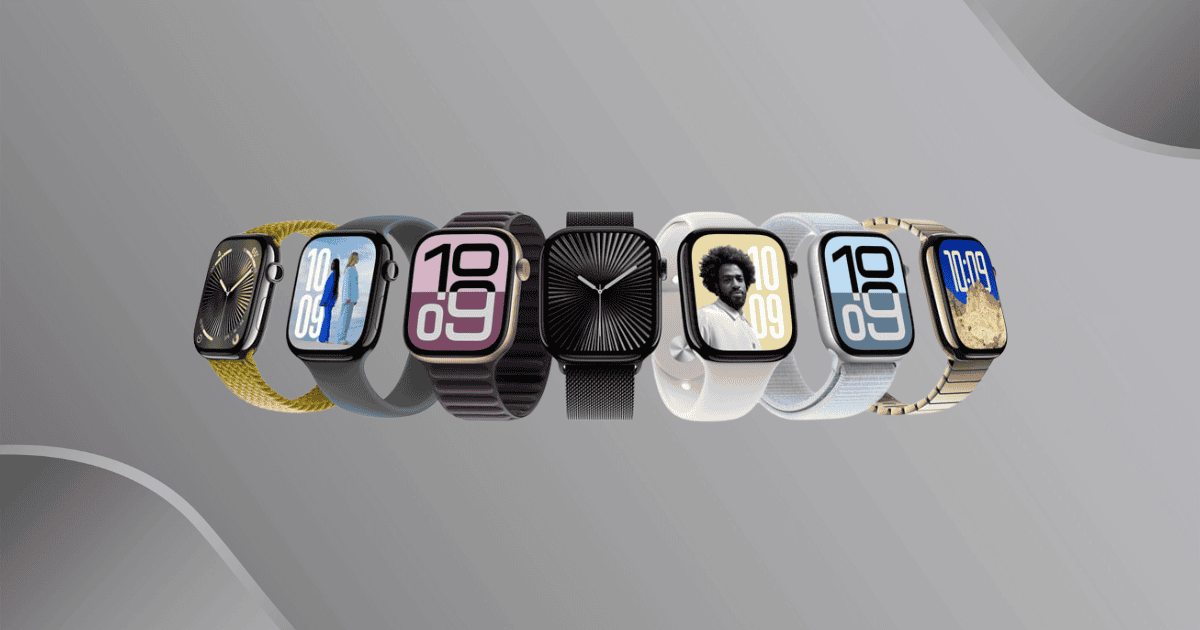
After focusing on your fitness goals, it’s time to make your Apple Watch truly yours with customizable watch faces. You can choose from a variety of styles, including modular, analog, and photo options, allowing you to display relevant information at a glance.
Want to add a personal touch? Set up to 24 photos for automatic rotation as your watch face background. This way, every time you raise your wrist, you’ll see something new and meaningful.
If you prefer a more artistic approach, the Portrait watch face showcases photos taken in Portrait Mode, adding depth to your display. You can further customize the experience by adjusting the screen wake duration, choosing between 15 to 70 seconds to suit your preference.
With the introduction of widgets in watchOS 10, customizing your watch face has never been easier. Just swipe up from the clock face to access your app list and manage your widget stack, ensuring that all the quick-access information you need—like your activity goals—is right at your fingertips.
Your Apple Watch can now reflect your personality and priorities, making it a true extension of you.
Entertainment Options
The Apple Watch transforms your downtime into an engaging experience with its impressive array of entertainment options. You can explore a variety of apple watch apps that cater to your leisure needs, including popular entertainment apps that let you stream video content directly from your favorite platforms.
Imagine catching up on your shows while on the go, all through your paired earbuds.
Stay connected with social media right from your wrist, allowing you to view and interact with content without pulling out your smartphone. If you’re a music lover, the watch’s music identification apps quickly help you discover new tracks playing around you, making it easier than ever to expand your playlist.
Plus, as you explore new places, navigation apps enhance your travel experience by guiding you effortlessly.
And don’t forget the wellness and fitness tracking apps, which not only keep you motivated but also make exercising a more enjoyable part of your daily routine.
With these entertaining features, your Apple Watch becomes much more than just a timepiece; it’s your personal entertainment hub, ready to keep you engaged anytime, anywhere.
Siri Integration
With your Apple Watch on your wrist, Siri integration transforms how you interact with your device. You can perform tasks hands-free using voice commands, making your daily routine smoother and more efficient. Need to send a message or set a reminder? Just ask Siri, and it’s done in seconds. You can even check the weather without lifting a finger.
Siri also keeps you updated with real-time notifications, so you won’t miss important messages or alerts while on the go. Plus, if you have smart home devices, Siri integration lets you control them effortlessly. Adjust your lighting, set the temperature, or secure your home with simple voice requests, adding a layer of convenience to your life.
Another handy feature is dictation. Instead of typing on that small screen, you can compose messages quickly by speaking your thoughts. This makes communicating easier and faster, especially when you’re busy or on the move.
Battery Management Features
Managing your Apple Watch’s battery life is key to getting the most out of its features. With battery life monitoring, you can easily track your battery percentage through the Control Center, ensuring you’re never caught off guard when it runs low.
If you’re in a pinch, activating Low Power Mode can significantly extend your usage time by disabling the always-on display and limiting background sensor activity.
To further optimize settings, consider adjusting your screen brightness and turning off unnecessary features. These simple tweaks can greatly enhance battery performance, allowing you to enjoy your watch longer.
Regular battery health management is also crucial; check your battery’s condition in the Settings menu to determine when it might need replacement or servicing.
For optimal charging, use compatible chargers and steer clear of extreme temperatures, as these factors can impact battery longevity.
By following these charging tips, you’ll help your Apple Watch maintain its battery health over time, ensuring it’s always ready when you need it.
Embracing these battery management features will maximize your experience, letting you focus on what truly matters.
MacReview Verdict
In conclusion, your new Apple Watch is a game-changer, packed with features that enhance your daily life. From monitoring your health and staying connected to tracking your fitness goals, it’s designed to support you every step of the way. With its customizable options and seamless integration with other Apple devices, you can truly make it your own. Embrace all the possibilities it offers and unlock your potential to lead a healthier, more connected lifestyle.