
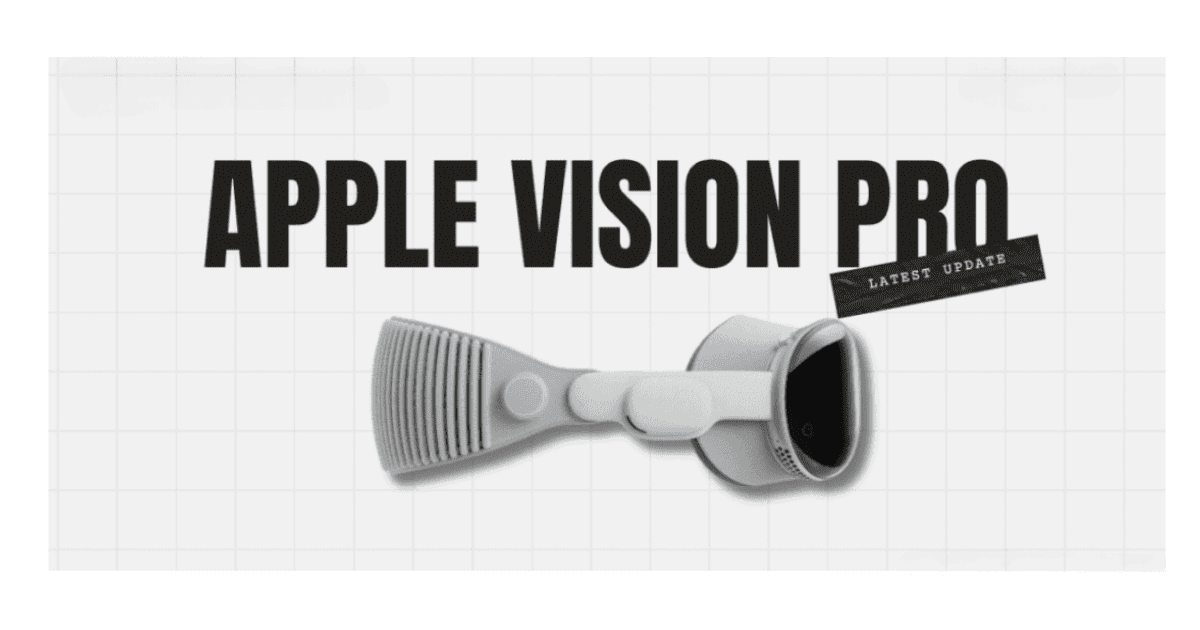
As the release of the Apple Vision Pro headset approaches, astute consumers are seeking tactics to optimize their pre-order success. In a market where demand often outstrips supply, especially for such cutting-edge technology, the importance of preparation cannot be overstated. Prospective buyers must not only be familiar with the product’s specifications and align their requirements accordingly, but they must also navigate the pre-order process with precision. This includes everything from setting reminders for the exact moment the pre-order window opens to ensuring that payment information is updated and readily available. In the following discourse, we will explore a series of strategies designed to place you at a competitive advantage. By implementing these recommendations, you may significantly increase your likelihood of acquiring the Apple Vision Pro, a device poised to redefine the boundaries of immersive technology. The key lies in the details, and we will dissect these elements, ensuring you are equipped with a comprehensive plan of action when the moment arrives.
Key Takeaways
- Mark your calendar for the pre-order date and time (January 19th, 2024, at 5 AM PST)
- Create an Apple account in advance for faster checkout
- Research and decide on the storage capacity (256GB or 512GB)
- Utilize the Apple Store app to streamline the pre-order process
Mark Your Calendar
To ensure a successful pre-order of the Apple Vision Pro headset, it is imperative to mark January 19th, 2024, at 5 AM PST in your calendar as the official commencement time for this highly anticipated release. The advent of the Apple Vision Pro ARVR technology marks a significant milestone in immersive digital experiences, and its February release has stirred considerable excitement among tech enthusiasts and consumers alike.
Awareness of key dates and readiness to act swiftly are crucial when aiming to secure a unit of this cutting-edge device. With the pre-order window opening promptly, potential buyers must be prepared to navigate the process efficiently. Creating an Apple account in advance will expedite the checkout process, allowing for a smoother transaction.
Prospective owners should also decide between the 256GB and 512GB storage capacities to align with their usage preferences and requirements. Additionally, exploring supplementary accessories, such as the Vision Pro Grip controllers and prescription lens inserts, should be part of the preparatory steps. Those seeking alternative purchasing avenues can consider enrolling for pre-orders at authorized resellers. Mark your calendar now to avoid missing out on the opportunity to be among the first to experience the Apple Vision Pro ARVR.
Research Product Specifications
Delving into the Apple Vision Pro’s specifications is essential to determine which model and accessories will best suit your needs, from choosing between 256GB and 512GB storage capacities to considering advanced features like eye tracking and spatial audio. When researching the vision pro product specifications, it’s important to balance your requirements with the apple vision pro price to ensure you’re making an informed investment.
The Vision Pro offers seamless AR/VR transitions, boasting high-resolution Retina OLED screens that promise an immersive visual experience. The addition of powerful eye tracking and facial expression detection features suggests a new level of interactivity and personalization in use. Moreover, dynamic spatial audio aims to deliver a rich auditory experience that complements the visual fidelity of the device.
Prospective buyers should also consider the range of supplementary accessories available, including the Vision Pro Grip controllers and prescription lens inserts, which could significantly enhance the usability of the headset. Understanding these product specifications in depth will equip you with the knowledge needed to make a swift and confident decision when pre-orders commence. Remember to explore options with authorized resellers, which may offer additional choices or early access to pre-orders.
Prepare Payment Details
Having thoroughly researched the Apple Vision Pro’s specifications and chosen the model that suits your needs, the next critical step is to ensure your payment details are current and accurate for the upcoming pre-order. A seamless transaction process at the Apple Store hinges on having updated billing and shipping information. Verify that the credit card or payment method on file is not expired and has sufficient credit limit to cover your purchase. It’s also a good idea to have alternative shipping addresses ready in case the primary address is not viable for some reason.
Given the high value of the Vision Pro, you might need to be present to sign for the delivery. Plan accordingly and consider scheduling adjustments to accommodate this requirement. Furthermore, ensure that your Apple Store login credentials are at your fingertips to avoid any time-consuming retrieval process during the pre-order rush. Although deciding on AppleCare can be done later, being prepared to make that choice quickly can streamline the purchase.
Utilize the Apple Store App
Harnessing the convenience of the Apple Store app can significantly enhance your pre-ordering process for the Apple Vision Pro headset. As the preferred method for pre-ordering Apple’s innovative products, the app streamlines your access to the latest devices with ease and efficiency. Available for free, the Apple Store app mirrors the purchasing options found on Apple’s website, offering a seamless experience for tech enthusiasts eager to secure the Vision Pro.
The Apple Store app not only simplifies the pre-order process but also provides a practical alternative for those unable to access a computer at the critical moment pre-orders go live. By utilizing the app, you can log in ahead of the designated start time, thereby saving precious seconds and gaining an edge in the race to snag the coveted headset.
To ensure a swift and trouble-free pre-order experience, it’s crucial to have your login and payment information at the ready. Pre-loading these details into the Apple Store app can expedite the process, giving you a competitive advantage as you aim to secure the Vision Pro before supplies run out. Remember, with its cutting-edge spatial video and gaming technology, the Vision Pro is expected to sell out quickly, so preparation is key.
Decision-Making Strategies
Facing the choice between the 256GB and 512GB storage options for the Apple Vision Pro requires a strategic approach to decision-making that weighs both your current needs and future requirements. Making the right choice is crucial, especially when considering that Vision Pro units may sell out quickly after pre-orders begin. To maximize your chances, consider the following:
- Assess Your Usage Patterns
- Are you a heavy user who downloads lots of apps, games, and media files?
- Will you be using Vision Pro primarily for spatial video or advanced gaming that might require more storage?
- Do you often find yourself managing storage space on your current devices?
- Futureproof Your Purchase
- How long do you plan to keep your Vision Pro before upgrading?
- Is the price difference between the two storage options justifiable for the potential longevity of use?
- Pre-Order Preparedness
- Ensure your Apple account is set up and logged in before pre-orders start.
- Be ready to act fast on pre-order day; have your payment and shipping information updated.
- Keep an eye on the clock; high demand may cause the Vision Pro to sell out quickly.
Deciding between storage capacities is not merely about current preferences but also about anticipating future demands and ensuring a smooth pre-order experience for your new Apple Vision Pro.
MacReview verdict
Prospective Apple Vision Pro buyers face a challenge: securing a limited pre-order. Success requires precision and speed. Buyers must mark calendars, research specs, prepare payment, download the Apple Store app, and devise strategies. Only the most prepared will snag a Vision Pro. Prospective buyers are at the dawn of a digital renaissance, but scarcity and speed will determine who enters this new era of mixed reality. Pre-orders require meticulous planning, from nailing the pre-order date and time, assessing must-have features, ensuring the fastest payment method, having the Apple Store app and Apple ID at the ready, to rehearsing the pre-order process. Those who miss a step will miss their chance at being early adopters of this technological marvel.



















