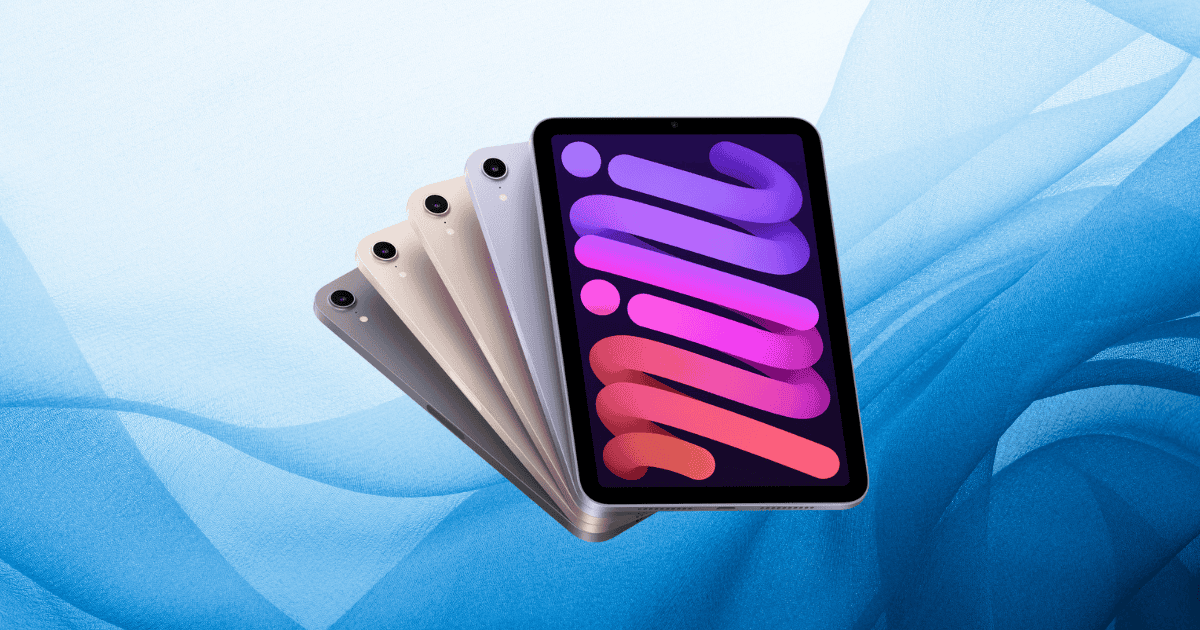
The launch of the iPad Mini 7 is set to be accompanied by a highly anticipated Day One update, transitioning the software from iOS 18.0 to iPadOS 18.0.1. This update aims to address critical bugs, improve security, and enhance the overall performance of the device. With the upgrade focused particularly on vulnerabilities in the Passwords app, as well as performance stability, this update is more than just a routine fix—it positions the iPad Mini 7 as a refined and reliable device for its users from day one.
But beyond the bug fixes, what do these updates mean for the device’s overall functionality and appeal?
Overview of iPad Mini 7
The iPad Mini 7 is designed to impress with both its hardware capabilities and sleek design. Built around Apple’s latest A17 Pro chip, it features a 6-core CPU and a 5-core GPU, offering exceptional performance for tasks ranging from everyday use to graphics-intensive applications like gaming and design.
Notable features include:
- 8.3-inch Liquid Retina display: Vibrant and sharp, offering an immersive visual experience.
- 12MP Wide back camera with Smart HDR 4: Delivers high-quality photography and video recording.
- Ultra Wide front camera: Equipped with Center Stage for optimal video calls, ensuring users remain in focus.
- Apple Pencil Pro compatibility: Enhances creative workflows with magnetic attachment and seamless interaction.
The iPad Mini 7 is expected to ship with iOS 18.0, but the immediate Day One update to iPadOS 18.0.1 brings additional improvements to ensure that users get the most out of their new device.
Significance of the Day One Update
The iPad Mini 7 Day One update serves as a crucial enhancement for device stability and security, preparing it for immediate, smooth use. This update is aimed at resolving potential bugs that users might face during initial setup, and it primarily tackles critical security vulnerabilities, including a significant fix in the Passwords app.
By upgrading to iPadOS 18.0.1, users will also benefit from key bug fixes, such as the resolution of unexpected app quits when replying to messages. Apple encourages users to install this update as part of their initial setup, reinforcing their commitment to delivering an optimal user experience right from the start.
This update not only ensures a more secure device but also highlights Apple’s proactive approach to addressing potential issues before they affect the broader user base. It sets a precedent for future updates, like the highly anticipated iPadOS 18.1, which is expected to introduce new Apple Intelligence features, further enhancing the iPad Mini 7’s functionality.
Key Features of the Update
The iPadOS 18.0.1 update includes the following enhancements:
- Bug Fixes: A major fix resolves issues that could cause unexpected quits when replying to messages, ensuring smoother communication.
- Security Patches: The update addresses vulnerabilities in the Passwords app, protecting user data from potential exploits.
- Stability Improvements: Enhanced system stability across multiple apps and functions, ensuring a seamless user experience.
- Wi-Fi Connectivity: Optimized performance during initial setup and enhanced compatibility with various networks.
These features are crucial for ensuring that the iPad Mini 7 operates smoothly and securely from day one, making it an essential update for new users.
Performance Enhancements with A17 Pro Chip
The A17 Pro chip powers the iPad Mini 7, bringing substantial performance improvements over its predecessor, the A15 Bionic chip. With a 30% boost in CPU performance and a 25% increase in graphics capabilities, this chip is designed to handle demanding applications, including AAA mobile games and professional design software.
Performance highlights include:
- 6-core CPU and 5-core GPU: Hardware-accelerated ray tracing for four times faster performance in games and graphics applications.
- Improved Multitasking: Seamless transitions between multiple applications, boosted by the new iPadOS 18 optimizations.
- Battery Efficiency: The A17 Pro chip is optimized for energy efficiency, providing long-lasting performance even during intensive use.
These enhancements ensure that the iPad Mini 7 is a formidable tool for both casual users and professionals who require a powerful, portable device.
Bug Fixes and Improvements
The iPad Mini 7’s Day One update is not just about performance; it also delivers vital bug fixes that improve overall functionality. Some key areas addressed by the update include:
- Unexpected App Quits: Fixes that prevent crashes during message replies or while using certain applications, making the device more reliable.
- Passwords App Vulnerability: A critical fix improves the security of saved passwords, protecting users’ sensitive information.
- General System Stability: Enhancements to ensure the device runs smoothly across various functions, minimizing lag or glitches.
These improvements, along with the A17 Pro chip’s power, guarantee that users will experience the iPad Mini 7 in its best form from day one.
Enhancing User Experience
Apple’s commitment to improving the user experience with the iPad Mini 7 is evident in both its hardware and software offerings. The Day One update significantly boosts security and stability, setting the stage for a smooth initial setup and ongoing usage. Key factors that enhance user experience include:
- Enhanced Display: The 8.3-inch Liquid Retina display offers vivid visuals, perfect for media consumption, gaming, and productivity tasks.
- Center Stage on Ultra Wide Front Camera: This feature enhances video calling by automatically adjusting to keep users in focus during calls.
- Apple Pencil Pro: Compatible with the iPad Mini 7, it elevates creative tasks and note-taking with precision and fluid interaction.
Together with the iPadOS 18.0.1 update, these features ensure that the iPad Mini 7 offers an elevated user experience right from launch.
How to Update the iPad Mini 7 on Launch Day
To fully benefit from the iPadOS 18.0.1 update, users are encouraged to connect their iPad Mini 7 to Wi-Fi during setup. Once connected, the update will automatically download and install, applying the necessary bug fixes and security patches.
Steps to update:
- Power on the iPad Mini 7 and follow the on-screen setup instructions.
- Connect to a Wi-Fi network during the setup process.
- Once connected, the device will prompt you to download and install the iPadOS 18.0.1 update.
- After installation, navigate to Settings > General > Software Update to verify that the device is running the latest version.
By completing these steps, users can ensure their iPad Mini 7 is running at its best, with all the latest fixes and performance enhancements in place.
MacReview Verdict
The iPad Mini 7 sets a new standard for portable devices with its powerful A17 Pro chip and advanced features. The Day One update to iPadOS 18.0.1 further enhances the user experience by addressing critical bugs and security vulnerabilities, ensuring that users receive a device that is not only powerful but also secure and reliable.
By staying proactive with software updates, Apple reinforces its commitment to quality and user satisfaction. The iPad Mini 7, with its immediate bug fixes and performance boosts, positions itself as a key player in the tablet market, ready to meet the needs of a wide range of users from the moment they power it on.