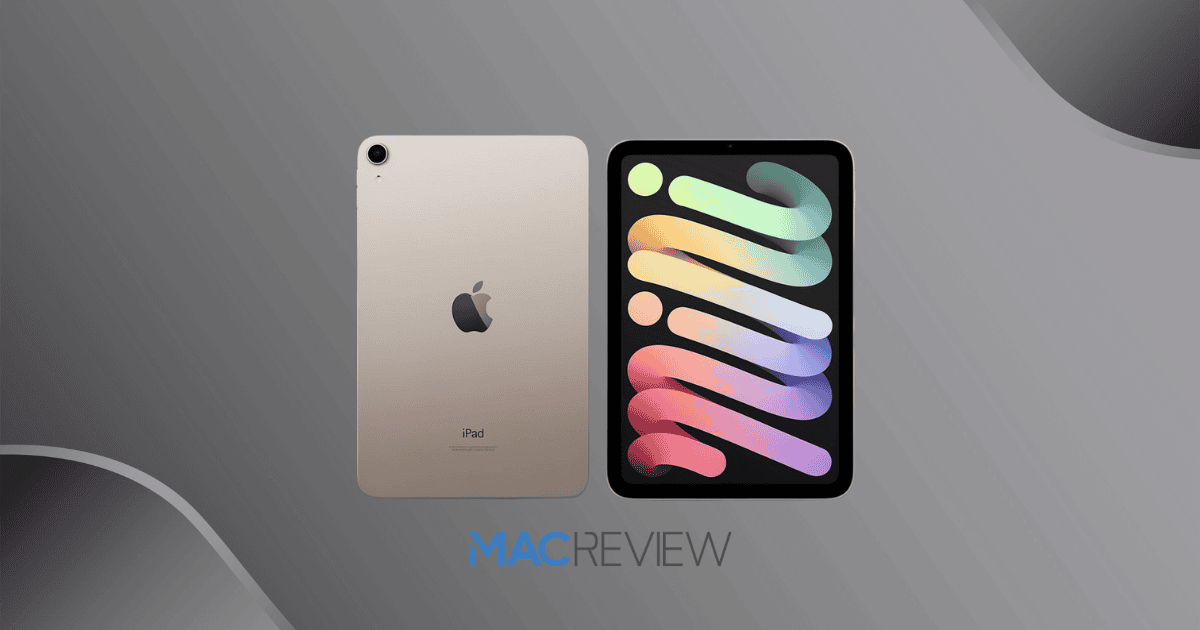
The iPad Mini series has consistently offered a balance between portability and performance, making it a favorite for users who need a compact yet powerful device. With the anticipated release of the iPad Mini 7, Apple promises several upgrades that could tempt current iPad Mini 6 users to make the switch. From design improvements to potential performance enhancements, this guide will help you decide if the latest iPad Mini is worth the upgrade or if the previous generation still meets your needs.
| Feature | iPad Mini 6 (2021) | iPad Mini 7 (2024) |
|---|---|---|
| Display | 8.3-inch Liquid Retina, 2266 x 1488 pixels | 8.3-inch Liquid Retina, potential higher refresh rate |
| Brightness | 500 nits | 500 nits |
| Processor | A15 Bionic | A16 or newer |
| RAM | 4GB | 4GB or more |
| Storage Options | 64GB, 256GB | 64GB, 256GB |
| Audio | Dual speakers | Enhanced audio experience |
| Connectivity | USB-C, Wi-Fi 6, 5G (optional) | USB-C, Wi-Fi 6E, 5G (optional) |
| Battery Life | Up to 10 hours | Up to 10 hours, potentially improved efficiency |
| Biometrics | Touch ID on power button | Touch ID, potential new biometric options |
| Colors | Space Gray, Pink, Purple, Starlight | New color options |
| Operating System | iPadOS | iPadOS (latest version with potential exclusive features) |
| Price | Starting at $479 | Similar price range |
Design and Form Factor
Both the iPad Mini 6 and 7 showcase Apple’s trademark sleek design and build quality, characterized by a slim profile and lightweight construction. The iPad Mini’s compact 8.3-inch display with thin bezels is perfect for those who value portability. With flat edges and a durable aluminum casing, both devices feel premium and are easy to hold, even during extended use.
While the design remains similar, the iPad Mini 7 comes in new color options, allowing for a bit more personalization. The aluminum body offers durability without sacrificing style, making both models well-suited for users on the go. Whether you’re commuting, traveling, or simply carrying it around the house, these tablets provide the right balance of form and function.
Display Quality
The display on the iPad Mini is known for delivering an immersive experience, and both the 6th and 7th generations continue this tradition. Featuring an 8.3-inch Liquid Retina display with a resolution of 2266 x 1488 pixels, these models offer sharp images and vibrant colors, ensuring that everything from browsing to gaming is visually enjoyable.
Both models also provide up to 500 nits of brightness, which helps to keep the screen visible even in bright environments. An anti-reflective coating minimizes glare, allowing for a more comfortable viewing experience outdoors. While the iPad Mini 6 operates at a standard 60Hz refresh rate, which may affect fluidity in high-motion tasks, the iPad Mini 7 could potentially offer a higher refresh rate, making it more appealing for users who prioritize smoother visuals.
Processing Power and Performance
The A15 Bionic chip powers the iPad Mini 6, providing impressive speed and efficiency for multitasking and graphics-intensive applications. This chipset ensures that tasks such as video editing, gaming, and running creative apps are handled with ease. Paired with 4GB of RAM, the iPad Mini 6 allows for smooth multitasking, making it a reliable choice for everyday use.
The iPad Mini 7, however, brings further performance upgrades. With a more advanced chip, potentially the A16 or beyond, users can look forward to faster processing speeds and enhanced graphics performance. This would make the Mini 7 even more suited for demanding applications and multitasking, allowing users to switch between apps and handle complex tasks more efficiently.
Battery Life and Efficiency
Battery life is a crucial factor for any portable device, and both the iPad Mini 6 and 7 are built with this in mind. The iPad Mini 6 offers up to 10 hours of battery life for typical activities like web browsing and video playback. This is sufficient for most users, allowing them to use their device throughout the day without needing to recharge.
Both models utilize energy-efficient chipsets that help extend battery life by optimizing power consumption based on usage patterns. Whether you’re streaming videos, browsing the web, or using productivity apps, you can expect reliable battery performance. While exact battery details for the Mini 7 are yet to be confirmed, it provides comparable or slightly improved battery efficiency, thanks to advancements in its chipset.
Audio and Connectivity Features
Audio quality and connectivity options can greatly influence your overall experience with a tablet, and both the iPad Mini 6 and 7 offer respectable features in these areas. The iPad Mini 6 comes equipped with a dual-speaker setup that delivers decent sound for media consumption, though audiophiles may find it somewhat lacking. The Mini 7, on the other hand, provides an improved audio experience, which could make it more appealing for users who frequently watch videos or listen to music on their tablet.
Connectivity-wise, both models support Wi-Fi 6, which ensures fast and reliable internet speeds even in crowded environments. The Mini 7 includes Wi-Fi 6E compatibility, which offers expanded bandwidth and less interference. For those who prefer physical connections, both models include USB-C ports for charging and data transfer, though the Mini 7 includes advancements in USB technology for faster transfer speeds.
Software and User Interface
Apple’s iPadOS provides a seamless user experience, bringing a wealth of features and an intuitive interface to both the iPad Mini 6 and 7. With iPadOS, users have access to multitasking capabilities, widgets, and app versatility, allowing them to customize their home screens and organize apps according to their preferences.
Both models are compatible with the latest version of iPadOS, but the Mini 7 includes exclusive features that leverage its newer hardware. These enhancements may include smoother interactions, faster app launches, and more responsive touch controls. For users who prioritize customization and productivity, these subtle improvements could make a noticeable difference in daily usage.
Price and Availability
When considering a new device, pricing and availability play a significant role. The iPad Mini 6 launched with a starting price of $479 for the base model, making it a competitively priced option within Apple’s tablet lineup. While the exact pricing for the Mini 7 hasn’t been announced, it’s likely to be similar, with slight adjustments depending on any added features or performance upgrades.
The iPad Mini 6 is currently widely available, while the Mini 7 will likely become accessible following Apple’s official launch announcement. For those on a budget, the release of the Mini 7 could mean discounts on the Mini 6, offering an excellent value for a high-performance tablet.
MacReview Verdict
Choosing between the iPad Mini 6 and 7 ultimately comes down to your priorities and how you plan to use your device. The Mini 6 remains a solid choice with reliable performance, great display quality, and good battery life. However, if you’re looking for improved processing power, enhanced audio, and possibly a higher refresh rate, the Mini 7 might be worth the investment. Whether you upgrade or stick with the Mini 6, both models offer impressive capabilities, ensuring a satisfying tablet experience that can keep up with your needs.