
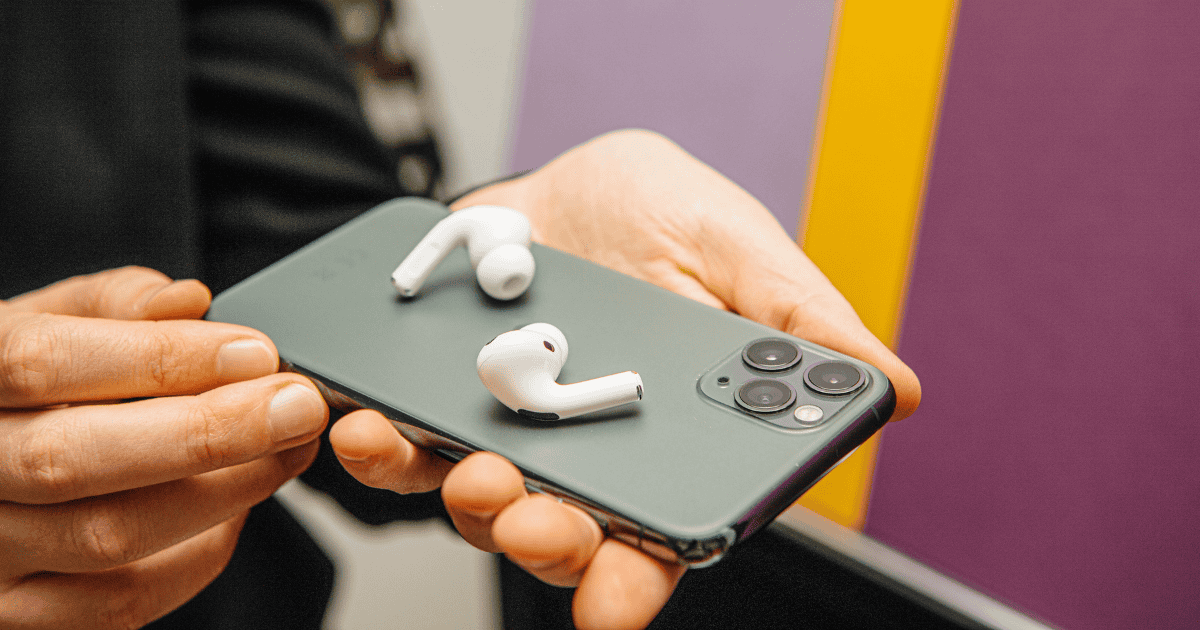
The latest iOS 18 update from Apple introduces a notable enhancement in the AirPods pairing process, extending compatibility to a broader spectrum of devices. This advancement not only streamlines the connection for Apple products but also offers a more user-friendly experience for non-Apple devices. By integrating the AccessorySetupKit API and prompting manufacturers to update their devices for optimized pairing, iOS 18 aims to revolutionize connectivity options across platforms. The implications of this development on the tech landscape and user interaction with wireless audio devices are worth exploring further.
Expanded Compatibility With Various Devices
The enhanced compatibility of AirPods with a diverse range of devices marks a significant advancement with the introduction of iOS 18. This update allows users to pair their AirPods not only with Apple devices like iPhones, iPads, and Macs but also with non-Apple devices such as Windows PCs and Android smartphones and tablets.
The pairing process for AirPods with non-Apple devices has been streamlined, offering detailed steps to guarantee a quick and easy connection. With iOS 18, users can seamlessly connect their AirPods to a wider range of devices beyond Apple’s ecosystem.
In the event of any connectivity issues, troubleshooting tips are readily available to assist users in resolving such problems. This enhanced compatibility and simplified pairing process make it convenient for AirPods users to enjoy their wireless earbuds across various platforms with ease and efficiency.
iOS 18 truly expands the horizons of AirPods usage, providing a seamless experience for users across different devices.
Seamless AirPods Pairing Experience
Enhancing user convenience, iOS 18 introduces a seamless AirPods pairing experience across a broader range of devices. With the integration of the AccessorySetupKit API, not only Apple products but also third-party accessories can now enjoy the same easy setup process as AirPods. This enhancement simplifies the pairing process by automating Bluetooth or Wi-Fi connectivity handling, ensuring a hassle-free experience for users.
The new AccessorySetupKit API in iOS 18 streamlines the pairing process for AirPods and compatible accessories, offering users a more convenient and reliable connection setup. Accessory manufacturers are required to update their devices and applications to leverage the enhanced pairing process facilitated by iOS 18, guaranteeing a seamless experience for consumers.
Quick Setup Process for AirPods
Users can initiate the quick setup process for their AirPods with ease and efficiency on a variety of devices, thanks to the enhancements introduced in iOS 18. The updated software streamlines the AirPods pairing experience, extending compatibility to a broader range of devices, including Windows PCs and Android smartphones.
The quick setup process eliminates complexities, ensuring a seamless connection between AirPods and various platforms. Detailed instructions accompany the pairing process, guiding users through each step to establish a stable connection effortlessly.
In case of any connectivity issues, troubleshooting tips are readily available to assist users in resolving potential obstacles during the pairing process. This inclusive support system aims to provide a hassle-free experience, allowing users to enjoy their AirPods seamlessly across different devices.
With iOS 18, Apple continues to prioritize user convenience by simplifying the setup process and enhancing the interoperability of AirPods with a diverse array of technology platforms.
Effortless Connection Across Platforms
Expanding beyond traditional Apple devices, the enhanced AirPods pairing capability in iOS 18 now facilitates smooth connections across a diverse range of platforms, including Windows PCs and Android smartphones. Users can seamlessly pair their AirPods with various devices, guaranteeing a seamless shift between different ecosystems. To aid in this process, iOS 18 offers detailed steps for quick and easy AirPods pairing with non-Apple devices, making it convenient for individuals who utilize multiple platforms.
For troubleshooting purposes, iOS 18 also provides helpful tips to resolve any connectivity issues that may arise when connecting AirPods to different devices. This extensive support ensures that users can enjoy a consistent and reliable connection across their devices. Below is a table highlighting the key aspects of the enhanced AirPods pairing experience with iOS 18:
| iOS 18 AirPods Pairing | Benefits |
|---|---|
| Smooth Connection | Effortless pairing process |
| Compatibility with Various Platforms | Compatibility with various platforms |
| Solutions for Connectivity Issues | Solutions for connectivity issues |
| Step-by-step Pairing Instructions | Step-by-step pairing instructions |
| Additional Support Resources | Updates and professional assistance |
Enhanced Pairing Ease With iOS18
The introduction of the AccessorySetupKit API in iOS 18 revolutionizes the pairing experience for third-party accessories like AirPods on Apple devices. This API simplifies the process of connecting wireless accessories to Apple devices, ensuring a seamless pairing experience for users.
By incorporating the AccessorySetupKit API, Apple aims to provide a reliable and efficient connection between devices, enhancing the overall user experience.
With this enhanced pairing system, users can expect a similar level of ease and convenience when pairing their AirPods with Apple devices as they do with native Apple accessories. Accessory makers will need to update their devices and apps to leverage the benefits of the new API, enabling a more streamlined pairing process for their products.
The implementation of the AccessorySetupKit API in iOS 18 underscores Apple’s commitment to improving connectivity options and user experience across a wide range of devices and platforms.
Improved AirPods Connectivity Options
Enhancing the flexibility of AirPods connectivity, iOS 18 now extends seamless pairing capabilities to a broader spectrum of devices beyond the Apple ecosystem. Users can now enjoy a hassle-free pairing experience with their AirPods across a variety of devices, including Windows PCs and Android smartphones. With detailed step-by-step instructions provided, connecting AirPods to non-Apple devices has never been easier.
To assist users in maintaining a stable connection, iOS 18 offers troubleshooting tips for common AirPods connectivity issues. Whether it’s interference or software-related problems, the software ensures that users can troubleshoot and resolve any connectivity issues swiftly. The pairing process with iPhones remains straightforward, with on-screen instructions guiding users through a successful connection. Additionally, users have access to support options like resetting AirPods, reaching out to Apple Support for assistance, and exploring warranty and repair services for any hardware-related concerns.
| Improved AirPods Connectivity Options |
|---|
| Pairing |
| iOS 18 offers seamless pairing to a wider range of devices beyond Apple products. |
| Troubleshooting |
| Detailed troubleshooting tips are provided for common AirPods connectivity issues. |
| Devices |
| Users can now connect AirPods to Windows PCs and Android smartphones effortlessly. |
Streamlined Pairing for Multiple Devices
With iOS 18’s latest update, AirPods users can now effortlessly pair their devices with a wider range of non-Apple products, streamlining connectivity across multiple platforms. This expanded versatility allows users to enjoy seamless AirPods pairing with devices such as Windows PCs, Android smartphones, and tablets.
The streamlined process guarantees a hassle-free experience when connecting AirPods to non-Apple devices, making it easier for users to switch between various platforms without any complications. By following specific instructions tailored for different operating systems, users can now enjoy quick and effortless connectivity with their AirPods, enhancing the overall user experience.
iOS 18’s focus on simplifying the pairing process for AirPods with non-Apple devices reflects Apple’s commitment to providing convenience and ease of use for its users across a wide range of technology ecosystems.
MacReview verdict
In the symphony of technological evolution, iOS 18 orchestrates a harmonious melody of connectivity, expanding the AirPods pairing experience to a broader audience.
Like a master conductor, Apple’s latest update guarantees seamless harmony between devices, creating a smooth and effortless connection for users.
With enhanced compatibility and streamlined pairing processes, iOS 18 sets the stage for a symphony of convenience and innovation in the world of wireless connectivity.



















