
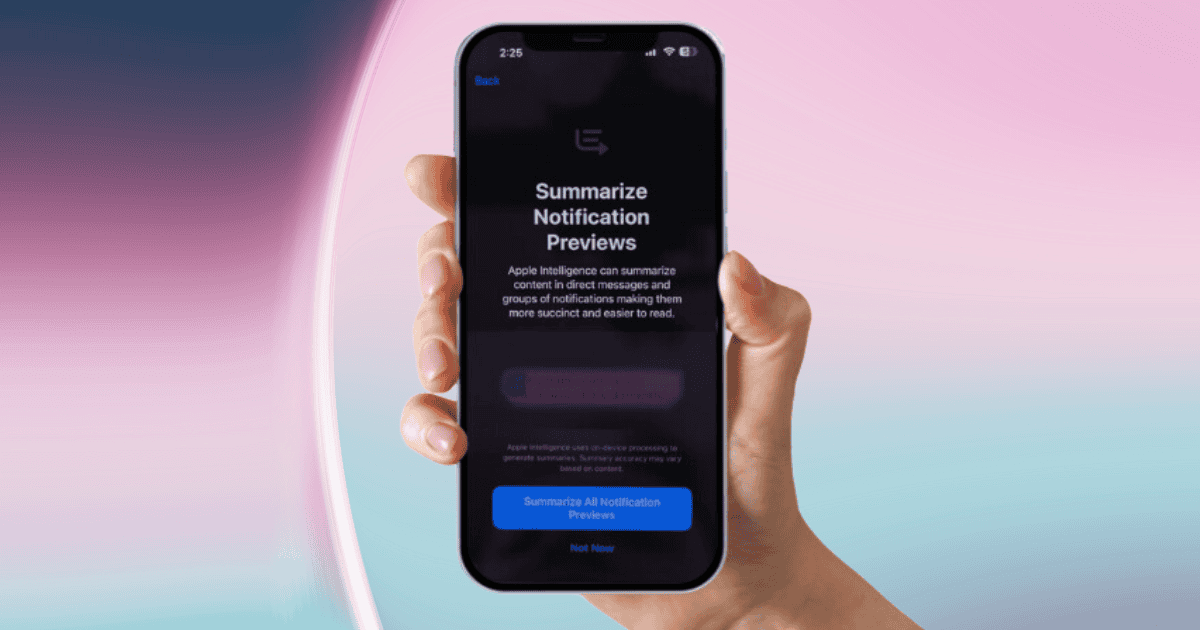
As you dive into the iOS 18.1 Beta, you’ll discover a significant upgrade in how notifications are managed. This version introduces AI-powered notification summaries that consolidate alerts from all your apps, enhancing your overall experience. Gone are the days of being overwhelmed by a barrage of notifications; now, you can breathe easy with streamlined summaries that highlight key details.
With this update, you can customize which apps you want to include in your notification summaries, giving you control over what’s important to you. The summaries are designed to display essential information, reducing the need for you to sift through every single notification. This approach not only boosts your productivity but also helps you maintain focus amidst digital distractions.
To take advantage of these features, you’ll need a device that supports Apple Intelligence, specifically the iPhone 15 Pro and Pro Max or M-series iPads and Macs. Once you update, you’ll be prompted to opt into these summaries, enabling you to prioritize important alerts effectively.
The iOS 18.1 Beta truly marks a shift towards a more organized and manageable digital lifestyle.
Key Features of Notification Summaries
Notification summaries in iOS 18.1 beta bring a streamlined approach to managing alerts, allowing you to tackle notification overload with ease. This feature consolidates notifications from all apps, helping you focus on what truly matters.
With the ability to select specific apps for which you want notification summaries, you gain essential customization that prioritizes important alerts and reduces distractions.
When you receive summarized notifications, they display key details directly on your Lock Screen, enhancing visibility and accessibility. This means you won’t have to sift through a barrage of notifications to find what’s relevant.
The feature also includes individual toggles for enabling or disabling summarization per app, so you maintain full control over your notification preferences.
However, keep in mind that the accuracy of these notification summaries may vary based on content type. The aim is to provide a succinct overview of the most relevant alerts, allowing you to concatenate information efficiently without feeling overwhelmed.
With these key features, iOS 18.1 beta takes a significant step toward creating a more organized and manageable notification experience.
Customization Options for Users
With various customization options available, you can tailor your notification summaries in iOS 18.1 beta to suit your preferences. This feature allows you to manage alerts more effectively by choosing to summarize notifications from specific apps or opting for a summary of all notifications.
You can easily toggle summarization on or off for individual apps, creating a personalized experience that aligns with your daily needs.
Additionally, you can decide when and how often these notification summaries are delivered. Whether you want them in the morning or at night, you have the flexibility to select the timing that works best for you.
Summaries can also be displayed on your Lock Screen, ensuring that important notifications remain visible and accessible, helping you prioritize what matters most.
If you find that you prefer the traditional notification system, you can disable the entire summarization feature. This means you can keep things simple and receive notifications just like before.
With these customization options, you can create a notification experience that truly reflects your lifestyle and preferences.
Benefits of Summarized Notifications
Summarized notifications bring several advantages that enhance your overall experience with alerts. By consolidating alerts from multiple apps into a single view, these summaries significantly reduce notification overload. This helps you prioritize important messages, so you can focus on what truly matters.
You can customize summary timing and frequency, tailoring the notification experience to fit your schedule and preferences. Whether you want to receive summaries during specific hours or at intervals that suit your workflow, the choice is yours. This flexibility not only caters to your needs but also allows you to manage your time effectively.
Moreover, summarized notifications can enhance productivity by enabling you to quickly review key information without sifting through numerous individual notifications. This streamlined approach means less time wasted on distractions and more focus on your tasks.
Additionally, these summaries pair nicely with focus modes, further helping you reduce distractions during designated work or relaxation times.
Comparison With Previous iOS Versions
While earlier iOS versions offered limited notification summarization mainly for apps like Mail and Messages, the iOS 18.1 Beta takes a significant leap by expanding this feature to all applications, including third-party ones.
This change addresses user frustrations with notification overload that previous iterations struggled to manage. Unlike those earlier versions, which lacked customization options, iOS 18.1 Beta allows you to select specific apps for summarized notifications and adjust summary timing and frequency to suit your needs.
Moreover, the iOS 18.1 Beta introduces AI-powered algorithms to prioritize and consolidate alerts effectively. This innovation marks a departure from previous iOS versions, which didn’t utilize AI for notification management.
With these advanced algorithms, you can experience a more organized and less distracting notification environment.
Additionally, the new user interface for viewing summarized notifications is more intuitive, making it easier for you to digest alerts at a glance.
User Feedback and Reactions
Receiving mixed feedback, users have expressed a variety of opinions regarding the AI-powered notification summaries in the iOS 18.1 beta.
Some users appreciate the accuracy of group messages, praising how it reduces notification overload and boosts productivity. They find that the ability to customize which apps are included in the notification summaries enhances their user experience significantly.
However, not everyone is thrilled. Critics note issues with spam notifications, arguing that the summaries can become cluttered despite the intention to streamline communication.
Additionally, some users have shown nostalgia for previous notification systems, especially those from Android, sparking discussions about the differences in notification management.
This has led to comparisons of Apple Intelligence’s functionality versus other AI systems like ChatGPT, highlighting the ongoing conversation about how these technologies can improve user engagement.
Future Updates and Expectations
As developers roll out updates for the iOS 18.1 beta, users can look forward to a more refined notification summarization feature. This feature aims to streamline your notifications across all apps, making it easier to manage and focus on what truly matters.
In the coming weeks, you’ll likely see the initial versions of these updates, which promise to enhance user experience and stability. The public release is anticipated in October 2024, after thorough beta testing and feedback from developers enrolled in the program. Their insights could lead to new features and improvements in the notification summaries, ensuring a better experience for everyone.
While there’s some uncertainty about the potential expansion of AI notification summaries to macOS Sequoia, the core functionality in iOS 18.1 beta is expected to set a new standard for organization.
With the help of the apple intelligence setup, these updates aim to help you manage your time and attention more effectively. Stay tuned for continuous enhancements and refinements as the beta progresses, ensuring that your notification experience isn’t only manageable but also tailored to your needs.
MacReview Verdict
In summary, iOS 18.1 Beta’s notification summary feature transforms how you manage alerts, making it easier to stay organized and focused. With customizable options and AI-driven insights, you can tailor notifications to fit your needs. This innovation not only enhances productivity but also reduces the stress of notification overload. As Apple continues to refine this feature, you can expect even more improvements that will further elevate your iOS experience. Embrace the change and enjoy a smarter way to manage notifications!



















