
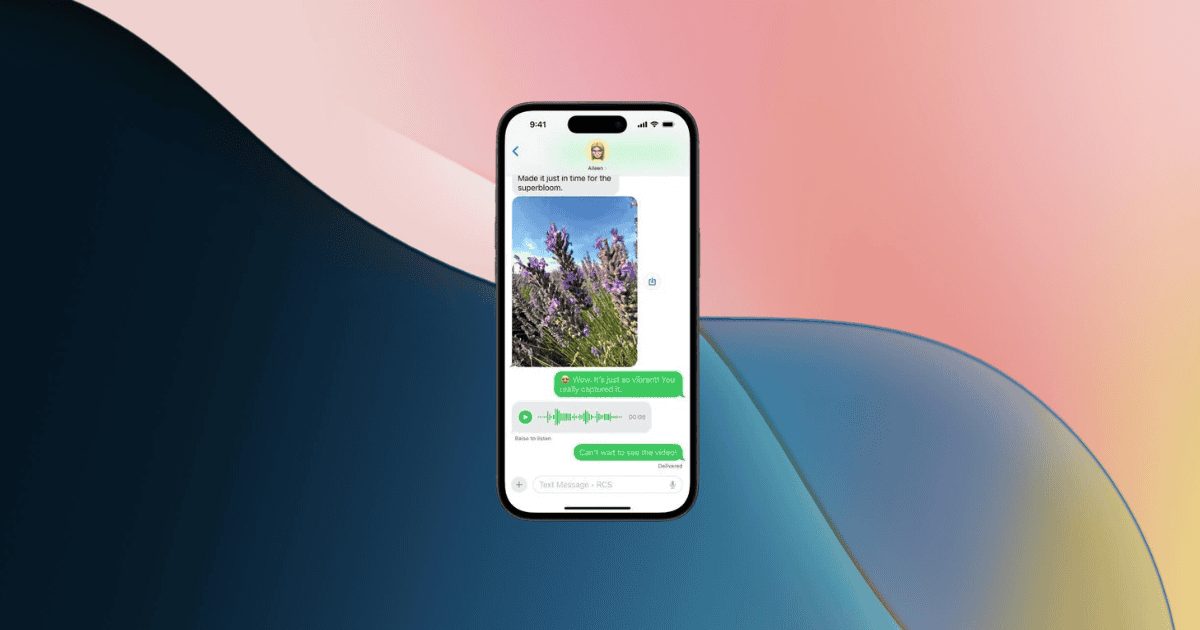
The integration of RCS messaging features with iOS devices on the beta version 2 of iOS 18 marks a significant advancement in communication technology for iPhone users in the United States. With major carriers like T-Mobile, AT&T, and Verizon now supporting RCS, users can enjoy a range of enhanced messaging capabilities. This development not only brings iPhone users on par with their Android counterparts but also hints at a future where communication transcends traditional boundaries. The potential implications of this update could reshape how iPhone users interact digitally, making it a remarkable evolution in the domain of mobile communication.
RCS Messaging Features for iPhone Users
The RCS messaging features available for iPhone users on iOS 18 beta 2 in the United States provide enhanced communication capabilities surpassing traditional SMS messaging. With this update, users can now access rich messages, high-quality media files, emoji reactions, and typing indicators through RCS.
This advancement in messaging technology, exclusive to T-Mobile, AT&T, and Verizon users, allows iPhone users to enjoy a more interactive and engaging messaging experience. Enabling RCS support in the Settings app under Messages on iOS 18 beta 2 reveals features like read receipts and group chats, bringing iPhone messaging closer to the functionality enjoyed by Android users.
Users can seamlessly send messages over cellular or Wi-Fi at no additional cost, further enhancing the communication capabilities of iPhones. This significant upgrade in messaging features signifies a step forward in bridging the gap between different operating systems and providing iPhone users with a more dynamic messaging platform.
Network Availability for RCS Messaging
Network carriers in the United States are gradually expanding the availability of RCS messaging for iPhone users on iOS 18 beta 2. Currently, select carriers like AT&T, T-Mobile, and Verizon offer RCS support for iPhone users, allowing them to enjoy enhanced messaging features. However, not all carriers have implemented RCS support for iPhones, with availability varying depending on the carrier. As iOS 18 progresses towards a public release in the fall, it is expected that more carriers will enable RCS messaging for their iPhone users.
To provide a clearer view of the current network availability for RCS messaging among US carriers supporting iOS 18 beta 2, below is a table showcasing the status:
| Carrier | RCS Support Available |
|---|---|
| AT&T | Yes |
| T-Mobile | Yes |
| Verizon | Yes |
| Sprint | No |
| US Cellular | No |
This table reveals that major carriers like AT&T, T-Mobile, and Verizon currently offer RCS support for iPhone users on iOS 18 beta 2, while Sprint and US Cellular have yet to implement this feature.
Enabling RCS Support in Messages Settings
To access their messaging experience on iOS 18 beta 2, iPhone users can locate and adjust the RCS support settings within the Messages app. In the Messages settings, users can find the option to toggle RCS support on or off, enabling them to take advantage of the enhanced messaging features now available for T-Mobile, AT&T, and Verizon customers in the US.
By activating the RCS toggle, users can enjoy benefits such as higher resolution media sharing, emoji reactions, typing indicators, and the ability to send audio messages seamlessly over cellular or Wi-Fi networks at no additional cost. It is important to note that while RCS messaging is rolling out, not all iPhone users on iOS 18 beta 2 may have immediate access, as availability may vary based on carrier support.
Benefits of RCS Messaging Over Cellular
With RCS messaging now available for iPhone users on iOS 18 beta 2 in the United States, enhanced communication features can be enjoyed over cellular networks. RCS messages offer high-quality file sharing capabilities, allowing users to send larger media files with ease.
This advancement in messaging technology enhances the overall communication experience by providing features like read receipts, typing indicators, and group chats. Users on major carriers such as T-Mobile, AT&T, and Verizon can now leverage RCS messaging on their iPhones, bridging the gap between iOS and Android users.
Benefits of RCS Messaging Over Wi-Fi
iPhone users on iOS 18 beta 2 can now experience enhanced communication features like high-resolution media sharing and emoji reactions through RCS messaging over Wi-Fi. This advancement allows users to enjoy enriched messaging experiences without additional costs, providing a seamless and interactive platform.
Enabling RCS messaging on iPhones running iOS 18 beta 2 enhances communication capabilities, surpassing traditional SMS limitations. The availability of RCS messaging on select carriers like T-Mobile, AT&T, and Verizon networks in the U.S. guarantees that users can benefit from advanced features such as larger file sharing and typing indicators over Wi-Fi connections.
Rollout Progress for RCS on iOS 18 Beta 2
The current deployment status of RCS messaging on iOS 18 beta 2 for iPhone users in the United States is progressing gradually. This rollout, exclusive to T-Mobile, AT&T, and Verizon customers, introduces advanced communication capabilities such as sending high-resolution media files, read receipts, and enhanced messaging features like emoji reactions and typing indicators.
While the RCS support is now available for iPhone users on iOS 18 beta 2, it is important to note that the implementation is currently limited to specific carriers and is not universally accessible to all users on the beta version.
iOS 18 beta 2 incorporates updated carrier bundles tailored for T-Mobile, AT&T, and Verizon, enabling the RCS messaging functionality. As the rollout continues, some users may still need to manually enable RCS support within their Messages settings to fully utilize the benefits of this enhanced messaging experience.
Stay tuned for further updates as the deployment of RCS on iOS 18 beta 2 expands to reach more iPhone users across the U.S.
How to Access RCS Messaging Features
Accessing RCS messaging features on iOS 18 beta 2 for iPhone users in the US involves activating the functionality within the Messages settings.
To activate RCS messaging, follow these steps:
- Update to iOS 18 Beta 2: Make sure your iPhone is running on the latest iOS 18 beta 2 version to access RCS messaging features.
- Navigate to Settings: Open the Settings app on your iPhone’s home screen.
- Select Messages: Scroll down and tap on the ‘Messages’ option within the Settings menu.
- Enable RCS Messaging: Look for the RCS messaging option and toggle it on to activate the enhanced messaging features such as high-quality image sharing, larger file transfers, read receipts, and group chat functionality.
MacReview’s Take
To sum up, the introduction of RCS messaging features for iPhone users on iOS 18 beta 2 in the United States marks a significant advancement in communication technology. With enhanced capabilities like rich messages and group chats, users can now enjoy a more interactive messaging experience.
The availability of RCS support for T-Mobile, AT&T, and Verizon users further expands the reach of this innovative technology. Stay tuned for more updates on the progress of RCS rollout on iOS devices.



















