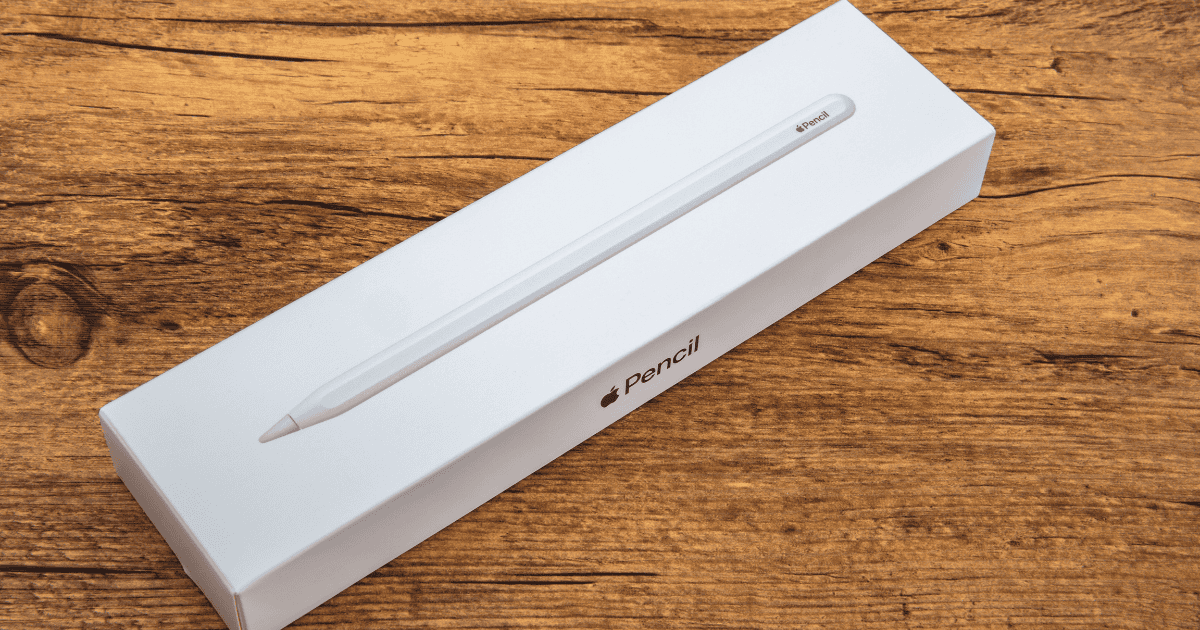
Explore all the latest advancements in the Apple Pencil Pro, offering unique gestures, precise barrel roll twisting, real-time stroke previews, and enhanced haptic feedback for an immersive creative journey. It’s exclusively designed for select iPad models, providing improved pressure sensitivity and seamless compatibility with creative software. Embrace enhanced productivity with quick tool access, reduced latency, and advanced tilt recognition, all in a sleek, ergonomic design. Immerse yourself in a world of innovation and performance that elevates your artistic endeavors like never before.
Innovative Squeeze Gesture
If you’re looking for a game-changing feature in the Apple Pencil Pro, the innovative squeeze gesture is here to revolutionize your creative workflow.
This squeeze gesture enables seamless tool selection by responding to pressure applied to the pencil’s sides. By initiating this gesture, a customizable palette for tool selection appears, offering a range of customization options tailored to enhance your control over various tools.
With this intuitive feature, changing tools, adjusting line weights, and selecting colors becomes effortlessly efficient, streamlining your creative process.
The squeeze gesture on the Apple Pencil Pro empowers you to navigate through different tools with ease, ultimately facilitating precision and enhancing your overall user experience when engaging in diverse creative tasks.
Barrel Roll Twisting
The Apple Pencil Pro‘s barrel roll twisting feature enhances your creative control by allowing precise adjustment of brush size and orientation. With innovative gyroscope technology, this feature mimics real-life pen or brush tilting, providing you with accurate control over specific tools.
The barrel roll feature offers you precise control of shapes, enabling detailed and intricate work. By utilizing the barrel roll twisting motion, you can manipulate pen and brush tools naturally and intuitively, expanding your creative possibilities.
This capability guarantees that you have greater control over your artistic output, making the Apple Pencil Pro a valuable tool for artists and designers seeking enhanced precision and functionality in their digital creations.
Preview With Hover Feature
Enhancing your digital creative process, the Apple Pencil Pro‘s hover feature provides a real-time preview of your strokes. This innovative functionality on the Apple Pencil Pro allows you to see where your mark will land before actually making it, ensuring accuracy and control in your work.
Artists and designers can benefit greatly from this feature as it enables them to adjust stroke placement on the go, enhancing the creative workflow. By offering a glimpse of the drawing or writing tool in action, the hover feature enhances precision, allowing for quick adjustments and fine-tuning without any uncertainties.
The seamless and intuitive nature of Apple Pencil Pro’s hover capability caters to users seeking detailed and accurate input for their digital creations.
Enhanced Haptic Feedback
Experiencing the Apple Pencil Pro’s enhanced haptic feedback immerses you in a more tactile and engaging creative environment. The haptic feedback feature in this stylus is designed to provide precise vibrations, adding a new dimension to your interactions with the device. Here is a breakdown of how Apple Pencil Pro features enhanced haptic feedback for immersive user interactions:
| Haptic Feedback Features |
|---|
| Precise vibrations |
| Tactile responses |
| Engagement enhancement |
| Subtle yet effective |
| Improved usability |
With these features, the Apple Pencil Pro offers a unique way to feel and respond to your actions, making your creative and productivity tasks more interactive and enjoyable.
Exclusive Compatibility
With exclusive compatibility to the M2 iPad Air and M4 iPad Pro models, Apple Pencil Pro offers optimized functionality for select devices. The new Apple Pencil is tailored to work seamlessly with these specific iPad models, guaranteeing advanced features and enhanced capabilities.
It’s crucial to note that the Apple Pencil Pro doesn’t support older iPad versions, restricting its use to the latest hardware. By focusing on compatibility with the M2 iPad Air and M4 iPad Pro, Apple guarantees that users can fully utilize the stylus’s innovative features and enjoy a superior user experience.
If you own one of these newer iPad models, you can take advantage of the exclusive compatibility to elevate your creativity, productivity, and overall digital experience.
Charging and Pairing Updates
The Apple Pencil Pro now offers convenient magnetic attachment to the iPad Pro or iPad Air for seamless pairing and charging. This enhanced feature includes a new magnetic interface that simplifies charging and device connection. With automatic pairing, the Apple Pencil Pro guarantees immediate power and data connectivity, making the process efficient and convenient for users.
Here’s why you’ll love these updates:
- Effortless Connection: Simply attach the Apple Pencil Pro magnetically for hassle-free pairing.
- Streamlined Charging: Enjoy a seamless charging experience with the new magnetic interface.
- Automatic Pairing: Experience instant connectivity without any manual setup required.
- Convenience at Its Best: The magnetic attachment makes charging and pairing quick and easy.
Existing Features Review
Upon exploring the Apple Pencil Pro’s new charging and pairing updates, let’s now review its existing features.
The stylus offers a convenient squeeze gesture for quick tool palette selection, making it easier to switch between different functions seamlessly.
With the barrel roll feature, users can adjust brush size and orientation by simply twisting the pencil, providing a more intuitive and tactile way to customize their drawing experience.
Additionally, the haptic feedback included in the Apple Pencil Pro enhances the user experience by delivering subtle vibrations in response to interactions, adding a sense of touch to interactions with the device.
These features, combined with compatibility with select iPad models, contribute to a more immersive and efficient creative workflow.
Pricing Details
Taking into account the advanced features it offers, the $129 price tag for the Apple Pencil Pro guarantees accessibility and value for money. Here’s why the pricing details of the Apple Pencil Pro are compelling:
- Cutting-Edge Technology: The Apple Pencil Pro integrates advanced features at an affordable price.
- Innovative Design: The pricing guarantees that users can enjoy the latest functionalities without breaking the bank.
- Enhanced Productivity: With the Apple Pencil Pro, you get a high-quality stylus that doesn’t compromise on performance.
- Cost-Effective Solution: The Apple Pencil Pro provides exceptional value for the price, making it a smart investment for your creative needs.
Environmental Impact
Considering its eco-friendly materials and sustainable design, Apple Pencil Pro positively impacts the environment. Made with 100% recycled aluminum, it aligns with Apple’s environmental sustainability efforts. The use of rare earth elements, gold plating, and tin soldering reflects a commitment to eco-friendly materials.
Additionally, Apple’s goal to eliminate plastic from packaging by 2025 extends to products like the Apple Pencil Pro, contributing to plastic waste reduction. The overall environmental impact of the Apple Pencil Pro is in line with Apple’s mission to be carbon neutral for global corporate operations.
User Experience Improvements
The Apple Pencil Pro revolutionizes user experience with its innovative features, enhancing control and creativity for a tailored drawing experience. Here’s how it improves your artistic journey:
- Squeeze Gesture: Easily select tools with a simple squeeze, streamlining your workflow.
- Barrel Roll Twisting Motion: Adjust brush orientation creatively, providing precise control over your artwork.
- Hover Feature: Preview strokes before making them, ensuring accuracy and enhancing the drawing experience.
- Haptic Feedback: Enjoy responsive vibrations that enrich user interactions, improving engagement and feedback.
These enhancements cater to artists, designers, students, and professionals, promising a more intuitive and immersive creative process.
MacReview Verdict
As you take hold of the Apple Pencil Pro, you’re not just holding a stylus, you’re holding a key to a whole new world of creativity.
With its innovative features and exclusive compatibility, this stylus is like a magic wand that opens up endless possibilities on your digital canvas.
Embrace the future of digital artistry and productivity with the Apple Pencil Pro, where every stroke feels like a brush of inspiration on a blank canvas.