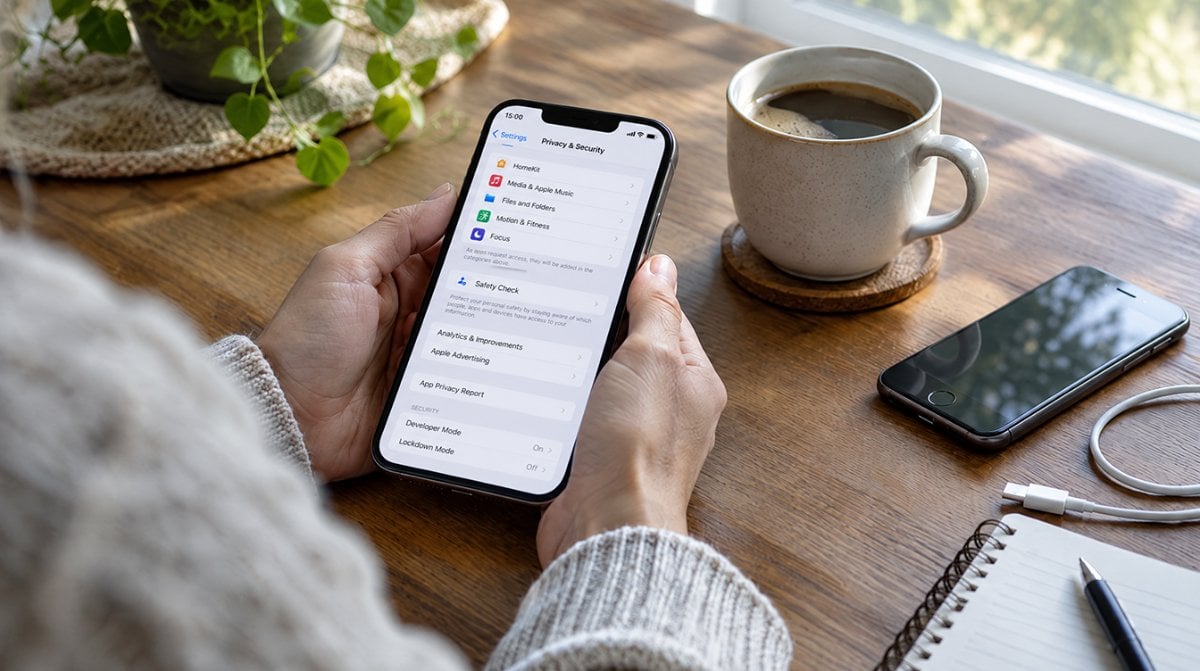
The fastest way to check iPhone for spyware is to confirm you are on current software, look for an Apple threat notification, and clear out any device management profile you did not install. No setting will list a hidden implant for you, so those three checks, plus Lockdown Mode for people at real risk, are what actually works.
The reason so many people want to check iPhone for spyware this week is DarkSword. On October 8, 2026, the security firm iVerify described a reworked strain it calls P7 DarkSword, which quietly pulls passwords, notes, photos and crypto wallet data from iPhones that never got patched. A day earlier, Censys reported servers still handing out DarkSword alongside an older kit called Coruna.
What DarkSword does to an unpatched iPhone
Google’s threat team first laid out DarkSword in March. According to Google’s analysis, the chain strings together six flaws, works against iOS 18.4 through 18.7, and turned up in attacks on people in Ukraine, Turkey, Saudi Arabia and Malaysia. Victims landed on rigged or hijacked websites that loaded the attack in a hidden frame. No tap on a strange attachment was required.
The new P7 version is harder to spot. iVerify says the attackers stripped out debug logging, reduced how often the code injects itself into other processes, and now package Keychain secrets into a file on the phone before shipping them out. Once installed, it phones home every 15 seconds by default and can browse files, grab photos, list your apps and read Apple Notes.
Censys adds a money angle. The wallet apps on its list include Coinbase, MetaMask, Phantom, Trust Wallet, Exodus and imToken, and the firm says the kit “mines Photos and Notes for BIP39 recovery phrases.” If you ever saved a seed phrase as a screenshot, that line should get your attention.
How to check iPhone for spyware in five steps
You do not need a paid app to check iPhone for spyware. Work through the list in order; the first step matters far more than the rest.
- Check your iOS version. Open Settings, then General, then About. Google says every flaw DarkSword relies on was closed by iOS 26.3, and Apple shipped iOS 27.0.1 on September 28, 2026. Anything older than 26.3 deserves an update today.
- Install what is waiting. Go to Settings, General, Software Update and install the newest release your model supports. Our walkthrough on how to update your iPhone or iPad over Wi-Fi or with a computer covers the snags.
- Look for an Apple threat notification. Sign in at account.apple.com. A genuine warning shows up as a banner at the top of that page, on the Lock Screen and in Settings.
- Review device management. Head to Settings, General, VPN & Device Management. Apple says an empty screen means no management profile is installed. If you spot one you did not add and the phone is not from work or school, remove it and restart.
- Audit what you store. Move recovery phrases out of Photos and Notes, and change passwords for any account you worry about from a device you trust.
A common snag is expecting a scanner to give a clean bill of health. iVerify found P7’s leftovers in a system folder that ordinary users cannot open, and Google says the related tools erase crash logs so there is less evidence left behind. When you check iPhone for spyware, you are mostly closing the doors these kits use, not catching them in the act.
Telling a real iPhone spyware alert from a fake
Apple has sent threat notifications since 2021, to people in more than 150 countries, and it calls them high-confidence warnings. Email versions come from threat-notifications@email.apple.com. Per Apple’s support page, a real one never asks you to click a link, install a profile or hand over your Apple Account password or code.
Ruling out fakes is part of any attempt to check iPhone for spyware, and the fake version is easy to spot. A pop-up in Safari that insists your phone is infected and pushes a download is the scam, not the warning. The safe test is always the same: type account.apple.com yourself and look for the banner. If it is there, Apple points people to Access Now’s Digital Security Helpline, which runs around the clock.
When Lockdown Mode is worth it
Google recommends Lockdown Mode for anyone who cannot update, and it is the logical next move if you check iPhone for spyware and still feel exposed. Apple describes it as an extreme setting built for the small group of people who might be singled out by sophisticated attackers, and it changes daily life in noticeable ways.
| Area | What changes in Lockdown Mode |
|---|---|
| Messages | Most attachment types blocked; no links or link previews |
| Safari | Some complex web tech blocked, so pages may load slowly |
| FaceTime | Incoming calls blocked unless you called that person in the past 30 days |
| Accessories | iPhone must be unlocked to connect to accessories or computers |
| Wi-Fi and cellular | No auto-join of non-secure Wi-Fi; 2G and 3G turned off |
To turn it on, open Settings, tap Privacy & Security, scroll to Lockdown Mode, tap Turn On Lockdown Mode, then Turn On & Restart and enter your passcode. It needs iOS 16 or later and covers a paired Apple Watch too, but each iPad and Mac has to be switched on separately. Apple suggests updating first.
Journalists, activists, people who hold serious crypto and anyone who got a threat notification are the natural fit. For most families, staying current is the better trade, and our roundup of iPhone security features every user should enable covers the lighter options.
What we still don’t know about P7 DarkSword
iVerify did not say which iOS version the infected phone in its August case was running. None of the reports include a statement from Apple about P7, and there is no public count of how many phones were hit. What is clear is that the people behind it keep investing in it, which is a good reason to check iPhone for spyware on any older device in the house, not just your own.
Common questions about iPhone spyware
Can you check iPhone for spyware for free?
Yes. Confirming your iOS version, reviewing VPN and Device Management, and looking for a banner at account.apple.com cost nothing and cover the checks that matter most.
Does DarkSword affect iOS 27?
Not through the known flaws. Google says all six were patched by iOS 26.3, so an iPhone on iOS 27.0.1 is not exposed to the chain it documented.
What does Lockdown Mode do on iPhone?
It shuts off features attackers often abuse, such as most message attachments, link previews and some web technologies. Calls, plain texts and emergency SOS still work.
Should you check iPhone for spyware right now?
If any phone in your home sits below iOS 26.3, yes, and the fix is an update rather than an app. Anyone already on iOS 27 can spend two minutes on the account banner and the profile screen, then move on. The phone most likely to be left behind is the hand-me-down in a kid’s backpack or a kitchen drawer, so update it, or retire it if Apple has stopped sending it updates.