
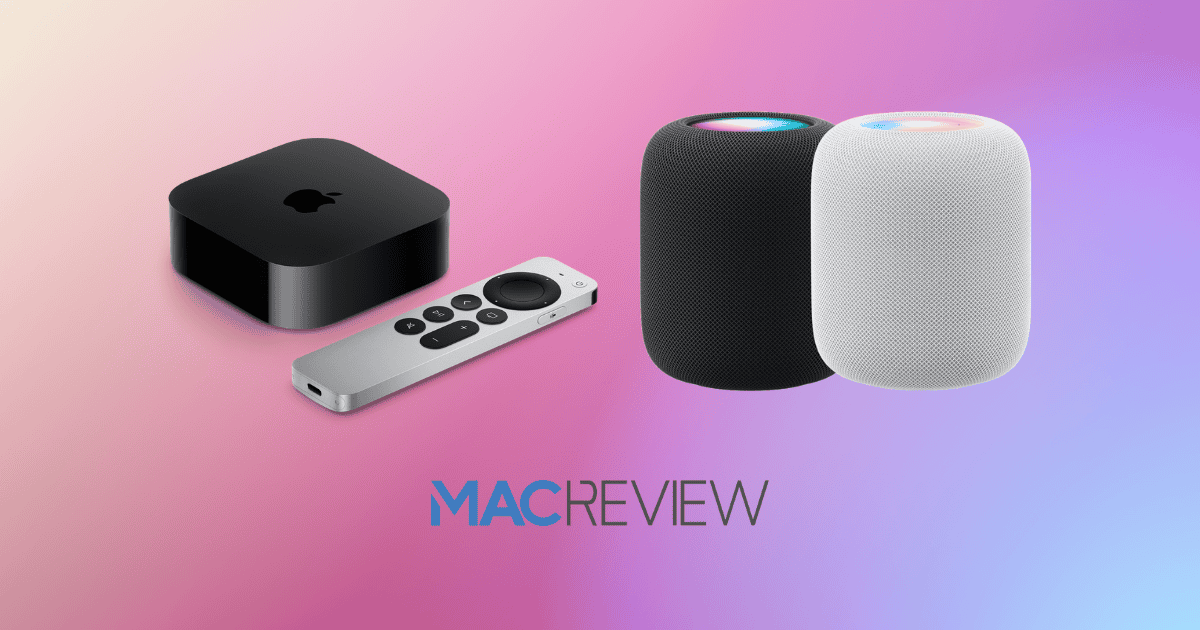
Apple has recently unveiled tvOS 18.1 and HomePod 18.1, signaling a commitment to refining user experience through incremental yet meaningful improvements. With features such as real-time content insights in tvOS and enhanced guest access controls in HomePod, these updates underscore Apple’s focus on accessibility, usability, and performance across its ecosystem. As these upgrades roll out, Apple continues to set new standards for interconnected and intelligent devices that adapt to user needs, with implications for enhanced daily interactions in the digital space.
tvOS 18.1: Elevating the Media Experience
tvOS 18.1 builds upon Apple’s dedication to immersive media experiences, offering users a refined viewing environment that prioritizes accessibility and navigation ease. Released as a public beta, tvOS 18.1 brings a host of improvements and new functionalities for users to test before the official release. Here’s what makes tvOS 18.1 a notable update for Apple TV users:
InSight Feature
InSight is a groundbreaking addition, providing real-time details on actors, characters, and music during playback. This interactive feature enhances viewer engagement by enriching the content experience, allowing users to learn more about the shows and movies they watch.
Dialogue Clarity and Accessibility
Leveraging machine learning, the Enhance Dialogue feature makes conversations within media easier to follow by optimizing vocal clarity, particularly useful for those with hearing impairments. The automatic subtitle display when muting or rewinding content also supports accessibility, ensuring all users can enjoy uninterrupted comprehension.
New Screen Savers
For a fresh visual experience, Apple has introduced screen savers featuring themes like Portraits and Snoopy, adding aesthetic value and personalization to Apple TV setups.
With these features, tvOS 18.1 enhances the entertainment experience by adding layers of information and accessibility, making media more interactive, informative, and enjoyable.
HomePod 18.1: Advanced Smart Home Control and Guest Access
HomePod’s 18.1 update brings notable improvements that empower users with better control and security within smart home environments. Building on Apple’s smart home ecosystem, this update introduces new features designed to increase usability and make smart home management more efficient:
Guest Access Controls
The addition of guest access allows users to grant specific access to home security features like locks, providing time-based or individualized permissions. This functionality is a significant leap for smart home security, offering homeowners flexibility in managing who can access their homes without compromising privacy.
Activity History
The new Activity History feature is designed for transparency and control, allowing homeowners to monitor guest interactions and gain insights into device usage. This feature supports informed decision-making and greater accountability within the home, adding a layer of security to smart home management.
Energy Efficiency Integration
Partnering with Pacific Gas and Electric, HomePod 18.1 now includes energy management insights to help users track and optimize their electricity usage. This update is not only a nod to sustainability but also a practical tool for reducing household energy expenses.
Robot Vacuum Compatibility
In a move to enhance automation, HomePod 18.1 now supports robot vacuums, allowing users to integrate cleaning routines seamlessly into their home automation scenes. This feature promotes convenience and efficiency, enriching the overall smart home ecosystem.
Together, these HomePod updates provide users with enhanced control, security, and environmental management capabilities, underscoring Apple’s dedication to smart, connected living.
Enhanced Stability and Performance
The latest tvOS and HomePod updates also place a strong emphasis on stability and performance improvements. Released in a third public beta version, the updates are continually refined based on user feedback to ensure a smooth and reliable experience. Key enhancements include:
- Bug Fixes: Resolutions of previously reported issues contribute to greater stability, reducing the occurrence of crashes and glitches.
- Optimized Speed: Performance optimizations aim to improve response times, offering faster access to media and smart home features.
- Improved Compatibility: These updates focus on enhancing device interactions across Apple’s ecosystem, contributing to a cohesive experience.
These refinements ensure that users experience minimal disruptions and enjoy a more reliable interface, supporting Apple’s commitment to quality and user satisfaction. Apple advises beta testers to use secondary devices for testing to avoid potential disruptions on primary devices.
Redesigned User Interface and Navigation
tvOS 18.1’s user interface has been thoughtfully redesigned to support intuitive navigation and quick access to content. Apple’s latest interface revamp aims to improve the browsing experience, helping users navigate seamlessly across apps and streaming services.
Enhanced Visual Differentiation
Categories and content types are now visually distinct, aiding users in quickly locating their preferred shows or apps. This clear organization supports ease of use, especially for users managing a large content library.
Dynamic Animations
The addition of animations and transitions lends a polished feel to the browsing experience, adding a layer of visual engagement that enhances the overall user experience.
Accessibility-Centric Design
tvOS 18.1 includes improved accessibility features, ensuring the interface is navigable for users of all abilities. This aligns with Apple’s mission to make technology usable for everyone, regardless of individual needs.
AI and Machine Learning Integration
Apple’s approach to innovation is on full display with the incorporation of advanced AI and machine learning in both tvOS 18.1 and HomePod 18.1. These technologies bring smarter, more personalized interactions across the Apple ecosystem.
InSight and Enhanced Dialogue
Powered by AI, the InSight and Enhance Dialogue features transform the media experience on Apple TV. These tools offer users real-time insights and better audio clarity, showcasing the potential of AI to add value in entertainment.
Smart Home Adaptations
With improved automation and personalization, Apple’s AI-driven features like robot vacuum compatibility and guest access for HomePod enhance the overall smart home experience, adapting to user routines and preferences.
Spatial Audio and AirPlay
Incorporating Spatial Audio support in AirPlay, Apple has elevated the auditory experience, allowing users to enjoy immersive audio quality, especially beneficial in shared listening environments.
These AI-driven advancements represent Apple’s vision of an interconnected ecosystem, where devices seamlessly interact to meet diverse user needs.
Accessibility Upgrades
Apple’s recent updates include significant accessibility improvements, designed to support all users, including those with disabilities. Noteworthy additions in tvOS 18.1 and HomePod 18.1 demonstrate a thoughtful approach to inclusive technology.
Live Captions
In FaceTime calls, Live Captions provide real-time text, helping users with hearing impairments to follow conversations with ease. This feature is currently available in the U.S. and Canada, with plans to expand availability.
SharePlay Guest Control
SharePlay on HomePod now allows guests to control music, making it easier for all users, regardless of tech familiarity, to engage with the audio experience. This fosters a more inclusive communal experience in shared spaces.
Improved Audio Quality
The improved audio performance on HomePod enhances clarity in calls, benefiting users with hearing impairments and ensuring smoother communication for everyone.
Dialogue Enhancement
The machine learning-driven Enhance Dialogue feature also supports those with hearing difficulties, clarifying conversations during media playback and ensuring that everyone can enjoy Apple’s entertainment offerings.
These accessibility features reflect Apple’s ongoing efforts to create an inclusive ecosystem that caters to the diverse needs of its user base.
MacReview Verdict: A Forward-Thinking Update
The release of tvOS 18.1 and HomePod 18.1 represents Apple’s holistic approach to improving user experience, control, and accessibility. By integrating AI-driven features and streamlining smart home functionalities, Apple is enhancing the user experience across multiple devices. These updates not only improve Apple’s ecosystem but also highlight the company’s focus on inclusivity and technological adaptability.
With a refined interface, improved stability, and accessibility-focused features, tvOS 18.1 and HomePod 18.1 set a new benchmark in device interaction and smart home integration, solidifying Apple’s role as a leader in technology innovation and user-centered design.



















