
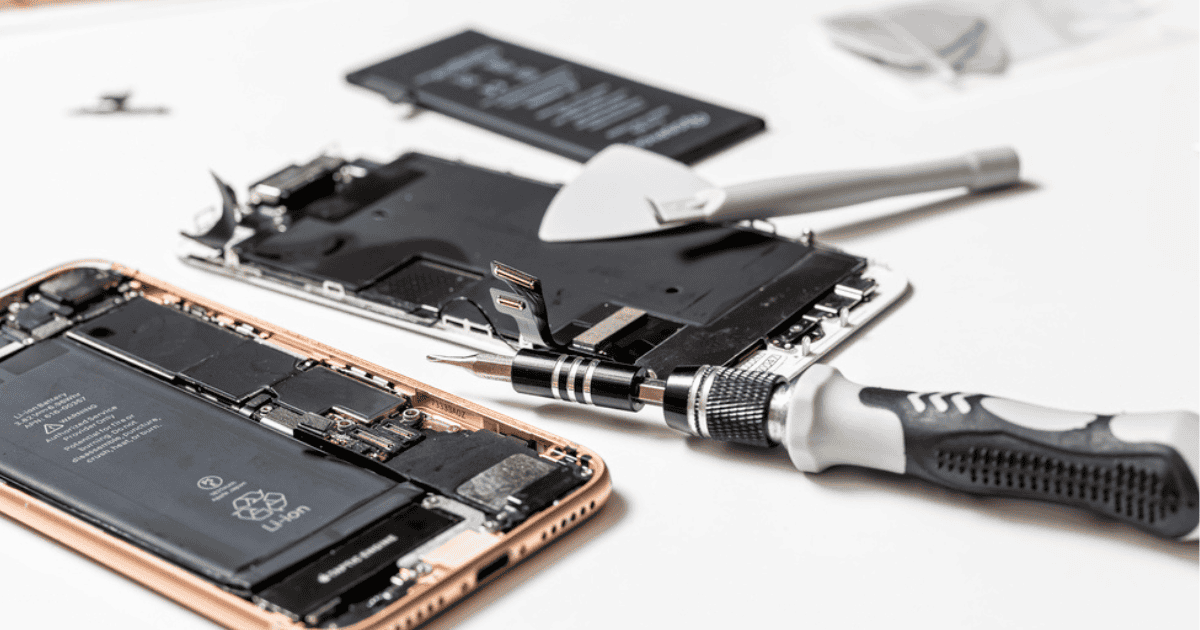
Apple charges $89 to $119 to replace an iPhone battery in the United States, depending on how new the phone is. Under AppleCare+ it costs nothing at all, provided the battery has already fallen below 80 percent of its original capacity. That 80 percent figure decides everything, so check it before you book anything.
Key Takeaways
- Out-of-warranty US pricing is $119 for iPhone 17 Pro, 17 Pro Max, iPhone Air, 16 Pro and 16 Pro Max, and $99 for iPhone 17, 16, 15 and 14 models.
- Older phones cost less. $89 covers iPhone X through iPhone 13, and $69 covers iPhone SE and iPhone 8.
- AppleCare+ replaces the battery with no service fee, but only once Maximum Capacity has dropped below 80 percent. Above that line Apple will not swap it under the plan.
- Settings, then Battery, then Battery Health shows your Maximum Capacity. Most people who think they need a new battery do not.
- A non-genuine battery shows as Unknown Part in Settings, General, About, and Apple warns the battery health readings may stop being accurate.
How Much Does an iPhone Battery Replacement Cost?
Apple prices battery service in four tiers. Here is the ladder in US dollars, for service by Apple or an Apple Authorized Service Provider.
| iPhone model | Out of warranty | With AppleCare+ |
|---|---|---|
| iPhone 17 Pro, 17 Pro Max, iPhone Air | $119 | $0 below 80% |
| iPhone 17 | $99 | $0 below 80% |
| iPhone 16 Pro, 16 Pro Max | $119 | $0 below 80% |
| iPhone 16, 16 Plus | $99 | $0 below 80% |
| iPhone 15 and iPhone 14, all models | $99 | $0 below 80%, while covered |
| iPhone X, 11, 12, 13 | $89 | $0 below 80%, while covered |
| iPhone SE, all generations, and iPhone 8 | $69 | $0 below 80%, while covered |
These figures were checked on 3 September 2026 and are US prices only. Apple does not publish a printed price list. Its repair page builds a quote once you pick your model, so the only figure that binds Apple is the one it shows you for your phone, in your country, on the day. Apple has also moved these numbers before, most sharply in September 2024, when the Pro tier went from $99 to $119. Treat the table as the shape of the ladder and confirm your own model on Apple’s estimator before you commit. If you are reading this outside the United States, the number above is not yours.
When the quoted price stops applying
Battery pricing assumes the phone is otherwise intact. A cracked screen, a bent frame or water damage turns a battery job into a different and more expensive repair, and Apple tells you that at the counter rather than in advance. Authorized Service Providers also set their own labor rates.
Is AppleCare+ Worth Buying for the Battery Alone?
No. AppleCare+ earns its money on cracked screens, shattered back glass and stolen phones, where one incident costs hundreds. A battery is the cheapest thing on Apple’s repair menu, and paying a subscription for years to avoid one $99 charge is poor arithmetic.
The coverage itself is straightforward. Apple’s terms say that if your iPhone battery holds less than 80 percent of its original capacity, it is covered, with no additional fee. Above 80 percent the plan does not apply, no matter how the phone feels in daily use. AppleCare One, which starts at $19.99 a month for three Apple devices, carries the identical battery condition.
So the honest sequence is this. Buy AppleCare+ if you drop things, or if losing the phone would hurt. Pay the one-off battery fee in year three or four, when it has actually degraded, and you will almost certainly have spent less.
Check Battery Health Before You Pay Anyone
Open Settings, tap Battery, then Battery Health. Maximum Capacity measures your battery against the day it was new. Recent models show a cycle count on the same screen.
Apple designs iPhone 15 and later batteries to keep 80 percent of their original capacity after 1,000 full charge cycles. For iPhone 14 and earlier, the target was 500. Doubling it was a real engineering change, and it is why a three-year-old iPhone 15 often reads healthier than a two-year-old iPhone 13 did.
If iOS decides the battery is finished, it says so plainly: your battery’s health is significantly degraded, and an Apple Authorized Service Provider can replace it to restore full performance and capacity. That message is the clearest signal you will get.
Here is the position, and it saves people money every day. If Maximum Capacity is above 80 percent and the phone is not shutting down unexpectedly, do not replace the battery. What you are feeling is more likely a heavier iOS release or a badly behaved background app. Below 80 percent, with early shutdowns or visible slowdowns, it is one of the best hundred dollars you can spend on a phone you already own.
What a Third-Party Battery Actually Costs You
An independent shop will usually beat Apple’s price, sometimes by half. The saving is real. So is what you give up, and most cheap-repair coverage skips the second part.
Apple links genuine batteries to the phone during service. When that does not happen, Settings, General, About lists the battery under Parts and Service History as Unknown Part, a label Apple applies when a component is non-genuine or was never verified after repair. Apple’s wording on battery health afterwards is that the information might not be accurate. You can live with that. You should know first.
Apple is blunter on safety. Only a trained technician should replace an iPhone battery, it says, because a damaged lithium-ion cell can overheat or catch fire. On coverage, Apple states directly that repairs by Independent Repair Providers are not covered by Apple’s warranty or AppleCare plans. Nobody at Apple is standing behind the battery work itself.
There is a sensible middle. Apple’s Independent Repair Provider program gives independent shops access to genuine Apple parts, and a shop in that program is a different proposition from a mall kiosk fitting an unbranded cell for $35. Ask which one you are getting, by name, before you hand the phone over. Apple also sells parts through Self Service Repair, a more realistic option now for reasons covered next.
How iPhone Battery Replacement Is Changing
The glue is going away. For years the hardest part of an iPhone battery swap was the stretch-release adhesive under the cell, which tore if you pulled it wrong and left you scraping. Apple replaced that on the iPhone 16 and 16 Plus with an adhesive that releases electrically: apply a low-voltage current, roughly a 9-volt source, wait around 90 seconds, and the bond lets go. iFixit rated the iPhone 16 at 7 out of 10 for repairability, its best iPhone score at the time.
The Pro line went a different route. The iPhone 16 Pro moved the cell into a metal enclosure, safer to handle and better for heat. By the iPhone 17 Pro, the battery sits in a metal tray screwed to the aluminum frame with Torx Plus screws, so a tray-mounted replacement involves no adhesive at all.
Regulation is part of why. The EU Batteries Regulation, 2023/1542, requires portable batteries to be readily removable and replaceable by the end user, and those provisions apply from 18 February 2027. Phones are steered toward the EU’s separate ecodesign repair rules rather than that specific article, but the direction is identical and Apple has been engineering toward it for several product cycles.
Now the uncomfortable part. None of this made Apple’s service cheaper. The Pro tier rose to $119 in the same generation that introduced the metal battery shell, and it has stayed there. Easier removal has made independent and do-it-yourself repair genuinely more realistic. It has not moved Apple’s price, and there is no sign that it will.
Frequently Asked Questions
Does replacing the battery erase my iPhone?
A battery swap does not touch your data. Back up anyway, because a technician who finds a second fault may replace more than the battery, and devices occasionally have to be restored during service.
Will a third-party battery break Face ID or block iOS updates?
No. Face ID is tied to different components entirely, and iOS updates install normally. What you get instead is the Unknown Part entry under Parts and Service History and battery health readings Apple will not vouch for.
Is a battery replacement worth it on a four-year-old iPhone?
Usually yes. It is the cheapest way to make an older iPhone feel current again, and a four-year-old phone still receiving iOS updates is a strong candidate for an $89 fix. If it is also cracked, or already off the update list, put the money toward the next phone.
MacReview Verdict
Check Battery Health first, every time. A large share of the people searching for this price do not need the repair, and Settings tells them so in about ten seconds. Above 80 percent, keep your money.
If you are below the line, Apple’s $89 to $119 is fair for what it includes: a genuine cell, the pairing that keeps battery health reporting honest, and someone accountable if it goes wrong. Pay it, particularly on a Pro model, where the battery now sits in a screwed-down metal tray.
Skip Apple only if you know exactly which shop you are using and can confirm it fits genuine Apple parts. And do not buy AppleCare+ for a battery. That plan is for the day you drop the phone on a tiled floor, a much more expensive day than this one.



















