
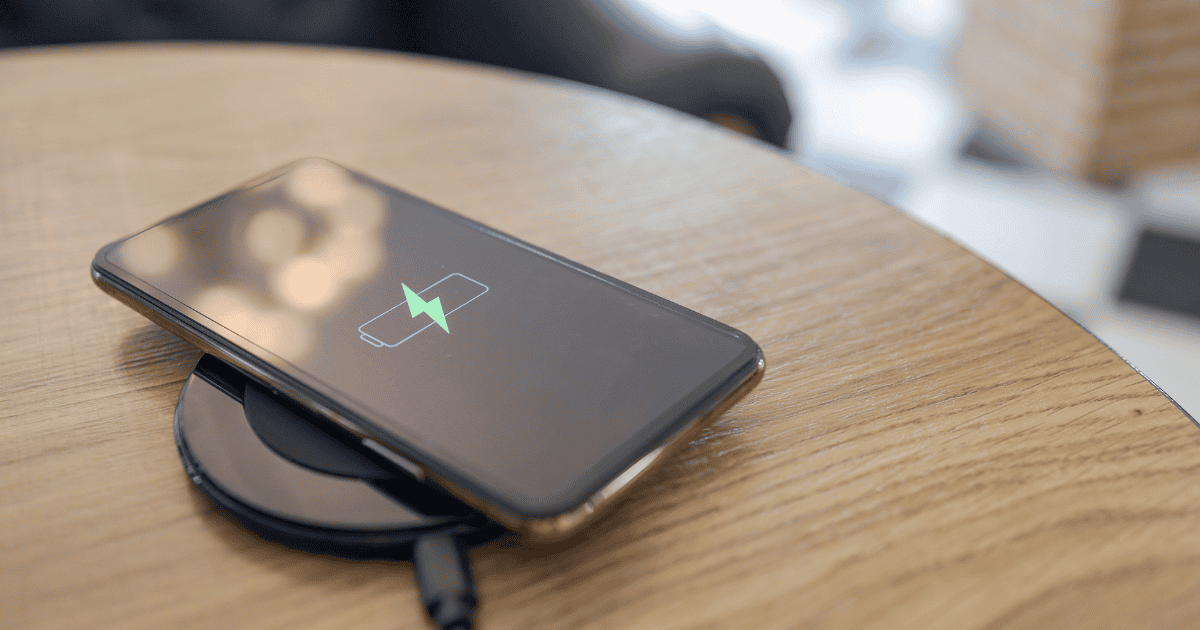
8 Simple Ways to Make Your iPhone Battery Last Longer
In today’s fast-paced mobile landscape, the longevity of an iPhone’s battery is a critical aspect that can significantly influence daily productivity and connectivity. As users increasingly depend on their devices for a myriad of tasks, from business communications to personal entertainment, the imperative to optimize battery life becomes more pronounced. This discourse aims to explore a series of practical and accessible methods that individuals can adopt to ensure their iPhone’s energy reserves are utilized with utmost efficiency. By integrating these eight simple yet effective strategies, users can alleviate the concerns of frequent charging and the potential inconvenience it entails. As we examine these tactics, one might discover that the key to extended battery life lies not in grand gestures but in subtle adjustments to daily usage patterns, compelling users to consider the latent potential within their current practices.
Key Takeaways
- Enable Low Power Mode
- Adjust screen brightness levels and use Dark Mode or Night Shift
- Minimize Location Services and disable system services location tracking
- Limit Background App Refresh and customize settings for power-consuming apps
Enable Low Power Mode

Activating Low Power Mode on your iPhone is a straightforward measure that significantly prolongs battery life by scaling back non-essential processes and features. When the battery charge falls below a certain percentage, your device can prompt you to turn on low power mode, or you can enable it manually through the Settings app. By initiating this mode, your iPhone conserves energy by reducing mail fetch, background app refresh, automatic downloads, and some visual effects. This mode is an effective tool for users needing to save battery life when a charger is out of reach.
For even quicker access to this energy-saving feature, you can add Low Power Mode to the Control Center. This allows for rapid activation without navigating through settings menus. Once low power mode is activated, you may notice a decrease in display brightness and a minimization of system animations, both of which are intentional adjustments to preserve power. Despite these limitations, essential functions like making and receiving calls, email, and messages remain fully operational. To toggle Low Power Mode on or off, simply go to Settings > Battery, giving you control over your device’s power consumption and helping you stay connected longer.
Monitor Battery Usage

Building on the benefits of Low Power Mode, monitoring your iPhone’s battery usage offers additional insights into which apps are consuming the most energy and provides opportunities for further extending battery life. By delving into the settings app and selecting ‘Battery’, users can tap ‘Battery Usage’ to reveal a detailed breakdown of power consumption by app. This visibility empowers users to make informed decisions about which apps to limit or remove altogether.
The settings app also allows users to tweak specific functionalities that can have a significant impact on battery life. For instance, disabling background app refresh for non-essential apps can prevent them from using energy when not actively in use. Similarly, managing the frequency of notifications and email fetching can reduce the battery drain.
Here’s a quick guide to help you monitor and adjust your battery usage:
| Action | Benefit |
|---|---|
| Check Battery Usage in Settings | Identify high-energy apps |
| Disable Background App Refresh | Save power when not using apps |
| Reduce Notifications | Lower display activation |
| Change Email Fetch Settings | Minimize background data checks |
| Use WiFi Calling & Airplane Mode | Reduce power use in poor reception |
Adopting these practices will not only prolong your iPhone’s battery life but also enhance the overall user experience by promoting a more efficient use of resources.
Dim Screen Brightness


Reducing your iPhone’s screen brightness is a simple yet effective method for conserving battery life and minimizing eye strain during use. The brilliance of your device’s display can often be the largest power consumer, so managing the brightness level can have a significant impact on battery longevity. To adjust this setting, navigate to the Display & Brightness section in your iPhone’s settings and use the brightness toggle to find a comfortable level that also conserves power.
In addition to manual adjustment, consider disabling auto-brightness found in the Accessibility settings to maintain a consistent brightness level that doesn’t fluctuate based on ambient light conditions. This ensures that your screen isn’t unnecessarily bright in low-light environments, which can save considerable battery life.
For further optimization, utilize the features like Dark Mode, which is known to be battery-friendly on OLED screens, and Night Shift to reduce blue light emission. True Tone can also help by automatically adjusting the screen’s color temperature to the ambient light, potentially saving battery while providing a more natural viewing experience.
Minimize Location Services

While managing screen brightness is a key factor in extending battery life, equally important is the judicious use of location services, which can be a significant drain on your iPhone’s battery when left unchecked. Many apps request access to your location for various functions, but not all of them need to track your whereabouts to work effectively.
To help you minimize the impact of location services on your iPhone’s battery, consider the following steps:
- Turn Off Location Services for Non-Essential Apps: Navigate to Settings > Privacy > Location Services and review the list of apps using location tracking. Set non-essential apps to ‘Never’ or ‘Ask Next Time’ to prevent them from accessing your location when it’s not necessary.
- Limit Background Location Tracking: For apps that only need location access during use, select ‘While Using the App’. This prevents them from continually updating your location in the background, which can quickly deplete your battery.
- Disable System Services Location Tracking: Some built-in system services such as ‘Frequent Locations’ and ‘Location-Based Suggestions’ also use location tracking. Consider turning these off in the System Services settings to further conserve battery life.
Limit Background Refresh

Another effective strategy to prolong your iPhone’s battery life is to manage the background app refresh feature, which allows apps to update content when not in use. This function, while useful for keeping your apps up-to-date, can be a significant source of power consumption, particularly for apps that frequently update in the background.
To optimize your battery life, consider disabling the background app refresh for apps that are draining your battery the most. You can do this by going to General > Background App Refresh in your iPhone’s settings. Here, you have the option to completely turn off the background app refresh for all apps or selectively for those that consume the most power. By customizing these settings, you not only extend your battery life but also gain control over which apps receive the latest updates automatically.
Reducing background internet usage is another benefit of adjusting these settings, as many apps will cease to pull data in the background, thus saving energy. Being proactive in managing your iPhone’s features and understanding the impact of background app refresh can lead to significant improvements in battery performance throughout the day.
Update iOS Regularly

Keeping your iPhone’s software up to date is a crucial step in ensuring optimal battery performance, as Apple frequently releases updates that enhance power management capabilities. These updates often include fixes that help your iPhone run more efficiently, which can prolong the life of your battery throughout the day. By neglecting software updates, you might miss out on important optimizations that can make a significant difference in how long your battery lasts.
To emphasize the importance of updating your iOS, consider the following points:
- Address Bugs and Issues: Each new version of iOS can fix bugs and issues that may be causing unnecessary battery drain on your iPhone.
- Introduce New Features: Software updates sometimes introduce new features that can improve overall battery life, such as improved algorithms for battery charging and usage monitoring.
- Maintain Peak Performance: Staying updated with the latest version ensures that your iPhone is taking full advantage of the latest power-saving technologies designed by Apple.
It’s good practice to install the latest version of iOS as soon as it’s available to keep your iPhone running smoothly. To check for a software update, go to Settings > General > Software Update. If a new version of iOS is available, follow the prompts to install it.
Reduce Push Notifications

In addition to staying current with iOS updates, judiciously managing push notifications is a powerful tactic for conserving your iPhone’s battery life. Each time your phone receives a push notification, it wakes the device, lights up the screen, and often sounds an alert – all of which can consume power. By customizing which apps are allowed to send you notifications, you can significantly reduce this background activity.
To optimize your settings, go to the Notifications section in the Settings app. Here, you can assess the number of notifications you receive and determine which ones are truly necessary. Consider disabling notifications for apps that aren’t essential or switch to fewer alerts by selecting the Deliver Quietly option. This way, you’ll still be informed without the immediate interruption and the associated battery drain.
Moreover, for apps like email, where real-time updates might not be crucial, you can alter the fetch new data settings. By changing to manual fetching or scheduling less frequent automatic updates, you can reduce the battery consumption linked to constantly syncing new data. Taking control of push notifications and fetch settings will not only prolong your battery life but also minimize distractions, helping you to focus on the notifications that matter most.
Manage Charging Practices

Effective management of your iPhone’s charging habits, such as enabling Optimized Battery Charging, can significantly extend the overall lifespan of your device’s battery. This feature learns your daily charging routine to reduce the time your iPhone spends fully charged, which helps to minimize battery aging.
Here are three key practices to manage your iPhone’s charging:
- Enable Optimized Battery Charging: Navigate to Settings > Battery > Battery Health and turn on ‘Optimized Battery Charging.’ This feature will prevent your iPhone from charging past 80% until you need to use it, mitigating the risk of battery strain and extending its longevity.
- Monitor Charging Patterns: Avoid keeping your iPhone plugged in at all times. Instead, charge it when it drops below 20% and unplug it once it reaches 80% to preserve battery health.
- Enable Low Power Mode: Conserve battery life by turning on Low Power Mode when your battery is low. This can be done quickly through the Control Center or by going to Settings > Battery.
Conclusion
In conclusion, the longevity of an iPhone’s battery mirrors the sustainability of a well-nurtured forest – both require attentive care to thrive. By implementing these strategies, users not only cultivate a resilient energy source for their device but also contribute to a larger ethos of resource conservation. The deliberate stewardship of battery life ensures that the digital tree of connectivity and productivity remains robust, flourishing with each judicious act of preservation.



















