If your iPhone has ever failed to find an email you know is sitting somewhere in your inbox, the iOS 27 Mail features are aimed squarely at you. Apple rebuilt how Mail ranks search results, gave message suggestions the ability to hand tasks to third-party apps, and taught Smart Reply to sound more like the person sending it.
iOS 27 arrived on September 14, 2026, and the follow-up iOS 27.0.1 landed on September 28. Some of these changes work on any iPhone that runs the update. Others depend on Apple Intelligence or the Siri AI beta, which narrows the list of phones and languages quite a bit.
Search that puts the right email first
The most useful of the iOS 27 Mail features is one you never have to switch on. Mail now uses a fresh ranking system for Top Hits, so the message you are most likely after floats to the top of your results, even when it sits far down your inbox. On its iOS overview page, Apple files this under general OS improvements rather than under its Apple Intelligence features.
Apple also says searching in Spotlight, Photos and Mail is now more stable, more efficient and more thorough across iPhone, iPad and Mac.
Honestly, this is the upgrade I care about most. The AI features get the headlines, but finding the right email on the first try is what you’ll notice every day.
Suggestions that can hand off to other apps
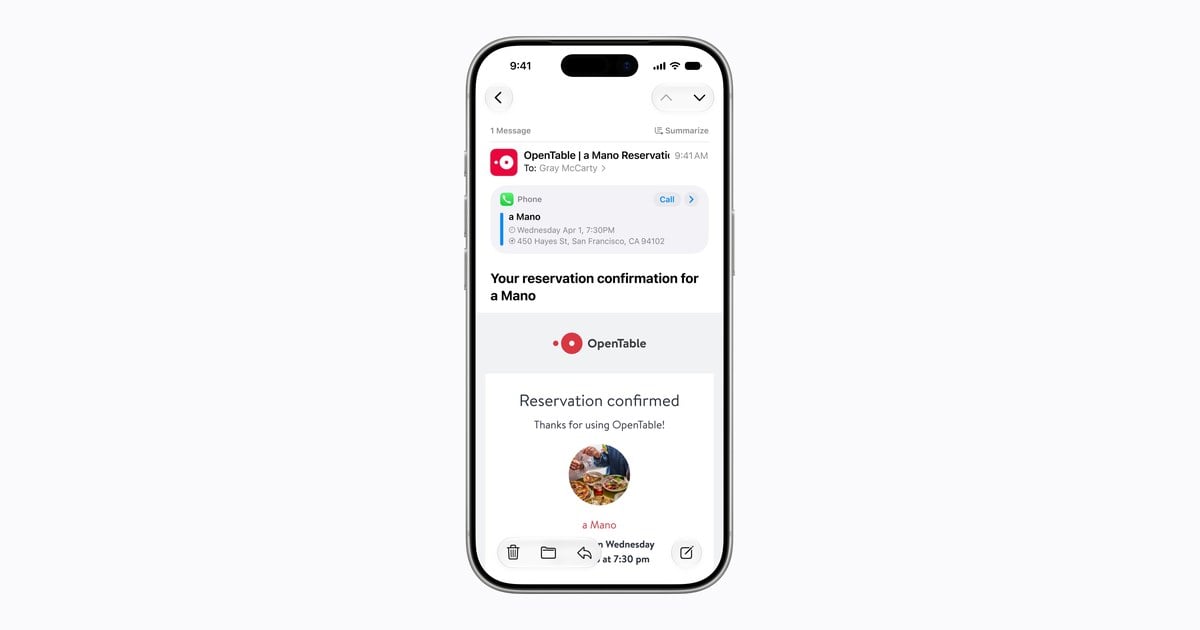
Mail has offered action buttons above certain messages for a while. Among the iOS 27 Mail features, those suggestions get a more flexible layout, and for the first time apps from outside Apple can supply them too. A message about weekend plans could offer to add the event to your calendar with a tap, and a third-party app could step in with its own shortcut.
When more than one app has something to offer for the same message, Mail tucks the choices into a drop-down list instead of crowding the top of the email. This one is part of Apple Intelligence, and Apple lists suggestions in Mail as English-only for now.
Smart Reply that writes in your voice
Smart Reply is the row of one-tap answers that shows up when you start replying. In its June Apple Intelligence announcement, Apple said Smart Reply, in both Mail and Messages, now picks up on the way you personally write.
Expect fewer replies that read like a help desk bot. Siri AI goes further, matching your punctuation and tone when it helps you write in Mail or Messages.
Siri AI inside Mail, with a few strings attached
Among the iOS 27 Mail features, Siri is the one with the most fine print. Apple says Siri AI can dig through your emails, messages and photos to find things, and it can act inside apps for you.
- It is a beta. Siri AI launched in English, with French, Japanese, Korean, Portuguese and Spanish planned for October.
- Region limits apply. It is not initially available on iPhone in the EU, and the new Apple Intelligence features are not available in China for now.
- There are daily caps. Server-side features, Siri AI included, come with daily usage limits, and Apple says paid access is planned later.
- Age matters. Siri AI is not offered to anyone under 13.
Which iPhones get the iOS 27 Mail features
Here is how the four changes split between every iOS 27 iPhone and the smaller Apple Intelligence group. Apple lists Apple Intelligence support for iPhone 15 Pro, iPhone 15 Pro Max and iPhone 16 models or later.
| Change | What it needs | Language note |
|---|---|---|
| New search ranking | iOS 27 (listed as a general OS improvement) | Apple has not given a language limit |
| Suggestions with third-party apps | Apple Intelligence iPhone | English |
| Smart Reply in your writing style | Apple Intelligence iPhone | Apple has not listed one separately |
| Siri AI actions and writing help | Apple Intelligence iPhone plus the Siri AI beta | English, more languages planned for October |
On a phone older than an iPhone 15 Pro, the iOS 27 Mail features you get come down to better search, which is still worth having. The smarter suggestions and Siri help simply will not appear.
Common mix-ups about the new Mail app
Suggestions are not in Messages yet. A footnote from Apple says suggestions in Messages conversations arrive in a later update. Mail has them now.
Better search is not a Siri trick. The new ranking lives in Mail itself, so it is not tied to the Siri AI beta.
Not every change shows up right away. Apple warns that availability shifts with your language, your region and local rules, so two people on the same build can see different iOS 27 Mail features. If you also use a personal address with Mail, our guide to setting up an iCloud custom email domain covers that side of things.
Frequently asked questions
Does iOS 27 Mail search work on older iPhones?
Yes, as far as Apple has said. Apple lists it as a general iOS 27 improvement rather than an Apple Intelligence feature, so any iPhone on iOS 27 should get it.
Do I need an Apple Intelligence iPhone for the new Mail suggestions?
Yes. Suggestions that work with third-party apps are an Apple Intelligence feature, so you need an iPhone 15 Pro, iPhone 15 Pro Max or an iPhone 16 model or later. Apple also lists suggestions in Mail as English-only for now.
Does Apple Mail Smart Reply copy my writing style?
Yes, on iPhones with Apple Intelligence. Apple says Smart Reply in iOS 27 can draw on your personalized writing style so suggested replies sound more like you.
Is the new Mail reason enough to update to iOS 27?
If you lean on Mail search, yes, update now; the new ranking alone justifies it, and it works on any iPhone that runs iOS 27. Owners of an iPhone 15 Pro or newer get the iOS 27 Mail features in full, while everyone else gets the part that matters most. Still on the fence about timing? Our iOS 27 release date guide lays out the rollout. Your inbox has not changed, but finding things in it finally should.