
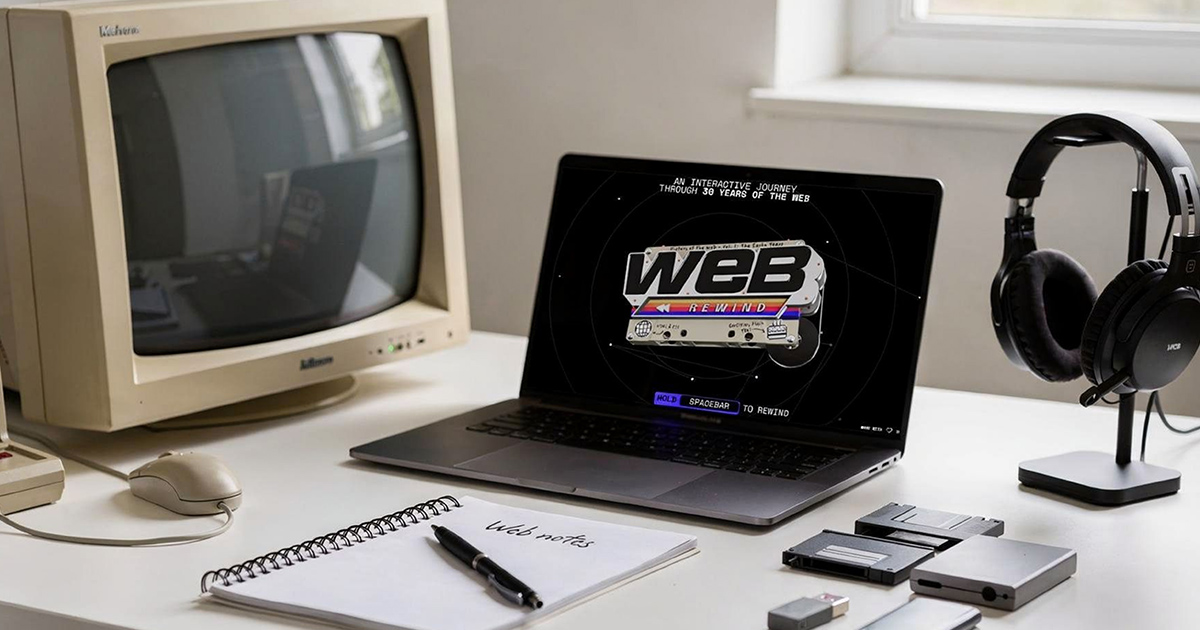
Opera has launched an interactive website commemorating three decades of web browsing history, offering users a nostalgic journey through the internet’s evolution. The Web Rewind experience features 31 interactive artifacts spanning from dial-up modems to modern AI-assisted browsing, presented through a uniquely animated interface reminiscent of early web design aesthetics.
An Interactive Journey Through Internet History
Opera’s Web Rewind website takes a distinctive approach to celebrating the browser’s 30th anniversary. Rather than a traditional retrospective, the company has created a space-bar-driven interactive experience that guides visitors through significant moments in web history. The site works best on desktop computers, where users can fully appreciate its keyboard-driven navigation and elaborate animations.
The experience includes 31 different artifacts that represent pivotal moments in internet culture and technology. Users interact with each element by holding or tapping the space bar, triggering animations and audio that recreate the feeling of each era. This design choice itself serves as a throwback to Flash-based websites that dominated the early 2000s web.
Featured Milestones and Cultural Moments
The Web Rewind collection spans a comprehensive range of internet history, capturing both technological advances and cultural phenomena. Notable inclusions feature the distinctive sounds of dial-up modem handshakes, AOL’s iconic “you’ve got mail” notification, and the proliferation of chain emails that characterized early internet communication.
The interactive timeline also commemorates the launch of Google, the rise and fall of peer-to-peer file sharing networks, and the social networking revolution led by platforms like MySpace. Each artifact is designed to evoke authentic memories from users who experienced these moments firsthand, while also educating those who came to the internet in later years.
Contest Offers Trip to Birthplace of the Web
Alongside the Web Rewind experience, Opera is conducting a contest that invites participants to share their favorite memories from the past three decades of internet history. Winners of the contest will reportedly receive a trip to Switzerland to visit CERN, the European research organization where the World Wide Web was invented by Tim Berners-Lee in 1989.
This contest component adds a participatory element to the anniversary celebration, encouraging users to reflect on their personal connections to internet history. The prize destination connects Opera’s modern browser technology to the foundational origins of web browsing itself.
A Rare Web Design Approach
The Web Rewind site stands out in the contemporary internet landscape by deliberately embracing design principles that have largely disappeared from modern web development. Heavy animation, keyboard-based interaction, and playful multimedia elements were once hallmarks of creative web design but have been replaced by streamlined, mobile-first interfaces in recent years.
This nostalgic design approach serves a dual purpose for Opera. It demonstrates the browser’s continued support for complex web technologies while creating an experience that resonates emotionally with users who remember when such sites were commonplace. The project functions as both celebration and demonstration of web capabilities across different eras.
Accessibility Considerations
Opera specifically recommends experiencing Web Rewind on desktop computers rather than mobile devices. This recommendation likely stems from the site’s heavy reliance on keyboard interaction and its animation-intensive design, which may not translate effectively to touchscreen interfaces or may consume excessive resources on mobile processors.
This desktop-first approach, while limiting accessibility for some users, aligns with the nostalgic theme of the project. The era being celebrated was predominantly experienced on desktop computers, and the interaction model reflects that historical reality.
FAQ
Q: Is the Web Rewind experience compatible with all browsers?
A: While Opera created the experience, it appears to be accessible through standard web browsers. However, Opera recommends using a desktop computer for the best experience due to the site’s keyboard-driven interactions and animation-heavy design.
Q: How can I enter the contest to win a trip to CERN?
A: Opera is accepting submissions of favorite web memories from the past 30 years. Specific entry requirements and submission details are reportedly available through the Web Rewind website.
Q: Does the Web Rewind site work on iPhone or iPad?
A: While the site may be accessible on iOS devices, Opera specifically suggests switching to a computer for the full experience, indicating that mobile compatibility may be limited or that certain interactive elements may not function as intended on touchscreen devices.
MacReview Verdict
Opera’s Web Rewind represents an unexpectedly charming approach to corporate anniversary celebrations. By creating an experience that mirrors the creative, experimental spirit of early web design, Opera has produced something genuinely engaging rather than merely promotional. The project succeeds both as nostalgia and as a functional demonstration of web technology’s evolution.
For users who experienced the dial-up era, early social networks, or peer-to-peer file sharing, Web Rewind offers authentic moments of recognition and remembrance. For younger users, it provides context for understanding how today’s internet emerged from decades of technological and cultural development. The desktop-only recommendation may limit accessibility, but it also preserves the authenticity of an experience designed to honor a primarily desktop-driven era of computing.
Whether you’re an Opera user or not, the Web Rewind site merits exploration as both entertainment and informal internet history lesson. It reminds us that the web was not always optimized, standardized, and sanitized, and that creativity often flourished in its quirkier, less efficient moments.



















